

- Aug 4, 2015
- 6,077
- 798
Hello Everyone
Did you get 404 errors on your WordPress site? No worries! In this guide, we'll show you how to fix them using a simple plugin

This can make them leave your site quickly, hurting your search engine ranking. To fix this, you can create a custom 404 page, but for now, you can send them to your homepage instead.
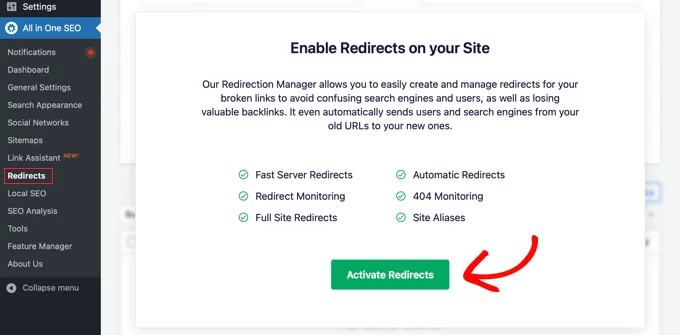
This step installs the Redirects module of All in One SEO.
Then, go ahead and click on the 'Settings' tab at the top of the page to set up your redirects with AIOSEO

Scroll down to find 'Advanced 404 Settings' and switch it on by clicking the button.
Then, turn on 'Enable default 404 redirects' and select 'Home Page
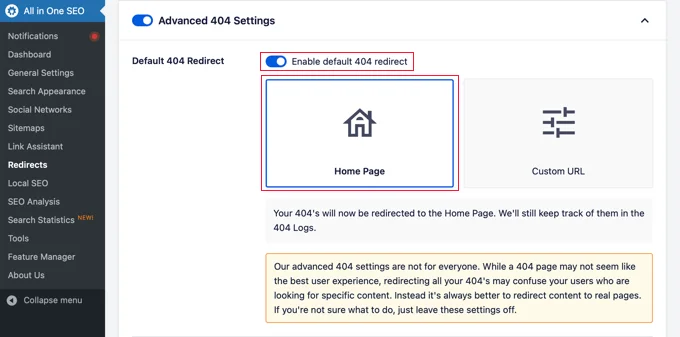
Look out for the 'Custom URL' option, which lets you redirect 404 errors to a specific page. After making your choice, save your changes by clicking the 'Save Changes' button at the top or bottom of the page.
Now, if someone tries to visit a non-existent URL on your site, they'll be directed to the homepage instead of seeing a standard 404 error.
-----------------------------------------------------------------------------------------------------
If you want to remove 404 pages from your website, follow these steps
Using tools like Google Search Console and appropriate plugins can simplify the process, ensuring that your website remains free from broken links and 404 errors.
Did you get 404 errors on your WordPress site? No worries! In this guide, we'll show you how to fix them using a simple plugin
This can make them leave your site quickly, hurting your search engine ranking. To fix this, you can create a custom 404 page, but for now, you can send them to your homepage instead.
- To do this, we'll use a helpful tool called All in One SEO for WordPress (AIOSEO). It's a top-notch WordPress tool that can improve your website's search engine performance.
To begin, install and activate AIOSEO by following our step-by-step guide on adding plugins to WordPress - Once you've activated the plugin, go to All in One SEO >> Redirects.
This step installs the Redirects module of All in One SEO.
Then, go ahead and click on the 'Settings' tab at the top of the page to set up your redirects with AIOSEO
Scroll down to find 'Advanced 404 Settings' and switch it on by clicking the button.
Then, turn on 'Enable default 404 redirects' and select 'Home Page
Look out for the 'Custom URL' option, which lets you redirect 404 errors to a specific page. After making your choice, save your changes by clicking the 'Save Changes' button at the top or bottom of the page.
Now, if someone tries to visit a non-existent URL on your site, they'll be directed to the homepage instead of seeing a standard 404 error.
-----------------------------------------------------------------------------------------------------
If you want to remove 404 pages from your website, follow these steps
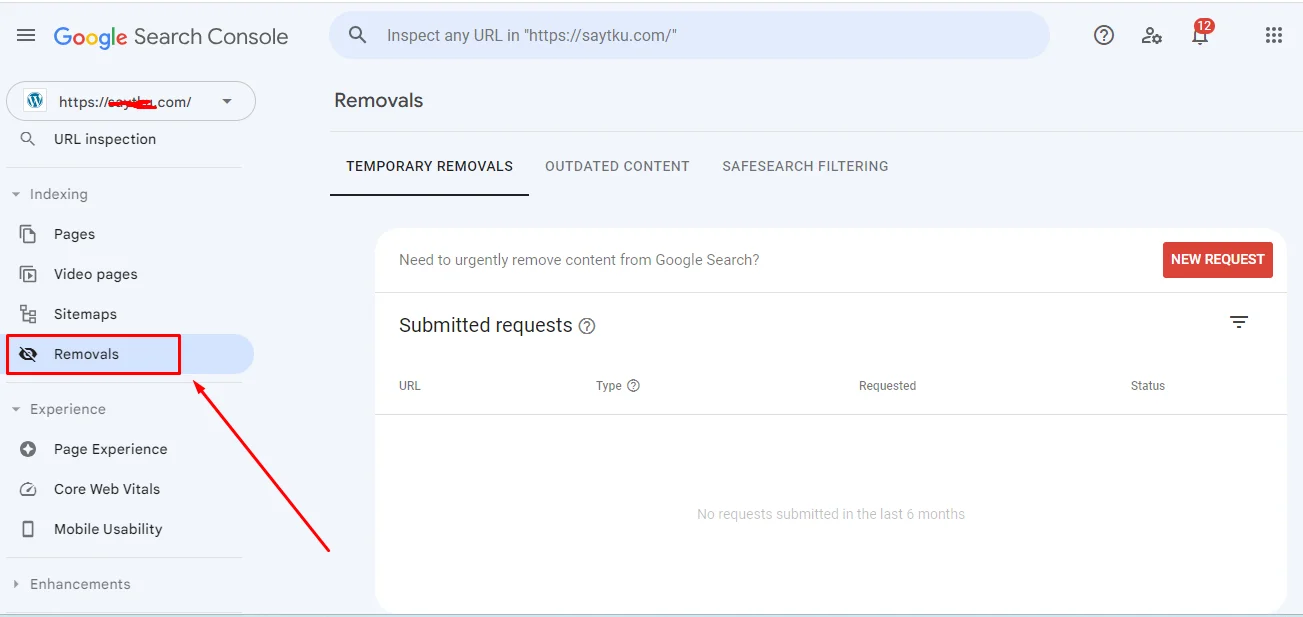
- Open Google Search Console.
Go to Indexing, and then click on Removals.
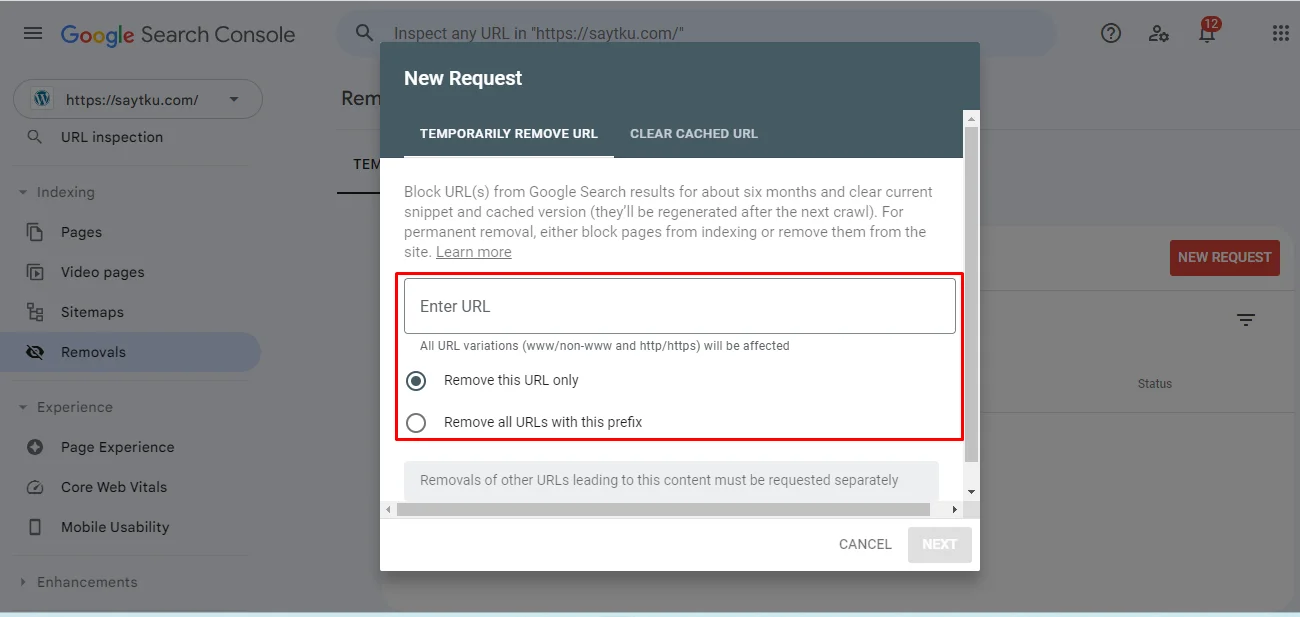
Choose the New Request option to open a new request window.
Type the URL you want to remove.
Finally, submit the request.
Using tools like Google Search Console and appropriate plugins can simplify the process, ensuring that your website remains free from broken links and 404 errors.


