Please Who can Fix this Wordpress Problem

DE_GAME

Power Member
Joined
Jan 20, 2019
Messages
752
Reaction score
418
I updated a plugin on my site, then some of the posts on my site start doing this.
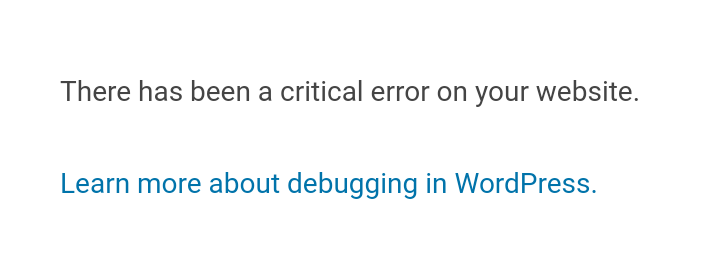
Screenshot_20191126-143618.png


Have tried some tutorials on how to fix it like deactivating all plugins from file manager by renaming file but it didn't work.

Please would be really glad of someone can help me fix this problem
 
Should always back up your website before updating anything. Try going to the site files and delete the folder for the plugin you updated. See if that works. Be sure to back up though.
 
Have you removed and cleared any cache?
>just open the website in incognito mode. If the problem persists skip this.

And if disabling all plugins doesnt work, have you tried a fresh install of wordpress? Tested another theme?

Just to find the source of the issue.
 
Well, it says nothing. Did you check the error log?
 
What plugin was it? Sometimes it can be the .htacess that screws stuff up.
 
Make sure that your version of wordpress is updated and can run the plugin smoothly
 
Should always back up your website before updating anything
Guess have learnt my lesson
you tried a fresh install of wordpress?
Won't that make me lose my posts and other works
Try updating the PHP it will fix your problem.
Did that didn't work :(
What plugin was it?
Quizé
Well, it says nothing. Did you check the error log?
Yes, but hardly understand how to fix it not a dev :(
Make sure that your version of wordpress is updated and can run the plugin smoothly
It's updated and runs the plugin
 
Same issue before. I was on namecheap back then. Contacted the support and they helped me out.
 
looks like somethink is not activated in apache or php setting .

have you gone over the documents from the theme ?
 
Same issue before. I was on namecheap back then. Contacted the support and they helped me out.
Have contacted them waiting for fix don't know how long it will take tough
have you gone over the documents from the theme ?
There is no doc on how to fix this particular issue
 
Check your e-mail as there should be info from your WordPress site which file caused an error.

Something like "Your Site is Experiencing a Technical Issue". PM me the site I can see if I can fix it for you.
 
Same issue before. I was on namecheap back then. Contacted the support and they helped me out.
Please how long did it take for them to fix it?
 
Please how long did it take for them to fix it?

Within half an hour. They just deactivated or deleted a conflicting plugin or me. I think they accessed it via FTP. But the point is I did not do anything. Name cheap just solved it for me.
 
Back
Top