My site needs speeding up. Who should I trust?

I'm not going to argue. ^


ANyways, so I installed a new theme as suggested by the other dude and I've got the site time down to 1.1s (going to try and improve it further.) And it's scoring like this;

A template change was the big fix, used the zakra templates he was suggesting. There's not a lot in there; but found one that sort of works for automotive restoration.

2me4zdk.png


Pagespeed score;

258t9j7.png


ZAKRA templates were the solution.

Didn't have to pay $1700 Either. Completely FREE!


Any more suggestions on templates are already optimized??
 
If I didn't know anything about dev work I'd pay a fullstack dev to make a basic site with a headless CMS delivery system and easily customized branding (logo, icons, fonts, colors) and a couple of different layout options that I could use depending on the project I'm working on. Sooo worth the money for the SEO benefits. However, with wordpress, the best you can do is :

  • Use an optimized theme designed around page speed (don't care how entrenched you are with your current, you can't make a duck meow. Want page speed, use a fast theme)
  • - do not ever use a visual builder it is total trash and will tank your page load
  • - do not trust a theme which supports a built-in visual builder as it is trash and will tank your page load
  • - be careful of themeforest themes as most are trash and will tank your page load (bloat bloat bloat think wordpress summarized in a theme)
  • Minimize use of plugins to the absolute essentials. Yes, there is a plugin for everything and every plugin you add will make your site slower and expose you to another potential vulnerability. Anything that can go in functions.php should. Contact plugin developers to see if they are willing to custom code solutions for a small fee based on their existing plugin. Better yet pay someone on upwork.
  • Hardcode where appropriate (faux pas for devs for some boring reasons but the existence of wordpress is a faux pas so who cares)
  • Limit use of off-site resources as anything hosted off-site can slow page load as you wait for it to be fetched
  • biggest offender for this is off-site fonts,js, and analytics. Host your own everything. Build your own fontpacks, don't import from google fonts, and host your own analytics/js/everything. Limit your font use in general, but repeat do not drop in Google Fonts and call it a day! Bad
  • Use CDNs! Use CDNs! Everything
  • Use better hosting (shared to vps)
  • Make use of caching (WP rocket > w3 total cache)
  • Make sure the proper cache control headers are sent, caching is useless if it's not happening reliably.
  • Compress and optimize images
  • lazy load for those images
  • combine and minify everything (html,js,css)
  • css above the fold (see critical path css, little known and really cool tbh something i learned recently)
  • stop putting JS in your head, it should be the last thing before the closing </body> tag (so in your footer.php. there are plugins for this but duh that's shooting yourself in the foot to cover up a bruise)
  • Make use of smart design decisions like sprite sheets
  • self host analytics (and this is controversial but the least analytics you can get away with the better. heatmaps are cool, but will destroy your pageload. you know what I like about not using wordpress? being able to afford good analytics without being a fatty mcfatface page load)
This is a really basic list and all I can think about right now, but all of these are essentially designed with two purposes in mind : reducing the number of requests to a server and speeding up any slow requests. Your website is rendered linearly (this isn't a necessity but is the default), and any slow request (or worse, errors) will hold up the rest of the site from being rendered.

All that being said I do not recommend wordpress for anyone when there are waaaay better options out there these days and it's like walking around with a peg leg. You can paint it any way you like, but you're still hobbling along crippled!

this post is kinda useless i was on mobile and didn't read all the replies before but most of this was already covered. oh well. friends don't let friends wordpress :rolleyes:

This post isn't useless at all :) will try some of your tips. thanks a lot :)
 
Also you can check on webpagetest.org and choose your location, because gtmetrix.com test from Canada and if your server is in Asia or Europe the speed will not be great at all.
Mine is in Europe and loads in ~2 seconds, and from Canada it's double!
 
I want to hire someone to fix database error stated here https://www.blackhatworld.com/posts/12105362/
 
my site slow is due to big images been added.

your reSmush.it is free or pro ?

I heard pro is monthly payment
free like only can smush 50 images every one click

summary how you use this reSmush.it? need manual go setting to smush it every time if yiou using free?

I am using free version. I don’t know the limit for free version but everytime I add new image I always have to smush manually.

Do you pay for w3? is it worth it?


Also, re.smush doesnt have an option in the panel to do anything with it. No settings? Just installed and that's it, is it auto compressing?

No I don’t pay for W3 using free version. First I suggest to try a free version and then decide if you need paid version. Remush I always do manually to compress images.
 
I am using free version. I don’t know the limit for free version but everytime I add new image I always have to smush manually.


No I don’t pay for W3 using free version. Remush I always do manually to compress images.

Free one only one time smush 50 images under the plugin settings ,
they got pro version but is paid of course and is monthly charges.

nevetheless i never use it .
 
would metadata on images be considered in on page seo?

Wouldn't stripping it to nothing be a concern? You'd think google is using the metadata to rank websites, specially local seo? I read somewhere that google's placing map placements based on gps coordinates determined from metrics on the images metadata?

Going to start a new thread for this one. Confused.
 
Free one only one time smush 50 images under the plugin settings ,
they got pro version but is paid of course and is monthly charges.

nevetheless i never use it .

I checked resmushit and it's free version you can smush unlimited images only limit is: The API accept JPG, PNG and GIF files up to 5MB.
Also it's says "All your new pictures will be automatically optimized".
 
Here is what I do for wordpress site to load faster.

I'm using free Theme called Zakra this theme is optimized.

Plugins
  • reSmush.it – Image optimization
  • W3 Total Cache - Optimize HTML/CSS/JAVASCRIPT
  • LazyLoad
  • Asset Clean Up
  • CAOS for Analytic
  • Remove Unused Plugins

CloudFlare - Setup DNS that hostname will go through CloudFlare. Auto minify, Railgun, Brotli and Rocket Launcher that will help your website to load faster.

Also you need to have good and fast web hosting.

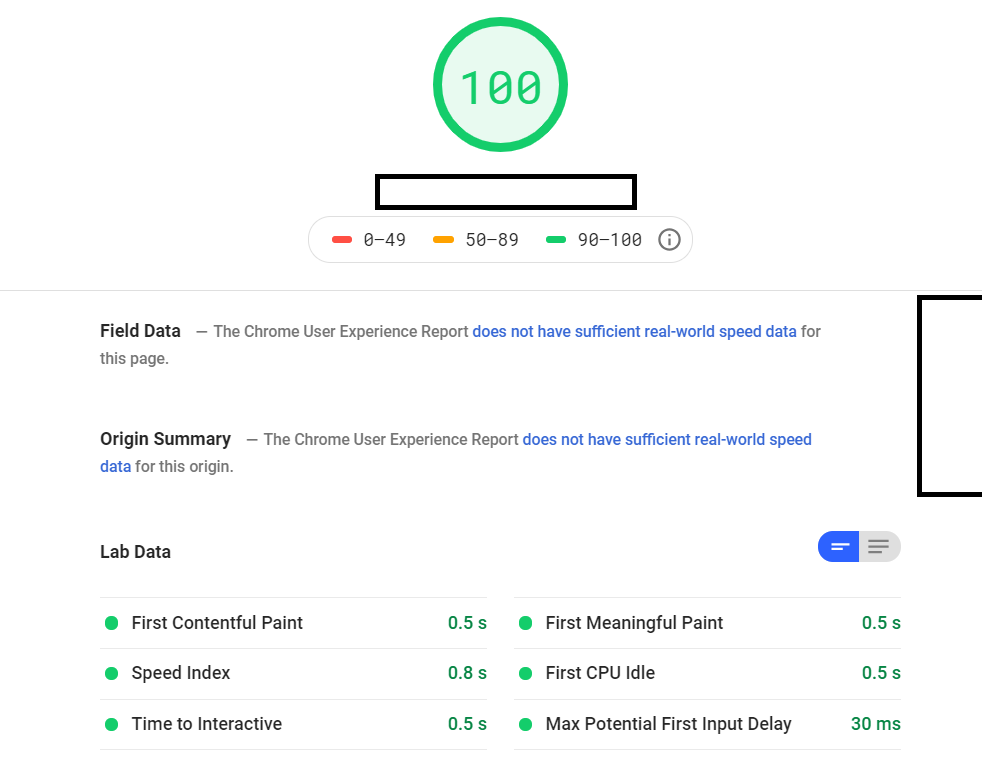
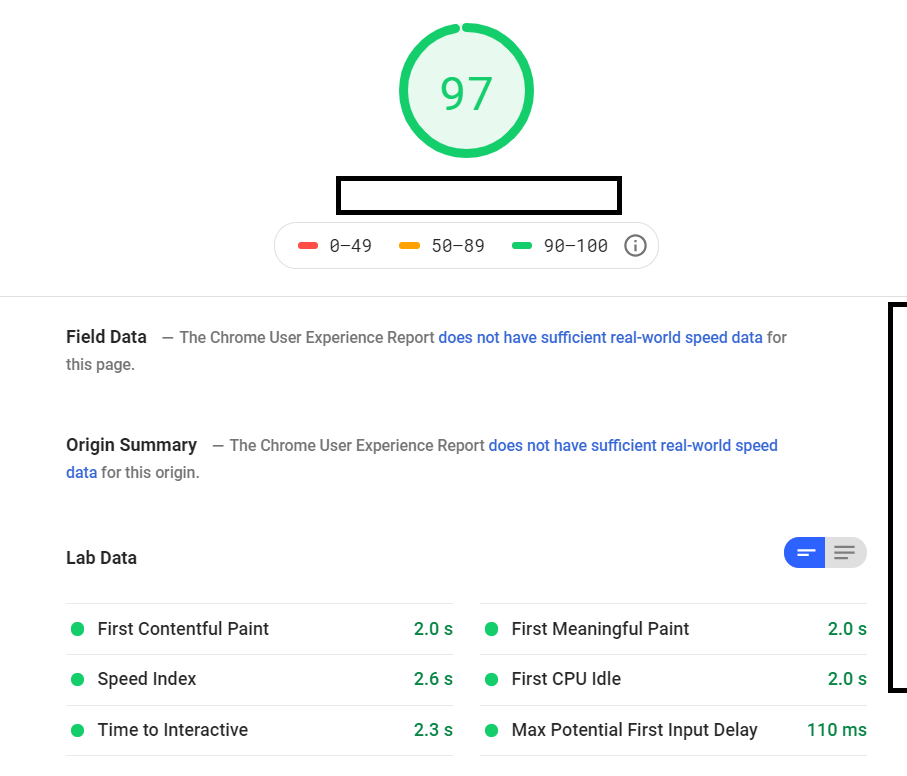
My website's performance score:

Untitled.png


Desktop Google PageSpeed test:

Untitled.png


Mobile Google PageSpeed test:

Untitled.png


How come when I enabled w3 and minified cs, js, side load time went up to 2.6s on gt metrix when it was 1.3 prior to me enabling it?

Gave me a perfect score on gtmetrix, but site speed got laggy?
 
Using GTMetrix free analysis for tips.
Use Google Page Speed for a free analysis.
And finally, use Woo Rank for more analysis. Make sure you follow up.
 
I want to hire someone to fix database error stated here https://www.blackhatworld.com/posts/12105362/

Then post a HAF thread. This thread is not the place to hire or try to get hired.
 
Then post a HAF thread. This thread is not the place to hire or try to get hired.

He means well enough, just doesn't know better.

He posted an original thread elsewhere

He was linked to a few members with relevant BSTs.

He came to this thread by doing a little bit of research on the two user links.

@Akinyande ayo (Try reaching out to the linked members via PM)
 
U need better speed.
U have to make it 40% of your current speed
If you need any suggestions i can help u
 
@Akinyande ayo (Try reaching out to the linked members via PM)

This is the worst advice possible unless he wants to pick up warnings for PM spamming.

I have told him to open a HAF thread, so why not keep out of this instead of giving bad advice?
 
Back
Top