

vvovvo
Registered Member
- Jun 13, 2012
- 79
- 41
Hi, there.
I share free method — how to find internal URLs with 404 Error and good backlinks.
And a little theory,
In case if URL with good backlinks doesn't exist it could reduce overall site rank and decrease traffic (visitors can't find relevant content).
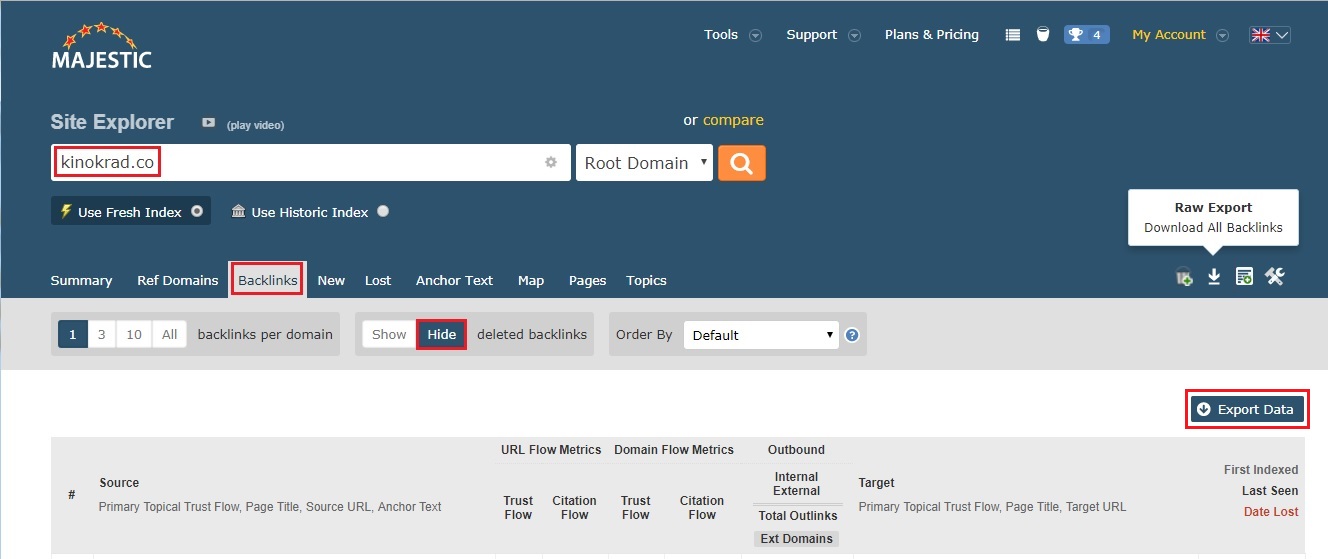
OK, let's go. At first, check your site using Majestic site explorer. Click on the “Backlinks” tab. I suggest switching off deleted backlinks (“Hide” button).
Well done. Just export data.
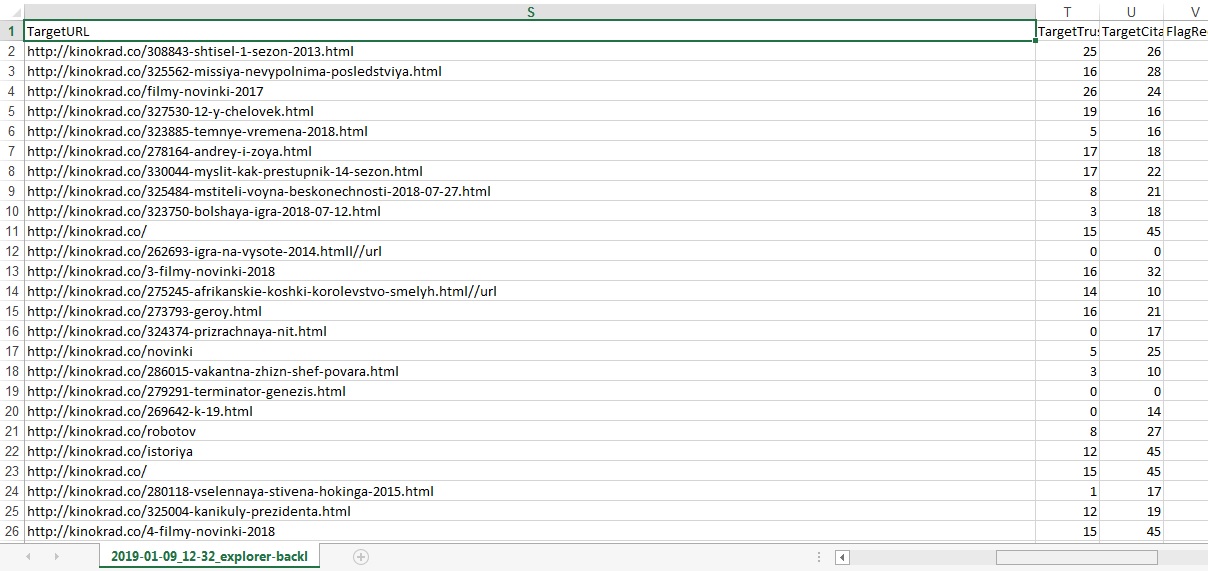
Next step. Open your data and choose TargetURL column. Then copy a list of internal links.
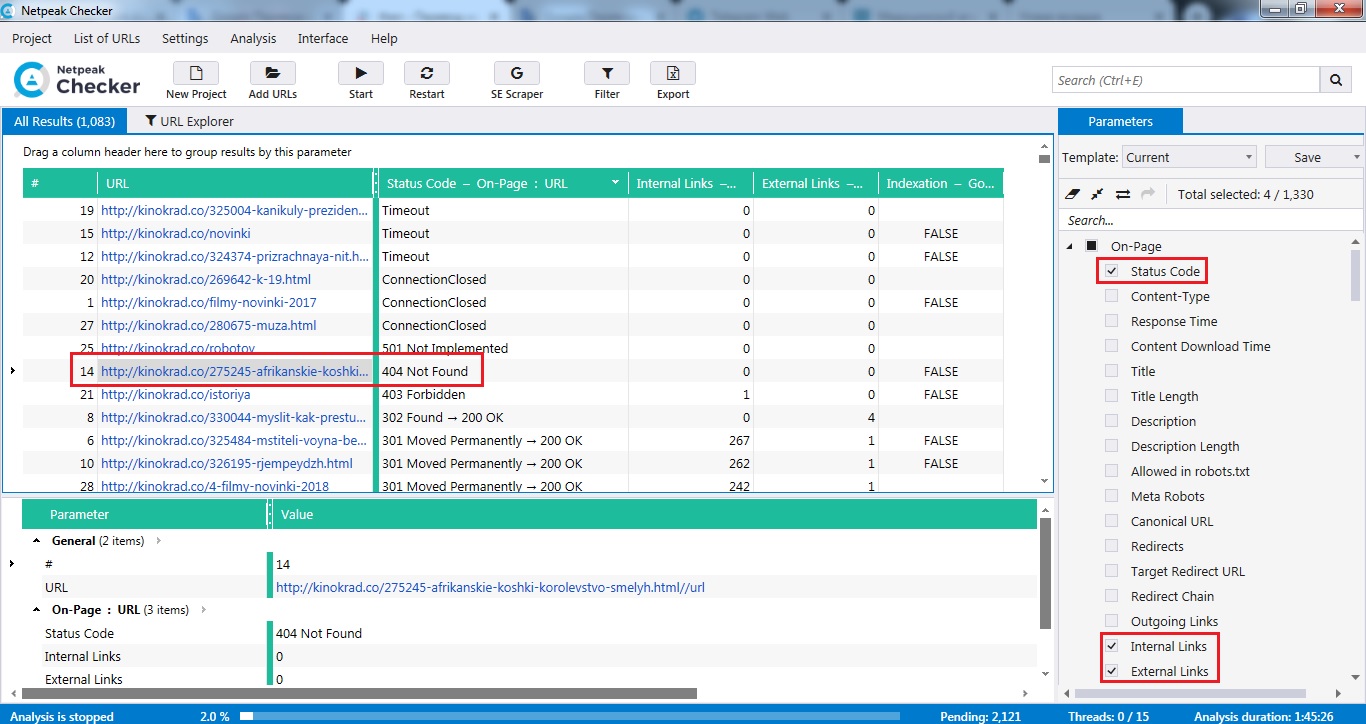
Paste them to Netpeak Checker. Parameters setting: Status Code, Internal Links, External Links.
Copy results to Majestic data file. Then sort links at Excel by Status Code parameter.
That is it. So my story came to an end.
Let's talk about errors...“Experience is simply the name we give our mistakes”.
— Oscar Wilde
I share free method — how to find internal URLs with 404 Error and good backlinks.
And a little theory,
Example. E-commerce site has deleted product page iPhone 2. If the URL before had good content, other sites could link to it and pass Page Rank.“When you see this kind of error for your URLs, it means that Googlebot couldn't access your URL, the request timed out, or your site was busy. As a result, Googlebot was forced to abandon the request. Usually, when a visitor requests a page on your site that doesn't exist, a web server returns a 404 (not found) error”.
— Search Console Help
In case if URL with good backlinks doesn't exist it could reduce overall site rank and decrease traffic (visitors can't find relevant content).
So... Don'n delete URLs with no relevant content. Try to refresh it. If it is impossible, pages should be available, just exclude them from the sitemap, delete internal links which reference to pages with 404 response code and consider adding links to your most popular pages or posts.“If you find things like this, I'd fix it primarily for your users, so that they're able to use your site completely”.
— Google's John Mueller
“Logic will get you from A to B. Imagination will take you anywhere”.
— Albert Einstein
OK, let's go. At first, check your site using Majestic site explorer. Click on the “Backlinks” tab. I suggest switching off deleted backlinks (“Hide” button).
Well done. Just export data.
Next step. Open your data and choose TargetURL column. Then copy a list of internal links.
Paste them to Netpeak Checker. Parameters setting: Status Code, Internal Links, External Links.
Copy results to Majestic data file. Then sort links at Excel by Status Code parameter.
That is it. So my story came to an end.