RealDaddy
Repeatedly violating rules
- Jun 30, 2018
- 9,011
- 11,261
Hello BHW,
I will show you " How to get a Backlink from Apple.com subdomain? "
It's a nofollow backlink, but it is really fantastic for link diversity.
Go here - https://discussions.apple.com/welcome

Click " Sign In "
You will be directed to this page:-

If you have an Apple ID, enter the ID and skip to the next step.
And follow the steps if you don't have one.
Click "Create your now"
Then you will see this page ---- https://appleid.apple.com/account
Just create your account.
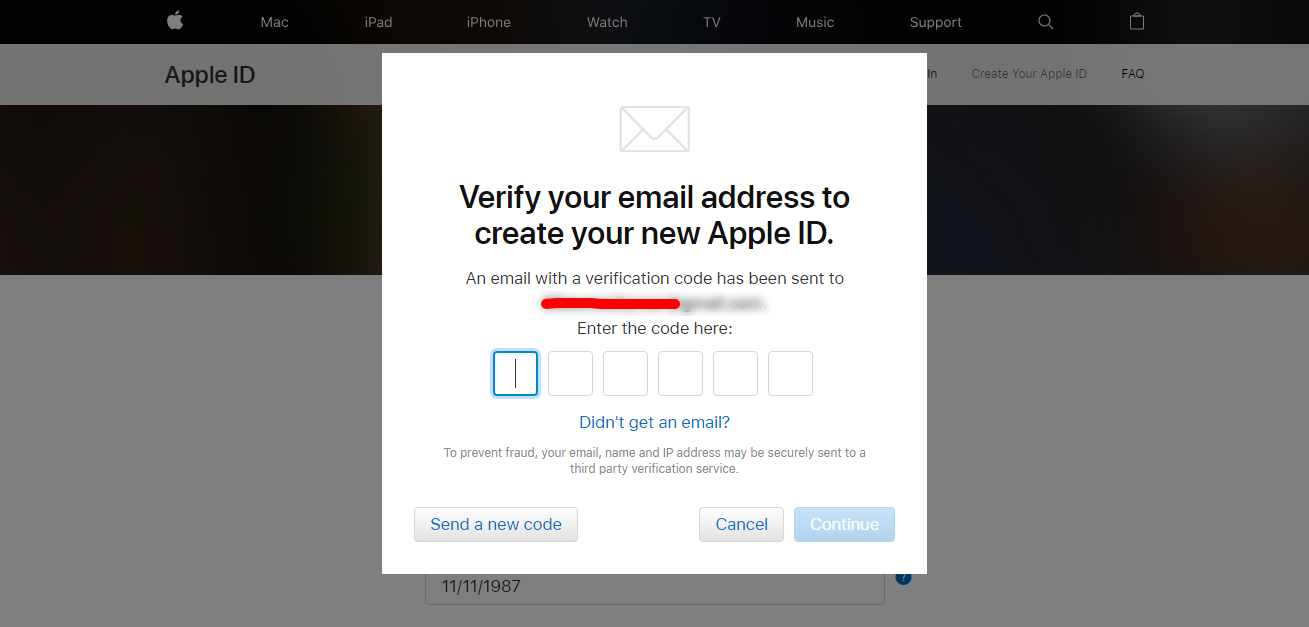
Then you will need to verify your account, just copy and paste the code you got in your email.
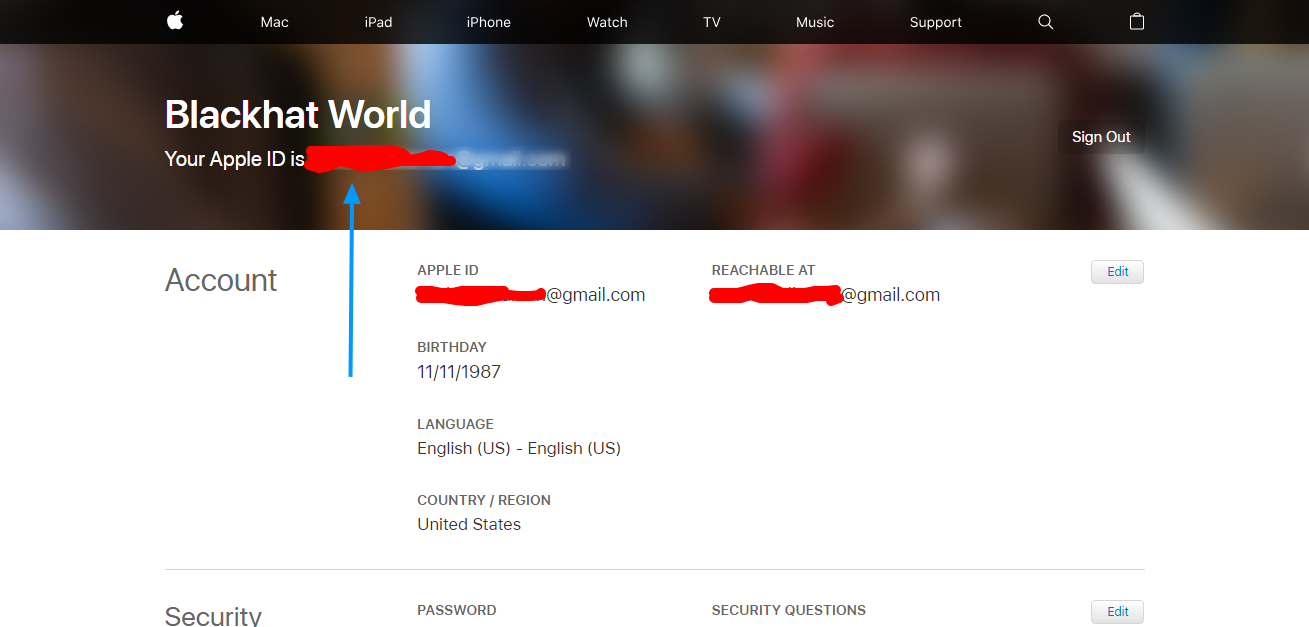
After you have verified your email, you can see your Apple ID. [denoted with the blue arrow]
Now go here - https://discussions.apple.com/signup
You will see a page like this, just choose a username and click "Continue"

After that, on the next page -- scroll down and click on "See all topics"
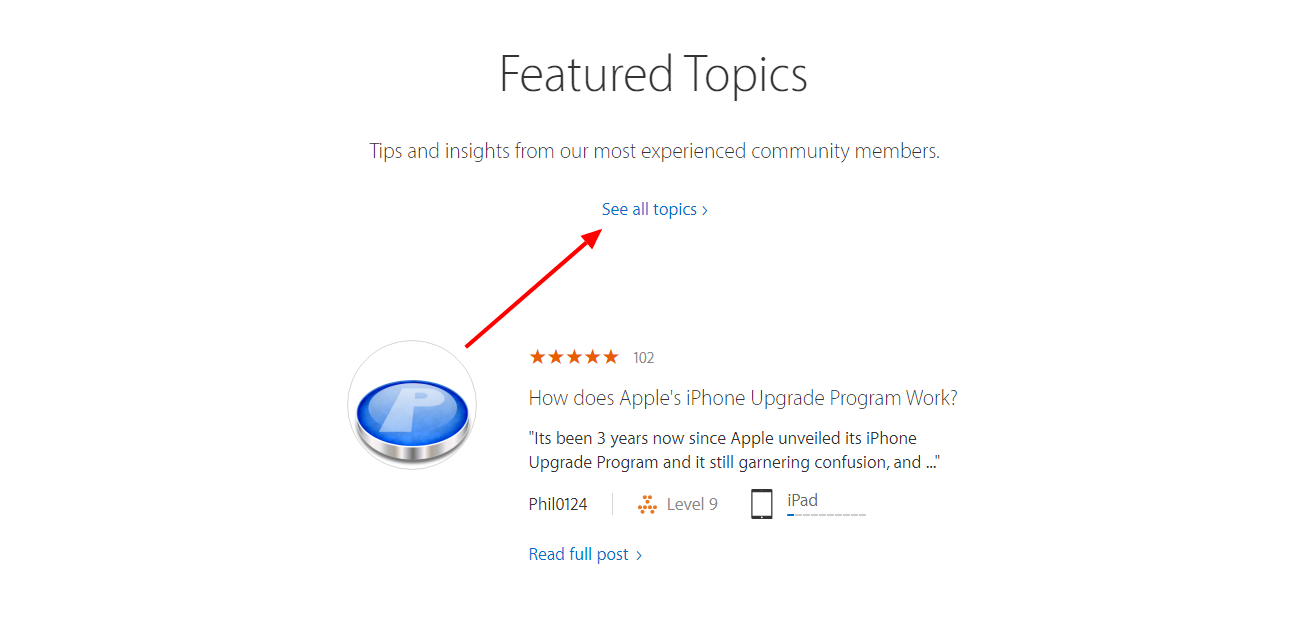
Now on the next page, click "Filter" then click "Discussions"

Then click on a thread [you must have some knowledge about the topic covered in the thread]
After the thread is open, scroll a bit down so that you can see the upper pop-up image
Then click "Reply"

Now, you need to answer the question.
Just answer it in the best way possible. I am not going to do it.
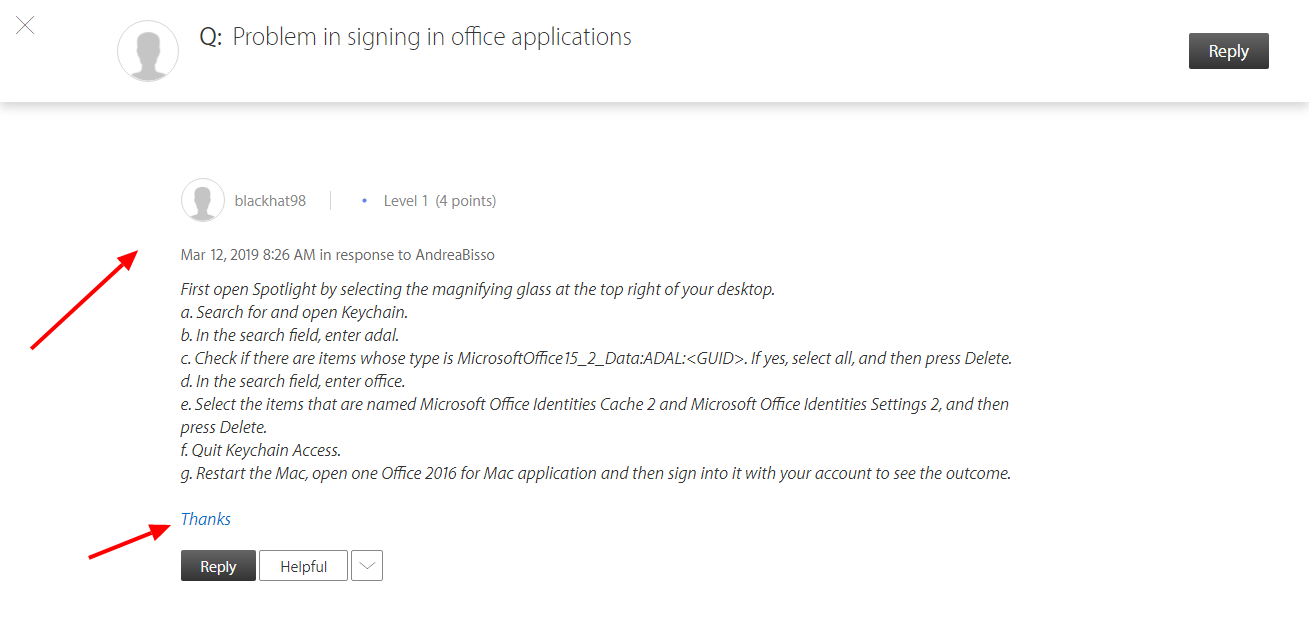
And then, hyperlink "Thanks" and add your website URL to it.
After doing all that, click "Post"

The end result:-
Anyone who thinks that I did something wrong --- please mention that in the comments.
It takes a lot of time in creating these threads.
I am learning things and just want to spread that knowledge in the community.
Thanks.
I will show you " How to get a Backlink from Apple.com subdomain? "
It's a nofollow backlink, but it is really fantastic for link diversity.
Go here - https://discussions.apple.com/welcome
Click " Sign In "
You will be directed to this page:-
If you have an Apple ID, enter the ID and skip to the next step.
And follow the steps if you don't have one.
Click "Create your now"
Then you will see this page ---- https://appleid.apple.com/account
Just create your account.
Then you will need to verify your account, just copy and paste the code you got in your email.
After you have verified your email, you can see your Apple ID. [denoted with the blue arrow]
Now go here - https://discussions.apple.com/signup
You will see a page like this, just choose a username and click "Continue"
After that, on the next page -- scroll down and click on "See all topics"
Now on the next page, click "Filter" then click "Discussions"
Then click on a thread [you must have some knowledge about the topic covered in the thread]
After the thread is open, scroll a bit down so that you can see the upper pop-up image
Then click "Reply"
Now, you need to answer the question.
Just answer it in the best way possible. I am not going to do it.
And then, hyperlink "Thanks" and add your website URL to it.
After doing all that, click "Post"
The end result:-
Anyone who thinks that I did something wrong --- please mention that in the comments.
It takes a lot of time in creating these threads.
I am learning things and just want to spread that knowledge in the community.
Thanks.