
You are using an out of date browser. It may not display this or other websites correctly.
You should upgrade or use an alternative browser.
You should upgrade or use an alternative browser.

Marco69
Elite Member
- Jan 30, 2022
- 4,405
- 738
But I let my interserver webhosting as it is without cdn.
My eperience in the past with cloudflare was I got slower ttfb speed than before-not faster.
Don't know if this is with all cdn, some will give you better speed- some not ?
But the google cloud test with Hestia panel apache+nginx shows me that Litespeed can not beat nginx.
My eperience in the past with cloudflare was I got slower ttfb speed than before-not faster.
Don't know if this is with all cdn, some will give you better speed- some not ?
But the google cloud test with Hestia panel apache+nginx shows me that Litespeed can not beat nginx.
D
Deleted member 1393709
Guest
I tested WordOps, my website speed is great and no slow. A Good script without doubt.But I let my interserver webhosting as it is without cdn.
My eperience in the past with cloudflare was I got slower ttfb speed than before-not faster.
Don't know if this is with all cdn, some will give you better speed- some not ?
But the google cloud test with Hestia panel apache+nginx shows me that Litespeed can not beat nginx.
Ez commands, you should give a try. It doesn't require high knowledge to use it at least for you.
When you will give a try? What is your point?
Marco69
Elite Member
- Jan 30, 2022
- 4,405
- 738
Thanks for the tip Deleted member 1393709, I think WordOps is not a graphical panel like Hestia ? I'm a noob not understsnd many server tech things and not want doing many tasks with command lines. I like Hestia, it is easy to use and the preconfigured apache+ nginx is great.
Ok, I have a little speed fetish.....can I configure nginx in Hestia so that it is faster than worldwide ttfb of 200ms- down to 100-120ms? I think that will cause too much cpu spikes ?
There is this nginx config file with time buffer, workers and so on....but I do not know how make these settings better , which numbers to set and so on.
Ok, I have a little speed fetish.....can I configure nginx in Hestia so that it is faster than worldwide ttfb of 200ms- down to 100-120ms? I think that will cause too much cpu spikes ?
There is this nginx config file with time buffer, workers and so on....but I do not know how make these settings better , which numbers to set and so on.
Marco69
Elite Member
- Jan 30, 2022
- 4,405
- 738
Deleted member 1393709;
with the neve theme ttfb is now at 565ms
???
Then I tried this nginx config settings in Hestia:
http{ ... client_body_buffer_size 10K; client_header_buffer_size 1k; client_max_body_size 8m; large_client_header_buffers 4 4k; ... }
http { ... client_body_timeout 12; client_header_timeout 12; keepalive_timeout 15; send_timeout 10; ... }
access log is off (default) in Hestia.
Then save and restart= has no affect on ttfb speed (???)
Maybe it takes several hours to work like cdn (as example they often take a few hours before you see better speed) .
565ms ttfb with nginx?
Maybe it's the theme...then this is a crap of theme. Most wp themes are bloated and cause slow ttfb speed and causing lots of render blocking scripts.
One day ttfb is at 200ms then the other day at 565ms ?
with the neve theme ttfb is now at 565ms
???
Then I tried this nginx config settings in Hestia:
http{ ... client_body_buffer_size 10K; client_header_buffer_size 1k; client_max_body_size 8m; large_client_header_buffers 4 4k; ... }
http { ... client_body_timeout 12; client_header_timeout 12; keepalive_timeout 15; send_timeout 10; ... }
access log is off (default) in Hestia.
Then save and restart= has no affect on ttfb speed (???)
Maybe it takes several hours to work like cdn (as example they often take a few hours before you see better speed) .
565ms ttfb with nginx?
Maybe it's the theme...then this is a crap of theme. Most wp themes are bloated and cause slow ttfb speed and causing lots of render blocking scripts.
One day ttfb is at 200ms then the other day at 565ms ?
D
Deleted member 1393709
Guest
Deleted member 1393709;
with the neve theme ttfb is now at 565ms
???
Then I tried this nginx config settings in Hestia:
http{ ... client_body_buffer_size 10K; client_header_buffer_size 1k; client_max_body_size 8m; large_client_header_buffers 4 4k; ... }
http { ... client_body_timeout 12; client_header_timeout 12; keepalive_timeout 15; send_timeout 10; ... }
access log is off (default) in Hestia.
Then save and restart= has no affect on ttfb speed (???)
Maybe it takes several hours to work like cdn (as example they often take a few hours before you see better speed) .
565ms ttfb with nginx?
Maybe it's the theme...then this is a crap of theme. Most wp themes are bloated and cause slow ttfb speed and causing lots of render blocking scripts.
One day ttfb is at 200ms then the other day at 565ms ?
Where you live? Pick up DigitalOcean / Linode a server where you live or close here you live.
https://docs.wordops.net/getting-started/creating-sites/ (follow my commands below only, unless you want to try other commands)
Install any of this OS:
Ubuntu 22.04
Ubuntu 20.04 LTS (bionic) - x86_64
18.04 LTS (xenial) - x86_64
Open SSH / Terminal connection and paste this command
wget -qO wo wops.cc && sudo bash wo
It will be installed and then when it is finished, finally run this command
wo site create site.tld --wpfc
See site.tld? Before copying that command change it to yourdomain.com (can be .net or other!)
He will do everything right, he will setup wordpress + nginx + cache easily.
Wait until the end you will receive password and usernames, copy that to a notepad and save it.
Then you have the login access to wordpress + nginx (be sure that is active you will receive a link to wordpress fastnginx!)
I recommend you use Cloudflare to point the domain to your VPS and do that above.
After that make the tests here:
Please do TWO TIMES the test because of Cache, first test discart and only make screenshots in the second.
https://gtmetrix.com/https://tools.pingdom.com/https://www.dotcom-tools.com/website-speed-test
I don't will believe that you won't have a fast with this.
Only 2 or 3 commands! Is that hard for you?
Cheers
Marco69
Elite Member
- Jan 30, 2022
- 4,405
- 738
Deleted member 1393709:
live in germany and have 4g mobil einternet (using mobil hotspot on my mac)
testing with that 4g internet in germany here my two domains one with $5 interserver webhosting and the other on google cloud vm 1cou+2gb ram + Hestia panel witch apache+nginx.
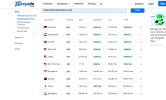
Oh Jesus...here my two screenshots from leycdn performance tool with my domains here you see it.
screen1 = $5 interserver webhositng plan with a guten theme.
screen2= google cloud 1 cpu+2gb ram with Hestia panel apache +nginx preconfigured with Neve theme
On both us ttfb speed is good (I have us datacenter) but I not talk here about wp theme optimizing (render blocking scrits, images) and so on, only the keycdn performance worldwide ttfb speed, not pageinsightspeed or gtmetrix.
My god every one wants my domain I do not know why that is so important, I be sure you can not explain these ttfb speeds difference if you knowing my domains or not. Booooaaaahhh on every forum when someone have a question then this reply comes back ; "what is your domain? "
Deleted member 1393709;
is WordOps a graphical panel like Hestia (as example) ?
Yes your 3 command line installation is easy for me, but how easy is the management with WordOps ? Management dns, ssl, database,file manager ?
live in germany and have 4g mobil einternet (using mobil hotspot on my mac)
testing with that 4g internet in germany here my two domains one with $5 interserver webhosting and the other on google cloud vm 1cou+2gb ram + Hestia panel witch apache+nginx.
Oh Jesus...here my two screenshots from leycdn performance tool with my domains here you see it.
screen1 = $5 interserver webhositng plan with a guten theme.
screen2= google cloud 1 cpu+2gb ram with Hestia panel apache +nginx preconfigured with Neve theme
On both us ttfb speed is good (I have us datacenter) but I not talk here about wp theme optimizing (render blocking scrits, images) and so on, only the keycdn performance worldwide ttfb speed, not pageinsightspeed or gtmetrix.
My god every one wants my domain I do not know why that is so important, I be sure you can not explain these ttfb speeds difference if you knowing my domains or not. Booooaaaahhh on every forum when someone have a question then this reply comes back ; "what is your domain? "
Deleted member 1393709;
is WordOps a graphical panel like Hestia (as example) ?
Yes your 3 command line installation is easy for me, but how easy is the management with WordOps ? Management dns, ssl, database,file manager ?
Attachments

Marco69
Elite Member
- Jan 30, 2022
- 4,405
- 738
Deleted member 1393709;
maybe I shoud give WordOps a try and have the database on separate server like google cloud sql.
2 vps;
1cpu+ 2gb ram = WordOps with ngingx and redis (no apache and no database)+ Wordpress ($16 month)
1cpu+1gb ram google cloud micro instance sql server ($7 month)
That could be a good idea to have low costs and separate ressources for fast site speed?
But I see any stack / panel comes with a database, but with this a databse is not needed it will be created on the sql server.
Or example my Hesti apanel it comes with a database, I can only remove th eexist database, but all the database modules you cannot remove
(when they bloat up some server ressources ?)
So can I install WordOps only with nginx (no apache) and without database ?
Does the domain ssl lets encrypt , automatic renewal works on WordOps or must I manually renew the lets encrypt cert every 3 months?
maybe I shoud give WordOps a try and have the database on separate server like google cloud sql.
2 vps;
1cpu+ 2gb ram = WordOps with ngingx and redis (no apache and no database)+ Wordpress ($16 month)
1cpu+1gb ram google cloud micro instance sql server ($7 month)
That could be a good idea to have low costs and separate ressources for fast site speed?
But I see any stack / panel comes with a database, but with this a databse is not needed it will be created on the sql server.
Or example my Hesti apanel it comes with a database, I can only remove th eexist database, but all the database modules you cannot remove
(when they bloat up some server ressources ?)
So can I install WordOps only with nginx (no apache) and without database ?
Does the domain ssl lets encrypt , automatic renewal works on WordOps or must I manually renew the lets encrypt cert every 3 months?

Hostingsource
Junior Member
- Feb 17, 2022
- 130
- 23
In most cases it won't work faster. That's why localhost is used for the data bases.That could be a good idea to have low costs and separate ressources for fast site speed?
Marco69
Elite Member
- Jan 30, 2022
- 4,405
- 738
Hostingsource;
Thank you for the tip I learn more and more about this every day...
But will the split ressource model is not better as have "all in one" on one server?
Let me ask you; my last two screenshots above, can you explain me why the domain on google cloud vm 1cpu+2gb ram has slower ttfb speed than the domain on the $5 Interserver webhosting?
Normal a google cloud instance with Hestia panel (apache+nginx) should not have 500-900ms ttfb - it should be around 200ms. Linode slow ttfb the same.
I wonder about that and wonder how people get speed like 100-200ms worldwide, how they doing that?
Do I have the wrong theme (neve) who is bloated? Is the google cloud vm the culprit?
When I doing nginx (nginx config) settings (some guides from the web) in Hestia , save and restart, it has no effect, no difference , no matter what numbers I set in this config file. This is not normal.
The domain with the google cloud vm is from ionos (germany) maybe they have bad DNS speed ? Can I slow down ttfb to 200ms with a fast DNS provider or only the DNS number who is showing in keycdn performance tool? I can not believe that a fast DNS have such a huge impact on ttfb speed. (worldwide).
Maybe WordOps only with nginx would be the better alternative ? Or the low free tier google cloud vm's are in general slow machines ?
I try to setup cdn in azure - boaaahhhh is that complicated maybe today i try it again and hope I be able to do it.
This free credit from azure or google is a fair deal to test the waters when you are beginning with virtual servers, to see is it easy to use or do you get better speed on your site and so on.
Have a nice day !
Thank you for the tip I learn more and more about this every day...
But will the split ressource model is not better as have "all in one" on one server?
Let me ask you; my last two screenshots above, can you explain me why the domain on google cloud vm 1cpu+2gb ram has slower ttfb speed than the domain on the $5 Interserver webhosting?
Normal a google cloud instance with Hestia panel (apache+nginx) should not have 500-900ms ttfb - it should be around 200ms. Linode slow ttfb the same.
I wonder about that and wonder how people get speed like 100-200ms worldwide, how they doing that?
Do I have the wrong theme (neve) who is bloated? Is the google cloud vm the culprit?
When I doing nginx (nginx config) settings (some guides from the web) in Hestia , save and restart, it has no effect, no difference , no matter what numbers I set in this config file. This is not normal.
The domain with the google cloud vm is from ionos (germany) maybe they have bad DNS speed ? Can I slow down ttfb to 200ms with a fast DNS provider or only the DNS number who is showing in keycdn performance tool? I can not believe that a fast DNS have such a huge impact on ttfb speed. (worldwide).
Maybe WordOps only with nginx would be the better alternative ? Or the low free tier google cloud vm's are in general slow machines ?
I try to setup cdn in azure - boaaahhhh is that complicated maybe today i try it again and hope I be able to do it.
This free credit from azure or google is a fair deal to test the waters when you are beginning with virtual servers, to see is it easy to use or do you get better speed on your site and so on.
Have a nice day !
Marco69
Elite Member
- Jan 30, 2022
- 4,405
- 738
In this article is a comparison review using google cloud vm with and without google cdn, in my eyes in both screenshots, th egoogle cloud vm is very slow , with cdn around 3,8 seconds for page load?
article: https://geekflare.com/google-cloud-cdn-test/
Who is paying expensive money on such crap of google cloud vm's ?
As a noob I not understand this- old tech specs?
article: https://geekflare.com/google-cloud-cdn-test/
Who is paying expensive money on such crap of google cloud vm's ?
As a noob I not understand this- old tech specs?
D
Deleted member 1393709
Guest
Like I said Before just use WordOps and get a Netherlands VPS or Germany VPS from Linode or DigitalOcean
Then use WordOPS and see will see if you don't have better resources.
Just make a test and show me the results. I will be waiting for.
Then use WordOPS and see will see if you don't have better resources.
Just make a test and show me the results. I will be waiting for.
Marco69
Elite Member
- Jan 30, 2022
- 4,405
- 738
Deleted member 1393709:
Now I try to install wordops no success, see screenshot
enter name and email
then use wo stack to install nginx and redis- get error
after that use again the default command = wget -qO wo wops.cc && sudo bash wo
But after that it shows sucessfully installed but not now showing me the panel login entries, ip, admin, password.
I install it on ubuntu 22.04 jammy
What I doing wrong here ?
Now I try to install wordops no success, see screenshot
enter name and email
then use wo stack to install nginx and redis- get error
after that use again the default command = wget -qO wo wops.cc && sudo bash wo
But after that it shows sucessfully installed but not now showing me the panel login entries, ip, admin, password.
I install it on ubuntu 22.04 jammy
What I doing wrong here ?
Attachments

D
Deleted member 1393709
Guest
moment I have doing wrong commands try install it on fresh vm again...
please use the command sudo before the first command wo stack ..Deleted member 1393709:
Now I try to install wordops no success, see screenshot
enter name and email
then use wo stack to install nginx and redis- get error
after that use again the default command = wget -qO wo wops.cc && sudo bash wo
But after that it shows sucessfully installed but not now showing me the panel login entries, ip, admin, password.
I install it on ubuntu 22.04 jammy
What I doing wrong here ?
Just follow my commands, I didn't use wo stack. Please use my commands and if your server have hardening you should use "sudo" before any command
If you have difficulties:
Marco69
Elite Member
- Jan 30, 2022
- 4,405
- 738
I give up this thing..This is what I get after the installation on ubuntu 22 jammy
I set firewall rul ein google cloud to allow 22222
set my domain to A record to server ip
make the wordops installation with the wo site mydomain-wpsupercache-le command
and then try to access to wordops panel= this is what I get see screenshot
I give up this.
Better I use fast webhosting with nginx with my second domain.
Last try I now use your wo commands you gave me above hope that this will work
I set firewall rul ein google cloud to allow 22222
set my domain to A record to server ip
make the wordops installation with the wo site mydomain-wpsupercache-le command
and then try to access to wordops panel= this is what I get see screenshot
I give up this.
Better I use fast webhosting with nginx with my second domain.
Last try I now use your wo commands you gave me above hope that this will work
Attachments

Marco69
Elite Member
- Jan 30, 2022
- 4,405
- 738
Deleted member 1393709 : I tried the serveral hours to make the installation work, no success, this thing not work see my screenshots
first screenshot: ssh shows me wordops has https
my domain has not https
second screenshot : try to login wordops = no success shows in browseras unsecure (firewall in google cloud is set allow to 22222)
third screenshot with safari browser: here you see what I get after try to access the panel
also this is real crap. It will not work maybe it's not work on ubuntiu 22.04 jammy. I give this up.
google cloud vm 2cpu+4gb ram cost around $34 with persistent ssd instead of the standard free tier slow HDD.
I go to interserver webhosting with my second domain or to 20i they have fast nginx webhosting, I be sure I get better speed there as with a google cloud vm.
Sorry I give up this weird installation it's not working you can see on the screenshots.
first screenshot: ssh shows me wordops has https
my domain has not https
second screenshot : try to login wordops = no success shows in browseras unsecure (firewall in google cloud is set allow to 22222)
third screenshot with safari browser: here you see what I get after try to access the panel
also this is real crap. It will not work maybe it's not work on ubuntiu 22.04 jammy. I give this up.
google cloud vm 2cpu+4gb ram cost around $34 with persistent ssd instead of the standard free tier slow HDD.
I go to interserver webhosting with my second domain or to 20i they have fast nginx webhosting, I be sure I get better speed there as with a google cloud vm.
Sorry I give up this weird installation it's not working you can see on the screenshots.


