How/where to put popads code in wordpress?

  • Thread starter Thread starter Deleted member 1376265
  • Start date Start date
  • Tags Tags
    popads
D

Deleted member 1376265

Guest
Hello, guys, I'm really new to this.

Day ago a was approved on popads [dot] net.

They give code but I don't know where to put it and what PLUGIN to use?

And actually how it works?
 
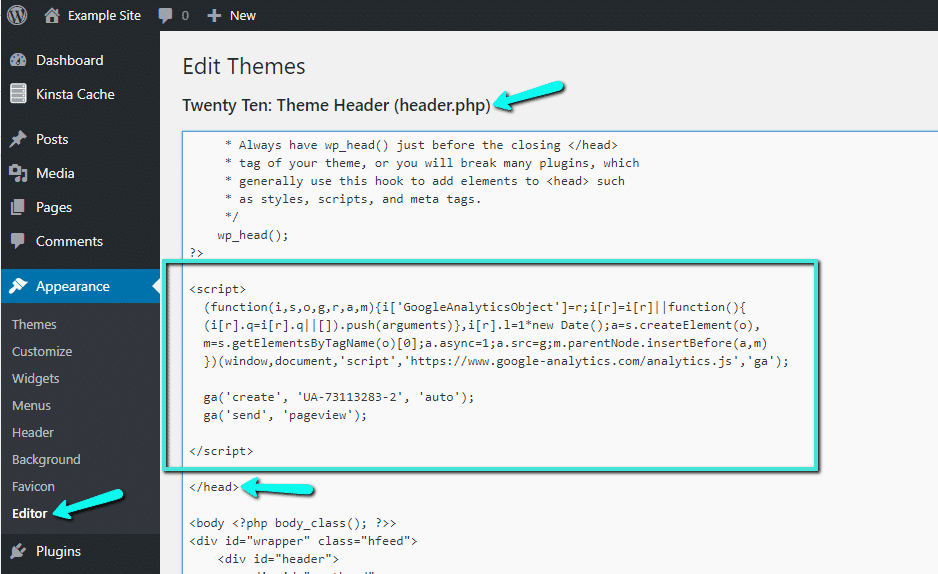
Between the header section of your theme.
 
analytics-tracking-code-header-wordpress.png

You need to put the code in header (as shown in above image)

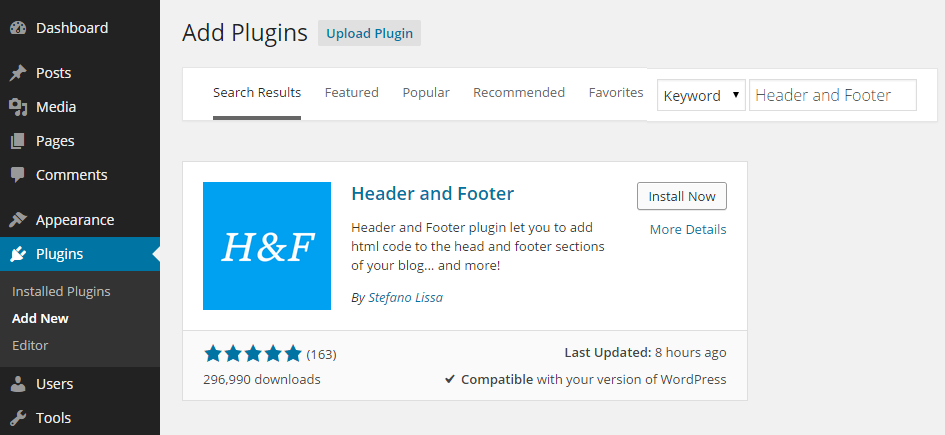
Or you can download this plugin (recommend for you to not mess up with the site)
Header-Footer-Add-Plugin.png
 
just below <head> tag

Appearance > Editor > header.php

or

public_html > wp-content > themes > your theme > header.php --- if you're it doing the FTP way
 
Back
Top