- Aug 14, 2019
- 567
- 790
Whether you've found a method you want to keep hold of for the future or a great conversation that you want to keep track of, then the bookmark tool is the one for you!
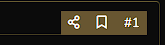
You'll find the bookmark tool at the top of every post on the forum. All you need to do is hit that little symbol circled and your bookmark is added;
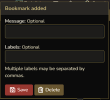
Once you've done that, the box below will show up, giving you the option to put in message or add a label (which becomes useful for filtering your bookmarks when you've amassed a few!).
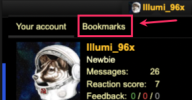
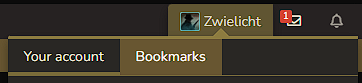
You'll find all your bookmarks by clicking your username at the top and selecting the 'Bookmarks' option (or by clicking here);
When you're viewing bookmarks, it will show those you have recently saved. There is also the option to 'Show All' to see a full list of all your bookmarked threads;
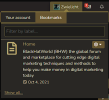
Once you've got a few bookmarks, it might be tricky to sift through and find what you're looking for, which is where the filter tool comes in handy. If you added a label, then all you need to do is type in what you're looking for and threads with that label will pop up!
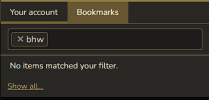
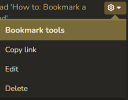
To remove, edit or copy the link of a bookmark, all you need to do use click on the wheel tool;

And the below menu will pop up giving you all three options;
That's all you need to know to use the bookmark feature!
You'll find the bookmark tool at the top of every post on the forum. All you need to do is hit that little symbol circled and your bookmark is added;
Once you've done that, the box below will show up, giving you the option to put in message or add a label (which becomes useful for filtering your bookmarks when you've amassed a few!).
You'll find all your bookmarks by clicking your username at the top and selecting the 'Bookmarks' option (or by clicking here);
When you're viewing bookmarks, it will show those you have recently saved. There is also the option to 'Show All' to see a full list of all your bookmarked threads;
Once you've got a few bookmarks, it might be tricky to sift through and find what you're looking for, which is where the filter tool comes in handy. If you added a label, then all you need to do is type in what you're looking for and threads with that label will pop up!
To remove, edit or copy the link of a bookmark, all you need to do use click on the wheel tool;
And the below menu will pop up giving you all three options;
That's all you need to know to use the bookmark feature!
Last edited by a moderator: