Help please: can't change my theme colour on Twitter profile

Yinon Hever

Newbie
Joined
Sep 30, 2019
Messages
3
Reaction score
0
I've read a few online guides and been looking all around my twitter settings to see how I can change the colour scheme of my twitter profile, but I can't find how to do that. I do not have the theme colour option on my "edit profile" settings! Do I have a bug in my account? If so, who can I contact regarding this?
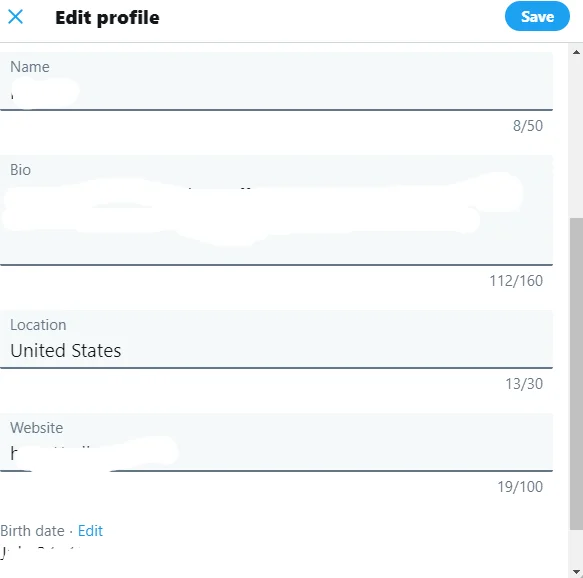
tempsnip.png
 
Change your display setting here: https://twitter.com/i/display
I believe they removed the feature that allows you to change your profile's color scheme as it is no longer relevant to the new update.
 
In the new interface there is no color schemes for profiles. Only individual color scheme that affects only how you see twitter on your browser.

But color scheme of your profile is still seen by those, who use old desktop interface. To change it you need first to go back to the old interface. There is a browser extension that can allow you to do this.
 
Back
Top