

Veil123
Elite Member
- Jun 13, 2012
- 1,839
- 3,357
Hey, hey! Another set of HQ backlinks for you.
1. Openideo

1. Make a new account from here:
2. Confirm the e-mail address.
3. Once logged in, follow these steps:

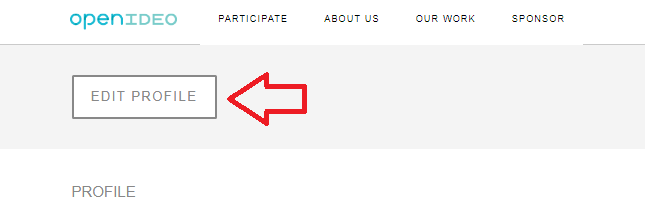
4. Fill out the information in the 'About me' and 'Websites' fields

5. Press 'Submit'.
Done.

Indexed on Google:

2. Sf.storeboard

1. Create a new account from here:
2. Select 'Non-profit Organization' and press the 'Save & Continue' button.
3. Now, don't fill any other information at the page that appears after pressing the button from the previous step. Next, go here:
4. Add title, brief summary of the blog, (SEO) keywords, author, category and the content/article (including links).
5. Select the 'Yes - Publish It!' option.

6. Press the 'Post' button.
Done.

Indexed on Google:

Have fun!
1. Openideo
1. Make a new account from here:
Code:
https://profile.ideo.com/users/sign_up3. Once logged in, follow these steps:
4. Fill out the information in the 'About me' and 'Websites' fields
5. Press 'Submit'.
Done.
Indexed on Google:
2. Sf.storeboard
1. Create a new account from here:
Code:
https://www.storeboard.com/sign-up3. Now, don't fill any other information at the page that appears after pressing the button from the previous step. Next, go here:
Code:
https://www.storeboard.com/profile/blogentry_addedit_new.asp?IsShareRequest=N&MemberBlogEntryID=5. Select the 'Yes - Publish It!' option.
6. Press the 'Post' button.
Done.
Indexed on Google:
Have fun!


