
kaudo
Power Member
- Jan 9, 2015
- 580
- 857
how can I use this to scrape for emails...?
Now you can @neverlackin360 - with this https://www.blackhatworld.com/seo/get-free-email-scraper-for-the-average-joe.1297700/...

how can I use this to scrape for emails...?
Read it and Using itHi, gentlemen, a little guide here. Not everyone has earned enough yet to buy awesome yet expensive scraper tools, that´s why I would like to show to those who are interested how to do Google search results scraping with a little effort for free.
If you are interested in the full article it is here, if not, let´s go straight into it.
---------------------------------------------------------------------------------------------------
To scrape Google search results we will not need:
To get it we will only need:
- web scraper software;
- proxies;
- programming experience.
This method brings limited results (maximum around 300 URLs per scrape), however, that is more tha enough, in most cases.
- Google (obviously);
- Two freeware plugins for Google Chrome browser.
Let’s start with the Chrome plugins
Go to Google Chrome extensions repository and download these two awsome plugins:
Then pin them on the top bar so that you can launch them with just one click. They are the two highlighted icons.

Google Infinity allows you to list all search results on one page and the Link Grabber does what it’s name foreshadows – it grabs all the links from a page.
That means that we have a plugin combo capable of listing all URLs on one page and grabbing that URLs at once. Perfect, isn’t it?
Let’s go do some advanced Google search settings
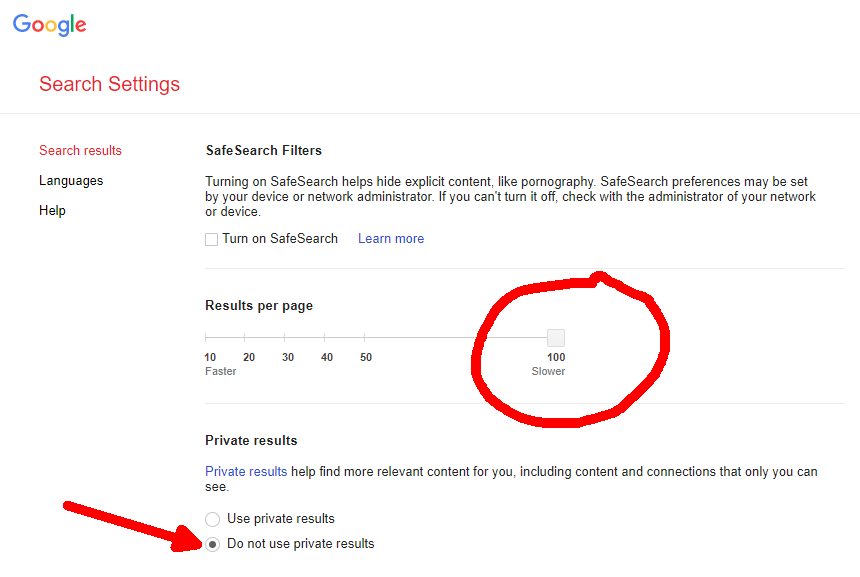
In order to do everything as efficiently as possible, we need to change a few default Google Search settings.

We will change the number of displayed results per page to the allowed maximum, which is 100 items/page.
And I strongly suggest that you also change the preferences and turn off the usage of “private results”.
Why? Google by default shows you personalised results which are biased and subjective.
Google algorhitms present you these results based on your historical activity.
Your search history, social lifenetworks, interactions with your friends and foes and what not, it all modulates your search results and if you want to objectivize your results as much as possible, you should just turn them off.
The search results of the other people will be modulated by their own historical activities, but that is a fact that we just can’t influence, so we will abstract from it.
Scraping the search results as a PRO
Launch Google and search whatever you want (I searched for “google loves me”).
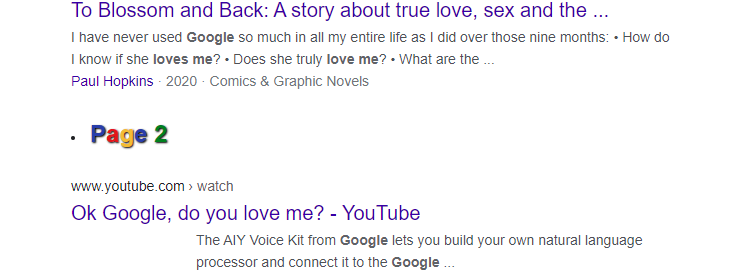
Scroll down and after 100 results you will experience a fancy thing, second page with other 100 results will be loaded, thanks to our beloved Ginfinity plugin.
Now we will grab the links but before we use the Link Grabber plugin for the first time I suggest that you change the settings/options this way.
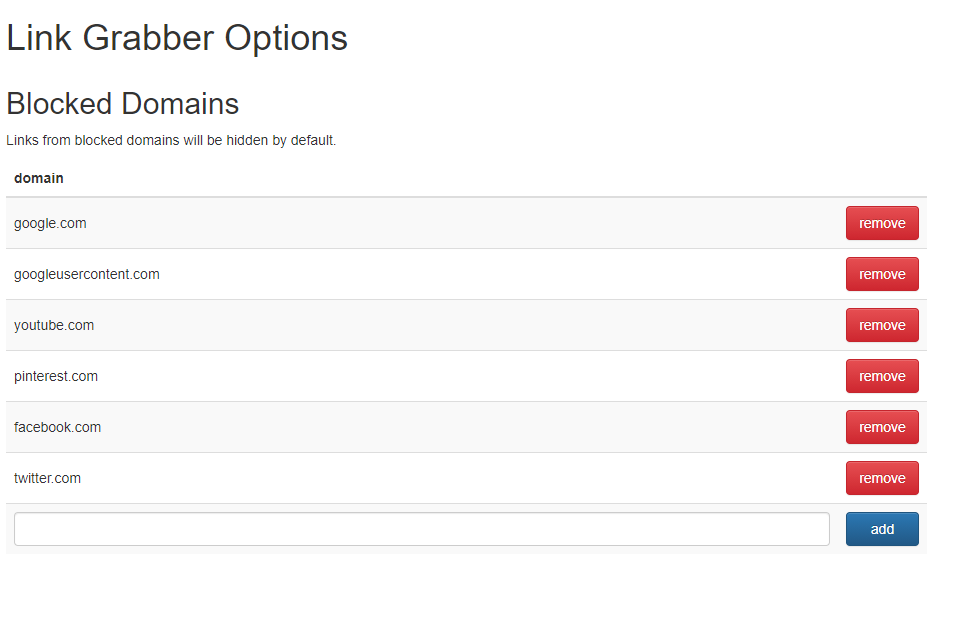
These settings will enable us to remove by default all URLs that we are not interested in so that we will not have to filter them out later.
And we are done…
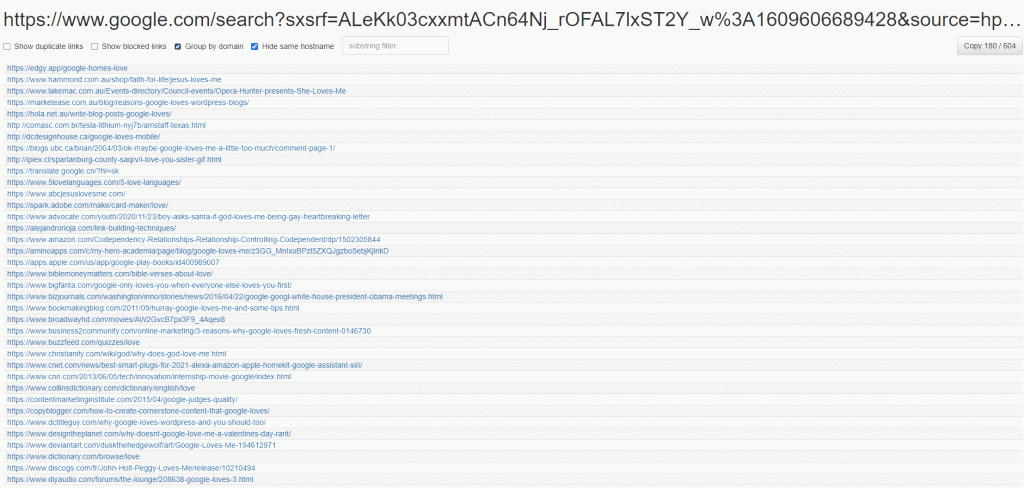
Grab the links and do with them whatever you want.
Stay open-minded, gentlemen. And tuned in too


Cheers, Saad!
You can't, Neverlackin! To scrape emails, you have to visit the urls you scraped with this method and search for email footprints. I have my onw script for this, but you can do it yourself too - it is actually not that complicated.
Another oneView attachment 157596


