

- Jul 3, 2011
- 356
- 268
Disclaimer: Use it only for research, midjourney don't allow automation or bots. I'm not responsible for any misuse of this information. This content is provided 'as is' and is meant to be used for educational purposes only. Always adhere to the terms of service and community guidelines of any platform or tool you are using, including Midjourney. It is crucial to respect the rights and intellectual property of others at all times. If you choose to apply any of the methods or use the tools discussed, you do so at your own risk.
But I never got an account banned
What you need:
- Chrome
- Midjourney
I fixed an open source extension for Midjourney Automation. It's still not perfect but it works
It will do one job at a time -> hopefully I can update this in future.
Follow this tutorial on how to load unpacked extensions:
https://webkul.com/blog/how-to-install-the-unpacked-extension-in-chrome/
Download: https://www.mediafire.com/file/k0esdawyql2lpvd/Midjourney-AutoPilot.zip/file
Virustotal: https://www.virustotal.com/gui/file...d39b78292e7ef6c3142b3de99b63b66a096?nocache=1
After installation, activate the extension and navigate to your Discord channel where the Midjourney bot has been invited.
You should now see this window:
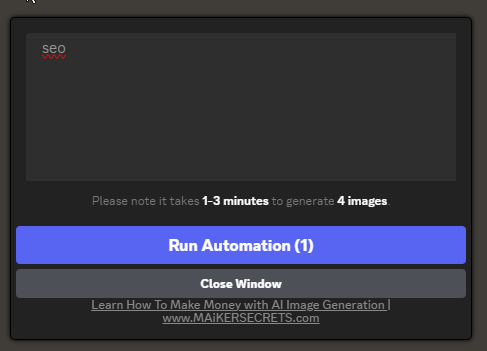
Fill it with your prompts and click run automation thats all.
How to mass download upscaled images?
The download from the extension itself is currently not working but you can download them easy from midjourney
Set the Filter to upscaled only:
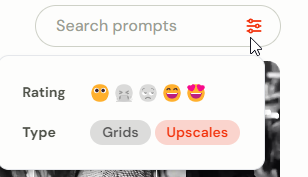
Now click here and download them all:
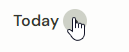
But I never got an account banned
What you need:
- Chrome
- Midjourney
I fixed an open source extension for Midjourney Automation. It's still not perfect but it works
It will do one job at a time -> hopefully I can update this in future.
Follow this tutorial on how to load unpacked extensions:
https://webkul.com/blog/how-to-install-the-unpacked-extension-in-chrome/
Download: https://www.mediafire.com/file/k0esdawyql2lpvd/Midjourney-AutoPilot.zip/file
Virustotal: https://www.virustotal.com/gui/file...d39b78292e7ef6c3142b3de99b63b66a096?nocache=1
After installation, activate the extension and navigate to your Discord channel where the Midjourney bot has been invited.
You should now see this window:
Fill it with your prompts and click run automation thats all.
How to mass download upscaled images?
The download from the extension itself is currently not working but you can download them easy from midjourney
Set the Filter to upscaled only:
Now click here and download them all:


