

Meerakat
Elite Member
- Sep 9, 2019
- 1,505
- 1,695
Note: This guide is only for WordPress
What is this guide about?
In this tutorial, I'll give a step-by-step explanation on how you can create your own automated blog by fetching content from other sites and also automatically rewriting them with the help of a plugin.
Requirements:
After installing both the plugins, it's time to configure WP automatic. First create a new campaign, and follow these steps:
1. Set campaign type as "Feeds"
2. In the "feeds to post from", add a site that is relevant to your niche and posts daily exciting content.
3. Select "Visual Selector" for the "Single item title extraction method" field, then click on the little dot. A website will open up, select the title of the article's body.

4. For "Content extraction method" field, select the visual selector as well and click on the article's content, a red background should surround all the paragraphs (make sure it doesn't select the title of the article)
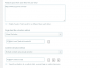
Your settings should now look like this:

Scroll down and tick boxes that you think are suitable. You can even exclude certain words in the content or remove all links, and you may want to remove source credit in the post template section.
Configuration - 2 (WP auto spinner)

Tick whatever that you think you need and save changes. Scroll down and you will find that this plugin works with various spinners such as WordAI, spin rewriter, spin bot, etc...
BONUS TIP
When creating a campaign, you can add any foreign site in your RSS list and then translate it from <foriegn-language> to English or whatever language your blog uses in terms of content.

BONUS TIP - 2
Look for websites that posts content in different language, and use the translation option in wp-automatic to translate the content into English
Download links
1. WP Automatic:
Download link: http://www.mediafire.com/file/3nlu0u7wzyt7nib/wp-automatic-v3.50.6.zip/file
Virus-scan: https://www.virustotal.com/gui/file...e7c357b5074fd2fadbe3e3a04f2a0323e5b/detection
2. WP Auto Spinner
Download link: http://www.mediafire.com/file/yy1tkiup2n1yi2t/wp-auto-spinner.zip/file
Virus scan: https://www.virustotal.com/gui/file...720e55145fe33b672f29c4a25aaed45a75f/detection
If you don't trust the plugins I give out, you can get them from @Festinger's vault.
-Meerakat
What is this guide about?
In this tutorial, I'll give a step-by-step explanation on how you can create your own automated blog by fetching content from other sites and also automatically rewriting them with the help of a plugin.
Requirements:
- A WordPress site
- Two plugins: WP auto spinner & WP automatic (Download link of both the plugins will be included in this guide)
After installing both the plugins, it's time to configure WP automatic. First create a new campaign, and follow these steps:
1. Set campaign type as "Feeds"
2. In the "feeds to post from", add a site that is relevant to your niche and posts daily exciting content.
3. Select "Visual Selector" for the "Single item title extraction method" field, then click on the little dot. A website will open up, select the title of the article's body.
4. For "Content extraction method" field, select the visual selector as well and click on the article's content, a red background should surround all the paragraphs (make sure it doesn't select the title of the article)
Your settings should now look like this:
Scroll down and tick boxes that you think are suitable. You can even exclude certain words in the content or remove all links, and you may want to remove source credit in the post template section.
Configuration - 2 (WP auto spinner)
Tick whatever that you think you need and save changes. Scroll down and you will find that this plugin works with various spinners such as WordAI, spin rewriter, spin bot, etc...
BONUS TIP
When creating a campaign, you can add any foreign site in your RSS list and then translate it from <foriegn-language> to English or whatever language your blog uses in terms of content.
BONUS TIP - 2
Look for websites that posts content in different language, and use the translation option in wp-automatic to translate the content into English
Download links
1. WP Automatic:
Download link: http://www.mediafire.com/file/3nlu0u7wzyt7nib/wp-automatic-v3.50.6.zip/file
Virus-scan: https://www.virustotal.com/gui/file...e7c357b5074fd2fadbe3e3a04f2a0323e5b/detection
2. WP Auto Spinner
Download link: http://www.mediafire.com/file/yy1tkiup2n1yi2t/wp-auto-spinner.zip/file
Virus scan: https://www.virustotal.com/gui/file...720e55145fe33b672f29c4a25aaed45a75f/detection
If you don't trust the plugins I give out, you can get them from @Festinger's vault.
-Meerakat
Attachments
Last edited by a moderator:


