

- May 11, 2014
- 2,146
- 2,062
It doesn't replace the manual way at all but if you have an AI site this will do the job efficiently and help you to index and rank better!
Here are the before and after:
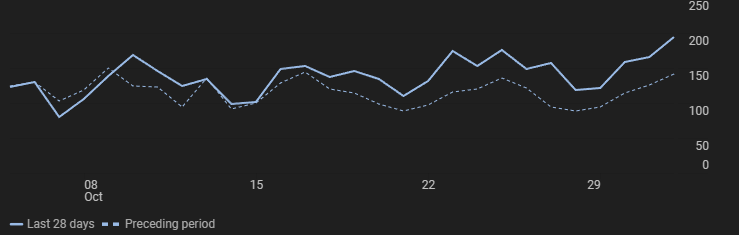
This is a small 500 articles AI site. If you apply this guide to a larger one with an indexing issue you may witness crazy results.
It's all about setting the right tag. You will see!
3 minutes yes but take the time to do it seriously, if done poorly it may hurt your SEO!

You need 2 plugins:
Phase 1 - Taggator: Add Tag Your Post!
You want the tags to be as relevant as possible, I would even say it's essential!
If they are not relevant, you risk creating a poor internal linking structure.
The goal is to enhance the user experience and topical authority.
You can attribute multiple tags to each post.
For this example every post that contains the words:
at least once in the title and at least three times in the content will be tagged as "Protein Supplements"
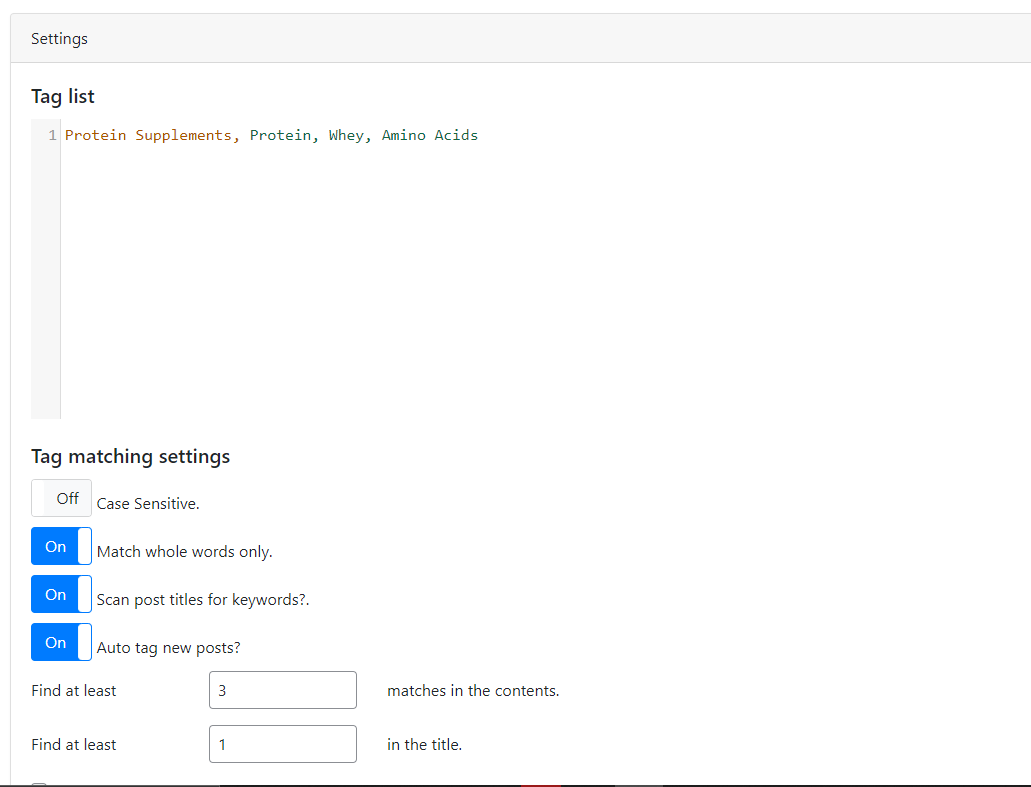
Once it's done apply the tags to your whole site in a click!
Tags will be added automatically for your news post.
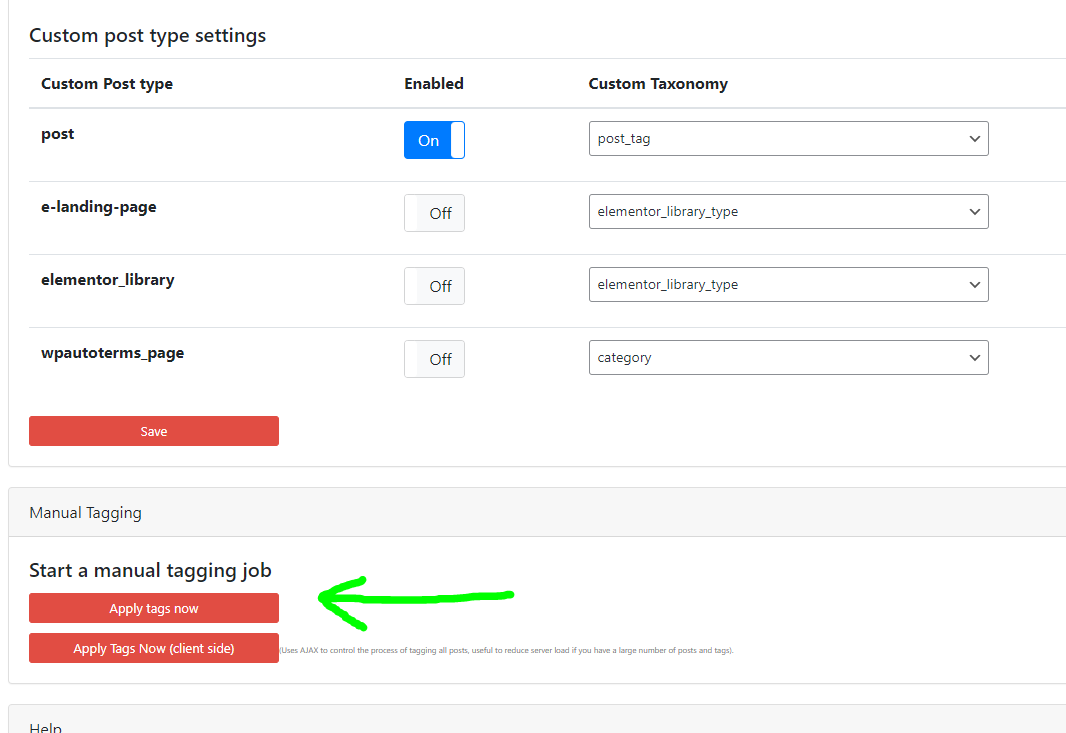
You did nearly all the work! Congrats!
Phase 2 - Inline Related Posts: Add Links to Your Post!
You want the links between content to be as relevant as possible.
Here's my recommendation: use tags exclusively as they create links between your silos which is beneficial.
Limit the number of tags to a maximum of 3 per post.
Adjust the spacing between posts based on your article's length, for me it's 500 words.
Additionally make sure to keep the 'link inserted' option checked.
If this option is unchecked the links may change continuously which in my opinion isn't ideal for SEO.
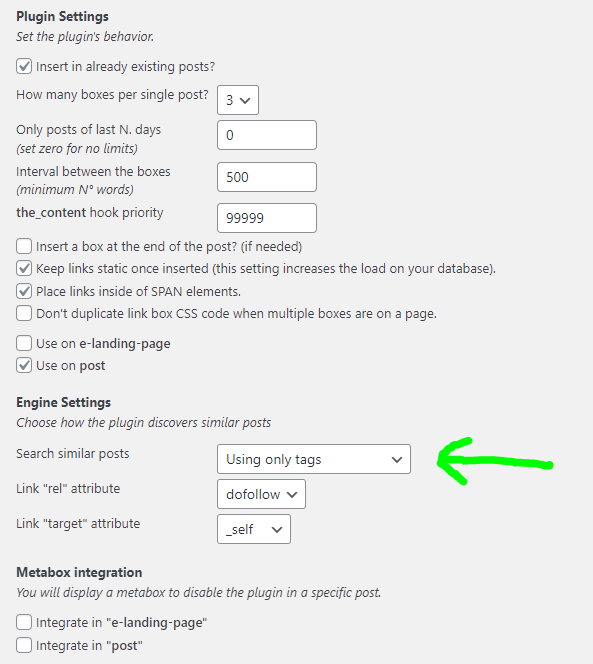
That's it! All your articles are now internally linked!

Here are the before and after:
This is a small 500 articles AI site. If you apply this guide to a larger one with an indexing issue you may witness crazy results.
It's all about setting the right tag. You will see!
3 minutes yes but take the time to do it seriously, if done poorly it may hurt your SEO!
You need 2 plugins:
Phase 1 - Taggator: Add Tag Your Post!
You want the tags to be as relevant as possible, I would even say it's essential!
If they are not relevant, you risk creating a poor internal linking structure.
The goal is to enhance the user experience and topical authority.
You can attribute multiple tags to each post.
For this example every post that contains the words:
- Protein
- Whey
- Amino Acids
at least once in the title and at least three times in the content will be tagged as "Protein Supplements"
Once it's done apply the tags to your whole site in a click!
Tags will be added automatically for your news post.
You did nearly all the work! Congrats!
Phase 2 - Inline Related Posts: Add Links to Your Post!
You want the links between content to be as relevant as possible.
Here's my recommendation: use tags exclusively as they create links between your silos which is beneficial.
Limit the number of tags to a maximum of 3 per post.
Adjust the spacing between posts based on your article's length, for me it's 500 words.
Additionally make sure to keep the 'link inserted' option checked.
If this option is unchecked the links may change continuously which in my opinion isn't ideal for SEO.
That's it! All your articles are now internally linked!
 Improved indexing
- Enhanced link juice flow
- Increased topical relevance
- Encouraged user to visit more pages
- Positive impact on long-tail / easy keywords
Last edited:


