Google see mt real IP

You have to disable Flash and Java plugins in Firefox. Disable Silverlight if you have it too. For best results change your time zone to proxy time zone, because websites can check your OS time zone if javascript is enabled.

And you have to make sure that your proxy is elite proxy (websites don't know that it's proxy and you are anonymous) or at least anonymous proxy (you are anonymous but website can see that it's a proxy) and not transparent proxy.

Delete all cookies, restart browser and try again.

Duude i did that all. And still my ip is leaking

[TABLE="class: big_tbl, align: center"]
[TR]
[TD="class: wtlt, width: 130px, align: left"]IP address[/TD]
[TD="class: wtrt"][TABLE="align: left"]
[TR]
[TD="width: 130"]209.148.48.51[/TD]
[TD]
us.png
United States[/TD]
[/TR]
[/TABLE]
[/TD]
[/TR]
[TR]
[TD="class: wtr_z, align: left"]Java[/TD]
[TD="class: wtr_z"] [/TD]
[/TR]
[TR]
[TD="class: wtl, align: left"]TCP[/TD]
[TD="class: wtr"][TABLE="width: 300, align: left"]
[TR]
[TD="width: 100"] 86.45.58.80[/TD]
[TD]
ie.png
Ireland[/TD]
[/TR]
[/TABLE]
[/TD]
[/TR]
[TR]
[TD="class: wtl_z, align: left"]UDP[/TD]
[TD="class: wtr_z"][TABLE="width: 300, align: left"]
[TR]
[TD="width: 100"]86.45.58.80[/TD]
[TD]
ie.png
Ireland[/TD]
[/TR]
[/TABLE]
[/TD]
[/TR]
[TR]
[TD="class: wtl, align: left"]Flash[/TD]
[TD="class: wtr"]86.45.58.80[/TD]
[/TR]
[/TABLE]


I changed DNS to google and it helped a bit some results changed but still this TCP AND UDP is leaking my real IP and google shows my real ip :(
 
don't use google dns, change it to your ISP dns or some other.

Check proxy anonymity with a few proxy checking websites, just google for "check proxy anonymity" and test your proxy on few of these sites and see reports.

If you did all of that, there's no way anyone can tell that you are using a proxy.
 
don't use google dns, change it to your ISP dns or some other.

Check proxy anonymity with a few proxy checking websites, just google for "check proxy anonymity" and test your proxy on few of these sites and see reports.

If you did all of that, there's no way anyone can tell that you are using a proxy.

Aha ok so i disbaled all java and flash plugins ad report now look like this:


[TABLE="class: big_tbl, align: center"]
[TR]
[TD="class: wtlt, align: left"]IP address[/TD]
[TD="class: wtrt"][TABLE="align: left"]
[TR]
[TD]209.148.48.51[/TD]
[TD]
us.png
United States[/TD]
[/TR]
[/TABLE]
[/TD]
[/TR]
[TR]
[TD="class: wtr_z, align: left"]Java[/TD]
[TD="class: wtr_z"][/TD]
[/TR]
[TR]
[TD="class: wtl, align: left"]TCP[/TD]
[TD="class: wtr"]N/A[/TD]
[/TR]
[TR]
[TD="class: wtl_z, align: left"]UDP[/TD]
[TD="class: wtr_z"]N/A[/TD]
[/TR]
[TR]
[TD="class: wtl, align: left"]Flash[/TD]
[TD="class: wtr"]N/A[/TD]
[/TR]
[TR]
[TD="class: wtr, align: left"]DNS[/TD]
[TD="class: wtr"][/TD]
[/TR]
[TR]
[TD="class: wtl_z, align: left"]Browser[/TD]
[TD="class: wtr_z"][TABLE="width: 300, align: left"]
[TR]
[TD="width: 100"]216.213.159.107[/TD]
[TD]
us.png
United States[/TD]
[/TR]
[/TABLE]
[/TD]
[/TR]
[TR]
[TD="class: wtr, align: left"]Java[/TD]
[TD="class: wtr"][/TD]
[/TR]
[TR]
[TD="class: wtl_z, align: left"]system[/TD]
[TD="class: wtr_z"]N/A[/TD]
[/TR]
[TR]
[TD="class: wtl, align: left"]resolve[/TD]
[TD="class: wtr"]N/A[/TD]
[/TR]
[TR]
[TD="class: wtl_z, align: left"]Flash[/TD]
[TD="class: wtr_z"]N/A[/TD]
[/TR]
[/TABLE]


But the worst thing is google still shows up my real IP

nothing helps

EDIT: Oh and i tested my proxy its good those services didnt see proxy
 
Are you using proxies for all protocols?

EDIT: Like toptoptop said, try these for DNS:

Google Public DNS
8.8.8.8
8.8.4.4

I use that when my VPN is leaking DNS.

You're trying to go undetected by Google by using their DNS servers? What am I missing here ;) ?
 
You're trying to go undetected by Google by using their DNS servers? What am I missing here ;) ?

Well, we are out of options here. :)

I remembered my ISP was leaking my real DNS when using VPN, so I used Google DNS to coverup,
so nobody sees my real country.
So, actually, my computer misses VPN tunnel and asks my ISP directly, and if I set G's DNS it asks them.
I thought those private proxies are some sort of VPN cloud or something, so it could help.
 
Siriously am so curious how HOW google see my real ip when everything is dissabled java,flash, installed beter privacy plugin, no cookies nothing + hight anonymous proxy, all other ip checker websites cant see me but google can.....
..............
.........................


Anybody got any answers? :D
 
Maybe Google keep your IP for long time and It has the ability to figure out changes. I didn't know about My IP on Google, pretty awesome.
 
I still don't get where google displays your IP.
Anyway install a Vmware, install clean Windows and clean browser on it, make it use proxy, fuck all flash/java and visit google.
 
when you type "what is my IP" you are doing from the firefox textinput from the top right or from the google.com ?
If you test in a different browser?
 
Your proxy might be sending forwarded for / real ip headers....
I posted a very simple script to check if you are really anonymous.

Check the thread out :

Code:
http://www.blackhatworld.com/blackhat-seo/php-perl/527166-share-very-simple-script-testing-your-current-proxy-anonymity.html
 
I hope you will find answer, the same here, all plugins, java, flash off and google still see my real IP

at least I spam tumblr only :) but didn't know that G is so fucking smart and even I have private proxies this fucker still see my real IP :D
 
Google is nuts. It won't see your real IP if it is not forwarded by the Proxy gateway. Stop talking BS
I hope you will find answer, the same here, all plugins, java, flash off and google still see my real IP

at least I spam tumblr only :) but didn't know that G is so fucking smart and even I have private proxies this fucker still see my real IP :D
 
Google is nuts. It won't see your real IP if it is not forwarded by the Proxy gateway. Stop talking BS

I've just tested your script and got this result

Your IP : 173.234.232.76
Proxy Type : Elite Proxy / No Proxy

then tried in the same FF google query "whats my IP" and got my real IP

I have proxies from two private proxies providers and got the same result for both of them, so maybe these so called private proxies aren't as good as I thought


Install the script again and write var_dump( $_SERVER); in the first line. Let me know what value you see. There must be something that is being forwarded, or google could not see your real IP. Also try disabling Javascript.
Sorry if I sounded rude.

I've just tested your script and got this result

Your IP : 173.234.232.76
Proxy Type : Elite Proxy / No Proxy

then tried in the same FF google query "whats my IP" and got my real IP

I have proxies from two private proxies providers and got the same result for both of them, so maybe these so called private proxies aren't as good as I thought


Ok so guys i found the ANSWER :D

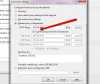
There re 3 images with proof, so i disabled all plugin like java and flash, but disabling only flash shuld work aswell. To be safe disable them all.

I forgot to tick that option to use proxy for all protocols and that basicaly gave away my real ip thrue ftp (dunno how)

I used Beter Privacy aswell and CCleaner.

After all this everything shuld work fine.

Thanks for all help guys :)


l2013-08-01_1455.png2013-08-01_1456.jpg2013-08-01_1457.png
 
Install the script again and write var_dump( $_SERVER); in the first line. Let me know what value you see. There must be something that is being forwarded, or google could not see your real IP. Also try disabling Javascript.
Sorry if I sounded rude.

in my case it was a javascript ... I've turned off almost all plugins included java and flash, but forgot on JS in options :(

thanks :)
 
Ok so guys i found the ANSWER :D

There re 3 images with proof, so i disabled all plugin like java and flash, but disabling only flash shuld work aswell. To be safe disable them all.

I forgot to tick that option to use proxy for all protocols and that basicaly gave away my real ip thrue ftp (dunno how)

I used Beter Privacy aswell and CCleaner.

After all this everything shuld work fine.

Thanks for all help guys :)

and did you tried it with javascript on? I use the same proxy manager and even if I have this "all protocol" option on, google still see my real IP via javascript (if is on)
 
and did you tried it with javascript on? I use the same proxy manager and even if I have this "all protocol" option on, google still see my real IP via javascript (if is on)

I have disabled java script in firefox browser as u can see on image :) For me now its working perfectly. Now i will look how i can make so website would not be abble to see my pc time, and if ur using many proxies at same time ( i use 5 firefox browsers with different profiles) this might be a problem. If anybody got answer please let me know.
 
Back
Top