General OCR Tut (Vector Space Method)

To build a big corpus and also avoid the manual work, one can send the letter images to a decaptcha service. :)
True, but if the letters are not distorted(like the example), 1 or 2 images per letter will ensure 90%+ accuracy.
I don't know what exactly Vector Space Method is, but the lamest way is comparing letters pixel by pixel and calculate similarity percentage(i am still using this approach :)). I was doing it for godaddy's captcha(the old one) and a few other easy captchas with 95%+ success rate.
It can be done for twitter mobile captcha too, but more work is involved. I am getting 75% with tesseract, but this method can be applied too.

I thought that this method is a common sense, but anyway thanks for putting it together. Lets see what Vector Space Method actually is.

Anyway, here is some some shit from me. It was working 2-3 months ago and the captcha is not changed, so it should be still working. Used it to create tens of thousands twitter accounts.
Code:
public static string SolveTwitterCaptcha(byte[] imageData)
        {
            string text = string.Empty;
            using (MemoryStream memStream = new MemoryStream(imageData))
            using (Bitmap captchaInit = Image.FromStream(memStream) as Bitmap)
            using (Bitmap captcha = AForge.Imaging.Image.Clone(captchaInit, System.Drawing.Imaging.PixelFormat.Format24bppRgb))
            {
                ColorFiltering filtering = new ColorFiltering(new IntRange(200, 240), new IntRange(200, 240), new IntRange(200, 240));
                filtering.ApplyInPlace(captcha);
                if (Solve(captcha, out text))
                {
                    return text;
                }
                filtering = new ColorFiltering(new IntRange(235, 255), new IntRange(235, 255), new IntRange(235, 255));
                using (Bitmap background = filtering.Apply(captcha))
                {
                    ThresholdedDifference tresholdDifferenceFilter = new ThresholdedDifference(60);
                    tresholdDifferenceFilter.OverlayImage = background;
                    using (Bitmap resultImage = tresholdDifferenceFilter.Apply(captcha))
                    {
                        if (Solve(resultImage, out text))
                        {
                            return text;
                        }
                    }
                }
            }
            return string.Empty;
        }
Solve is a function which uses tesseract, but there is a memory leak in the older version.
Funny thing is that the version with the memory leak is working "out of the box" without even training it(around 75%), but the new one(without the leak) doesn't work at all.
 
Last edited:
Hey theMagicNumber,

thanks for contributing! I didn't know twitter was as careless btw...
To answer your question, vector space search is all about comparision, however while the concept is very simple and can be implemented in about 20 lines of code, it is not about comparing individual pixels. The concept comes from matrix algebra and what we'll be essentially doing is constructing vectors consisting of term counts within term spaces. Term spaces, in our example, are collections of unique pixels and term counts are frequency counts of pixels in an individual search space.

I know this sounds pretty kooky haha but trust me the actual practical implementation is a LOT less verbose and is very easy to understand. The biggest advantage of this method over say direct pixel-to-pixel comparision is that with a large enough corpus you can synthesize results and kind of "fake" a neural network, in a way allowing you to get good enough accuracy even if you haven't classified something yet. Its also really easy to plug machine learning into a vector space routine.

The only drawback is that its kind of slow, compared to neural networks at least.

Anyhow, I hope that this is proving to be somewhat useful to you. I know its nothing revolutionary but I had to start somewhere.
 
To build a big corpus and also avoid the manual work, one can send the letter images to a decaptcha service. :)

Thats actually a really cool idea. In a real application one could combine an OCR engine with decapther (or similar). Let the OCR handle the main workload, call decaptcher with unsolved/failed captchas and classify them automatically.
 
Hey theMagicNumber,

thanks for contributing! I didn't know twitter was as careless btw...
To answer your question, vector space search is all about comparision, however while the concept is very simple and can be implemented in about 20 lines of code, it is not about comparing individual pixels. The concept comes from matrix algebra and what we'll be essentially doing is constructing vectors consisting of term counts within term spaces. Term spaces, in our example, are collections of unique pixels and term counts are frequency counts of pixels in an individual search space.

I know this sounds pretty kooky haha but trust me the actual practical implementation is a LOT less verbose and is very easy to understand. The biggest advantage of this method over say direct pixel-to-pixel comparision is that with a large enough corpus you can synthesize results and kind of "fake" a neural network, in a way allowing you to get good enough accuracy even if you haven't classified something yet. Its also really easy to plug machine learning into a vector space routine.

The only drawback is that its kind of slow, compared to neural networks at least.

Anyhow, I hope that this is proving to be somewhat useful to you. I know its nothing revolutionary but I had to start somewhere.

Thanks, looking forward to the implementation.
You really don't need big corpus, these type of captchas(not distorted) are very easy to solve. You will need one imge for a-zA-Z0-9 and thats all. The pixel by pixel comparison will give 90%+(sometimes even 100%) accuracy and probably vector space algorithm will produce better results.

Thats actually a really cool idea. In a real application one could combine an OCR engine with decapther (or similar). Let the OCR handle the main workload, call decaptcher with unsolved/failed captchas and classify them automatically.

You cannot tell if a captcha is correct or not before submitting it, however you can estimate certainty rate and if it is too low just refresh the captcha. It is faster to submit wrong captcha and take another one, than sending the low certainty captchas to decapcther services, waiting 10-20 seconds
 
Final Steps

Welcome back everyone!
We've almost got our OCR implementation ready, now there are just a couple of things left to do. I've prepared the corpus folder and it's looking like this now:
7tqMeb9.png

I could not locate any "0"s, "O"s, "i"s, "v"s or "1"s, so let's just suppose those don't exist. Now next we need to implement our search algorithm, look above for a very brief theoretical explanation, see my very first or second post if you want a more detailed, complete explanation. We need to be able to calculate the magnitude (length) of our vectors as well as be able to find the relation between two given space vectors, thus giving us our confidence variable (a float between 0 and 1. 1 being very high confidence).

Code:
//Vector search struct
type VectorSearch struct {
    Concordance1, Concordance2 map[int]float64
}

//Vector search methods
/*
   Returns vector magnitude over multiple plains
   ((a1*a1) + (a2*a2) + (a3*a3) + ... + (an*an) = (b*b))
func (v VectorSearch) Magnitude(c map[int]float64) float64 {
    total := 0.0
    for _, count := range c {
        total += count * count
    }
    return math.Sqrt(total)
}

//Returns relation confidence of two subjects
func (v VectorSearch) Relation() float64 {
    topvalue := 0.0;
    for word, count := range v.Concordance1 {
        if val, ok := v.Concordance2[word]; ok {
            topvalue += float64(count) * val
        }
    }
    return topvalue / (v.Magnitude(v.Concordance1) * v.Magnitude(v.Concordance2))
}

Thats all there is to it. We've implemented a vector space search engine. Now all we need to do is "vectorize" our corpus data and start testing with several captchas. Let's firstly write a "vectorization" routine.

Code:
//Builds a vector of pixels
func buildVector(img *image.Gray) map[int]float64 {
    var m = make(map[int]float64, len(img.Pix)) //Hashmap of floats 
    for n, i := range img.Pix { //Loop through pixels in image
        m[n] = float64(i) //Add them to the map
    }
    return m
}

Ok, we also need a couple of gloabal vars now

Code:
var (
    letterset = []string{"2","3","4","5","6","7","8","9","a","b","c","d","e","f","g","h","j","k","l","m","n","p","q","r","s","t","u","w","x","y","z"} //Our letters
    
imageset = []map[string]map[int]float64{} //We'll store our corpus data here
)

Alright, nice. Let's write a function that would vectorize our corpus data as soon as we start up our program. In Go, anything within the init() function block will do that

Code:
func init(){
    r, _ := regexp.Compile(`\.gif`)
    for _, letter := range letterset { //Loop over all the letters
        dir := fmt.Sprintf("./corpus/%s/", letter) //Get a dir based on a given letter
        list, _ := ioutil.ReadDir(dir) //Read the dir
        for _, img := range list { //Range over contents of dir
            if r.MatchString(img.Name()) {
                imgPath := fmt.Sprintf("./corpus/%s/%s", letter, img.Name()) //Get the path
                _img := loadImage(imgPath) //Our original image
                _map := map[string]map[int]float64{
                    letter:buildVector(_img.(*image.Gray)), //Build the vector
                }
                imageset = append(imageset, _map) //Store in our global vector set
            }
        }
    }
}

Good, our corpus is thus vectorized. Now, I'll need to write a bit of boilerplate here, because we need some type of structure to store our guesses or estimates in. This structure needs to hold the results of our Relation method as well as be sortable and so on. Some Go boilerplate follows:

Code:
type Estimate struct { //Our new Estimate datatype
    Val float64 //Confidence 
    Key string //The actual letter
}


type EstArray []Estimate //An array of estimates

//Methods to satisfy the Sort interface thus allowing us to sort this structure
func (e EstArray) Len() int {
    return len(e)
}


func (e EstArray) Less(i, j int) bool {
    return e[i].Val > e[j].Val
}


func (e EstArray) Swap(i, j int) {
    e[i], e[j] = e[j], e[i]
}

Ok, almost done! Now we just need a function which would perform the actual OCR part.

Code:
//Accepts captcha name, loads and decodes it
func solveCaptcha(s string) string {
    var decode string //Will store the answer
    _img := loadImage(s) //Load the captcha image
    processed := chop(turnBW(_img)) //Clean it
    for _, pos := range extractLetters(processed) { //Get letter positions
        vector := buildVector(getLetter(pos, processed)) //Vectorize the captcha
        var guess = make(EstArray, 0) //New Guess data structure
        for _, img := range imageset { //Loop over existing vectors (our corpus data)
            for key, val := range img {
                guess = append(guess, Estimate{VectorSearch{val, vector}.
                        Relation(), key}) //Store confidence as well as the letter itself inside the array
            }
        }
        sort.Sort(guess) //Sort
        decode += guess[0].Key //Add the highest result to decoded
    }
    return decode
}

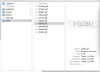
Great! Ok, everything is in place. We'll need to download a couple of test captchas and see if our OCR engine is working correctly. I've done so just now and named them accordingly:
KAEDltZ.png

I know this is not a huge body of test data and for a proper evaluation we'd of course need to do more testing, but this is just a tutorial afterwards and this should be enough for a quick demonstration.
Next, let's write a "testing" function.

Code:
//Run the tests
func runTests(){
    var (right = 0; wrong = 0)
    r, _ := regexp.Compile(`\.gif`)
    files, _:= ioutil.ReadDir("./tests/") //Get everything in the tests folder
    for _, file := range files { //Loop over files
        if r.MatchString(file.Name()) {
            decoded := solveCaptcha("./tests/" + file.Name()) //Get answer from API
            actual := file.Name()[:len(file.Name()) - 4] //Get just the file name which is the actual contents of the captcha image
            fmt.Println("OCR result: " + decoded + ". Captcha: " + actual) //Print out results
            if decoded == actual { //Compare
                right ++
            } else {
                wrong ++
            }
        }
    }
    fmt.Println("Total processed: ", right + wrong, "Right:", right, "Wrong:", wrong)
}

Nice. Well, the moment of truth is here. Let's finally run it! Here are the results:
rdCOO2r.png

Not bad is it? We've definitely achieved a non-trivial success rate.
We can definitely see that there are still some problems due to slight randomness of the letters caused by the obfuscation. For example, "2" and "3" are kind of similar so they get confused, also "5" and "2" or "f" and "l". But thats alright, consider that we haven't done any training of our search engine itself (we just did the initial corpus loading), also our corpus data is fairly small (less than 100 elements in my example), also our extraction mechanism is not as good as it can be. So there's definitely some stuff which we could still work on. However, for most purposes we can consider this captcha to be broken.

I'll definitely touch upon further optimization just for the sake of example in later posts (probably tomorrow or the day after) as well as briefly discuss soem other non-neural search methods. For now though, thats pretty much. I hope you enjoyed this as much as I did, stay tuned for more.
 
Last edited:
Also, just wanted to mention this, while I won't make this project downloadable (as I really want people to implement their own solutions + the important parts are all here you just have to piece them together), I will release a general image processing library for captcha cracking written in Go. I just started working on it, but it should be finished in a couple of days I reckon, so I'll probably push it to Github as well as post the executables over here.

You can use the executables themselves and include them in your OCR process or if you are using C, C++ or Go you can just use the library directly.
 
Thanks for the implementation of the Vector Space algorithm.
The only problem with captchas is separating the letters, the ones with space between the letters are very simple to solve.
But what about if the letters are joined together, different size, position. Removing the noise is doable for almost all of the captchas, but splitting is the hardest thing.
There are(or at least were) some recaptcha solvers with 20%-25% success rate, but the problem is that google can change very little and the solvers won't work. There were a loop hole in the recaptcha(the voice one), it was possible to distinguish the letters from the background noise using fourier transformation and a few other algorithms and the rest is just speech recognition.Unfortunately, the discovery was made public and google fixed that quickly.
 
Thanks for the implementation of the Vector Space algorithm.
The only problem with captchas is separating the letters, the ones with space between the letters are very simple to solve.
But what about if the letters are joined together, different size, position. Removing the noise is doable for almost all of the captchas, but splitting is the hardest thing.
There are(or at least were) some recaptcha solvers with 20%-25% success rate, but the problem is that google can change very little and the solvers won't work. There were a loop hole in the recaptcha(the voice one), it was possible to distinguish the letters from the background noise using fourier transformation and a few other algorithms and the rest is just speech recognition.Unfortunately, the discovery was made public and google fixed that quickly.

Thank you for reading and commenting.
Yes I'm aware of the fact that this was a simple example, I had to start somewhere though. Separating letters, whether they are joined, different sizes or whatever else isn't that difficult either as long as there is a pattern. Math's always your friend here. I will most certainly go through the harder examples in the future (including animated captchas and so on).

I also remember the audio loophole. Think it was a German team no? German or Swedish, not 100% sure. Same guys who hacked the PS3? Maybe, I'm confusing something.
 
Thank you for reading and commenting.
Yes I'm aware of the fact that this was a simple example, I had to start somewhere though. Separating letters, whether they are joined, different sizes or whatever else isn't that difficult either as long as there is a pattern. Math's always your friend here. I will most certainly go through the harder examples in the future (including animated captchas and so on).

I also remember the audio loophole. Think it was a German team no? German or Swedish, not 100% sure. Same guys who hacked the PS3? Maybe, I'm confusing something.

I don't remeber who the team was, there are a few articles that explained the process in detail, but it seems that i am unable to find them again.

I will be very much interested in the future updates in the thread. I have only managed to crack 3-4 different captchas and if i cannot split the letters in ~8-9 hours i just give up and use decaptcher.
 
I don't remeber who the team was, there are a few articles that explained the process in detail, but it seems that i am unable to find them again.

I will be very much interested in the future updates in the thread. I have only managed to crack 3-4 different captchas and if i cannot split the letters in ~8-9 hours i just give up and use decaptcher.

Segmenting is probably the hardest part as you correctly point out. Generally speaking you start out with connected component labeling and if that doesn't work (it won't with heavily distorted, interconnected letters, ala 90% of captchas in use) you need to use dynamic programming and similar modeling. In essence the process of segmentation itself becomes one of machine learning and you basically need to construct confidence trees and so on.

This is certainly much harder than what I've done in this tutorial, but nevertheless can be successfully implemented with most captchas (recaptcha being the exception). I'll try to post something in a separate thread (as this is a much longer topic and I'd need to prepare some material) as soon as time allows.
 
Thanks for the tutorial and i am sure it will be useful for a lot of people, for me is just the vector space implementation, but hey i learnt something new, so thank you.
 
Back
Top