Final Steps
Welcome back everyone!
We've almost got our OCR implementation ready, now there are just a couple of things left to do. I've prepared the corpus folder and it's looking like this now:

I could not locate any "0"s, "O"s, "i"s, "v"s or "1"s, so let's just suppose those don't exist. Now next we need to implement our search algorithm, look above for a very brief theoretical explanation, see my very first or second post if you want a more detailed, complete explanation. We need to be able to calculate the magnitude (length) of our vectors as well as be able to find the relation between two given space vectors, thus giving us our confidence variable (a float between 0 and 1. 1 being very high confidence).
Code:
//Vector search struct
type VectorSearch struct {
    Concordance1, Concordance2 map[int]float64
}

//Vector search methods
/*
   Returns vector magnitude over multiple plains
   ((a1*a1) + (a2*a2) + (a3*a3) + ... + (an*an) = (b*b))
func (v VectorSearch) Magnitude(c map[int]float64) float64 {
    total := 0.0
    for _, count := range c {
        total += count * count
    }
    return math.Sqrt(total)
}

//Returns relation confidence of two subjects
func (v VectorSearch) Relation() float64 {
    topvalue := 0.0;
    for word, count := range v.Concordance1 {
        if val, ok := v.Concordance2[word]; ok {
            topvalue += float64(count) * val
        }
    }
    return topvalue / (v.Magnitude(v.Concordance1) * v.Magnitude(v.Concordance2))
}
Thats all there is to it. We've implemented a vector space search engine. Now all we need to do is "vectorize" our corpus data and start testing with several captchas. Let's firstly write a "vectorization" routine.
Code:
//Builds a vector of pixels
func buildVector(img *image.Gray) map[int]float64 {
    var m = make(map[int]float64, len(img.Pix)) //Hashmap of floats
    for n, i := range img.Pix { //Loop through pixels in image
        m[n] = float64(i) //Add them to the map
    }
    return m
}
Ok, we also need a couple of gloabal vars now
Code:
var (
    letterset = []string{"2","3","4","5","6","7","8","9","a","b","c","d","e","f","g","h","j","k","l","m","n","p","q","r","s","t","u","w","x","y","z"} //Our letters

imageset = []map[string]map[int]float64{} //We'll store our corpus data here
)
Alright, nice. Let's write a function that would vectorize our corpus data as soon as we start up our program. In Go, anything within the init() function block will do that
Code:
func init(){
    r, _ := regexp.Compile(`\.gif`)
    for _, letter := range letterset { //Loop over all the letters
        dir := fmt.Sprintf("./corpus/%s/", letter) //Get a dir based on a given letter
        list, _ := ioutil.ReadDir(dir) //Read the dir
        for _, img := range list { //Range over contents of dir
            if r.MatchString(img.Name()) {
                imgPath := fmt.Sprintf("./corpus/%s/%s", letter, img.Name()) //Get the path
                _img := loadImage(imgPath) //Our original image
                _map := map[string]map[int]float64{
                    letter:buildVector(_img.(*image.Gray)), //Build the vector
                }
                imageset = append(imageset, _map) //Store in our global vector set
            }
        }
    }
}
Good, our corpus is thus vectorized. Now, I'll need to write a bit of boilerplate here, because we need some type of structure to store our guesses or estimates in. This structure needs to hold the results of our Relation method as well as be sortable and so on. Some Go boilerplate follows:
Code:
type Estimate struct { //Our new Estimate datatype
    Val float64 //Confidence
    Key string //The actual letter
}


type EstArray []Estimate //An array of estimates

//Methods to satisfy the Sort interface thus allowing us to sort this structure
func (e EstArray) Len() int {
    return len(e)
}


func (e EstArray) Less(i, j int) bool {
    return e[i].Val > e[j].Val
}


func (e EstArray) Swap(i, j int) {
    e[i], e[j] = e[j], e[i]
}
Ok, almost done! Now we just need a function which would perform the actual OCR part.
Code:
//Accepts captcha name, loads and decodes it
func solveCaptcha(s string) string {
    var decode string //Will store the answer
    _img := loadImage(s) //Load the captcha image
    processed := chop(turnBW(_img)) //Clean it
    for _, pos := range extractLetters(processed) { //Get letter positions
        vector := buildVector(getLetter(pos, processed)) //Vectorize the captcha
        var guess = make(EstArray, 0) //New Guess data structure
        for _, img := range imageset { //Loop over existing vectors (our corpus data)
            for key, val := range img {
                guess = append(guess, Estimate{VectorSearch{val, vector}.
                        Relation(), key}) //Store confidence as well as the letter itself inside the array
            }
        }
        sort.Sort(guess) //Sort
        decode += guess[0].Key //Add the highest result to decoded
    }
    return decode
}
Great! Ok, everything is in place. We'll need to download a couple of test captchas and see if our OCR engine is working correctly. I've done so just now and named them accordingly:
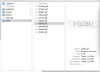
I know this is not a huge body of test data and for a proper evaluation we'd of course need to do more testing, but this is just a tutorial afterwards and this should be enough for a quick demonstration.
Next, let's write a "testing" function.
Code:
//Run the tests
func runTests(){
    var (right = 0; wrong = 0)
    r, _ := regexp.Compile(`\.gif`)
    files, _:= ioutil.ReadDir("./tests/") //Get everything in the tests folder
    for _, file := range files { //Loop over files
        if r.MatchString(file.Name()) {
            decoded := solveCaptcha("./tests/" + file.Name()) //Get answer from API
            actual := file.Name()[:len(file.Name()) - 4] //Get just the file name which is the actual contents of the captcha image
            fmt.Println("OCR result: " + decoded + ". Captcha: " + actual) //Print out results
            if decoded == actual { //Compare
                right ++
            } else {
                wrong ++
            }
        }
    }
    fmt.Println("Total processed: ", right + wrong, "Right:", right, "Wrong:", wrong)
}
Nice. Well, the moment of truth is here. Let's finally run it! Here are the results:

Not bad is it? We've definitely achieved a non-trivial success rate.
We can definitely see that there are still some problems due to slight randomness of the letters caused by the obfuscation. For example, "2" and "3" are kind of similar so they get confused, also "5" and "2" or "f" and "l". But thats alright, consider that we haven't done any training of our search engine itself (we just did the initial corpus loading), also our corpus data is fairly small (less than 100 elements in my example), also our extraction mechanism is not as good as it can be. So there's definitely some stuff which we could still work on. However, for most purposes we can consider this captcha to be broken.
I'll definitely touch upon further optimization just for the sake of example in later posts (probably tomorrow or the day after) as well as briefly discuss soem other non-neural search methods. For now though, thats pretty much. I hope you enjoyed this as much as I did, stay tuned for more.


