

SEOBitnet
Junior Member
- Nov 12, 2020
- 198
- 73
Hello,
I am after some advice in regards to using WordPress with Elementor Pro and adding templates from third party sites like Envato etc.
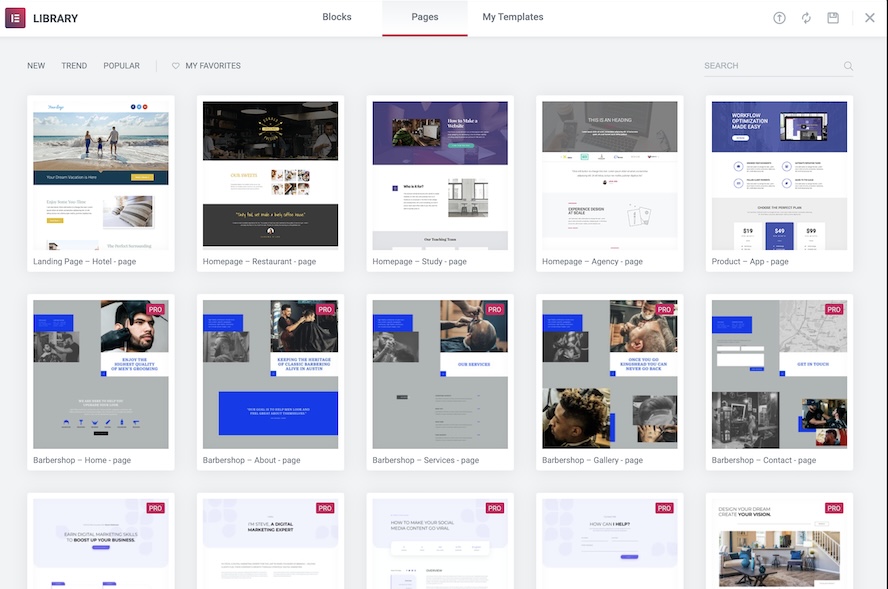
When you add a template from the Elementor library you see a thumbnail image of the page / block prior to inserting it.
(Then I install Elementor templates from Envato)
Now when I want to add a section or block from my installed templates, it shows the templates name and details without any images.
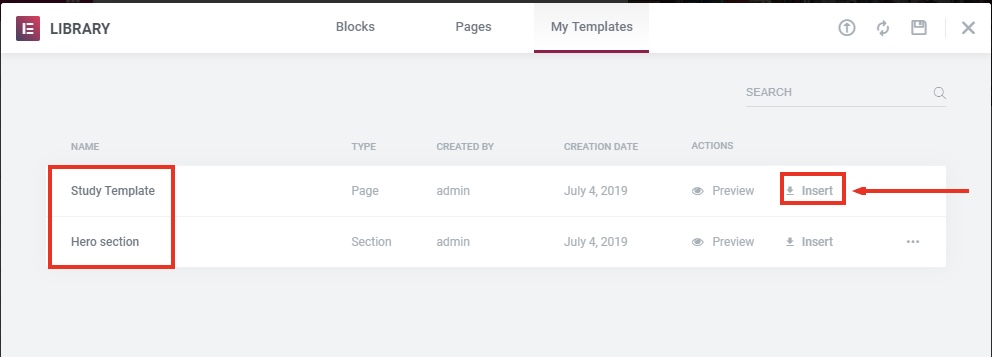
You can select preview on each template but when you have heaps of templates it just makes it difficult to manage.
Is there a way I can see a thumbnail image of the page or block I want to install from the ‘my templates’ library?
Any help would be appreciated! Thanks
I am after some advice in regards to using WordPress with Elementor Pro and adding templates from third party sites like Envato etc.
When you add a template from the Elementor library you see a thumbnail image of the page / block prior to inserting it.
(Then I install Elementor templates from Envato)
Now when I want to add a section or block from my installed templates, it shows the templates name and details without any images.
You can select preview on each template but when you have heaps of templates it just makes it difficult to manage.
Is there a way I can see a thumbnail image of the page or block I want to install from the ‘my templates’ library?
Any help would be appreciated! Thanks
