-
Don´t do this unless you´re considering rebuilding all the posts and pages build on Elementor with either Gutemberg or any other page builder (this would be dumb).
If you´re concern about the site´s performance, page loading speed, and/or core web vitals, then stay away from page builder.
What else can you use?
You have two (2) options...
Isn´t Oxygen another page builder?
NOOOOO!!!!!
This is a common mistake people make with Oxygen.
It´s NOT a page builder it´s a
THEME BUILDER!!!
Leaning and mastering a tool like Oxygen will be the best decision you´ll make long-term. Especially, if you happen to build lots of sites or work with clients.
But, I must say, learning Oxygen is NOT easy for a guy like me for example who doesn´t have a background in web development.
Oxygen requires you to know HTML and CSS in order to use it properly. Other than that, you´re good to go.
YouTube and Udemy are filled with great tutorials and courses to teach you all about HTML and CSS.
HTML is REALLY not hard to learn and so does CSS.
I am a firm believer that, if you´re not dumb or are somehow tech-savvy, you can learn both HTML, CSS and the basics of Oxygen in a week.
After that, as with any other program or software, you´re just starting to learn (Just like when you started to learn how to use Elementor), the more you use it and practice the better you´ll be with it.
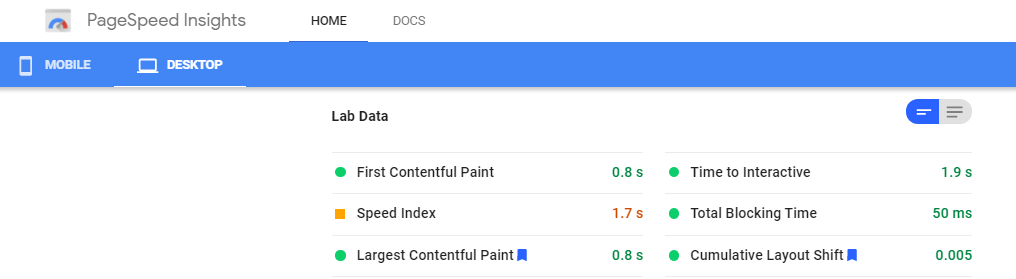
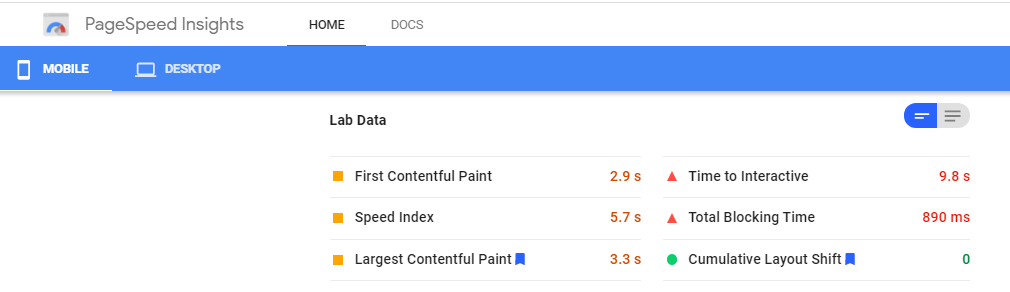
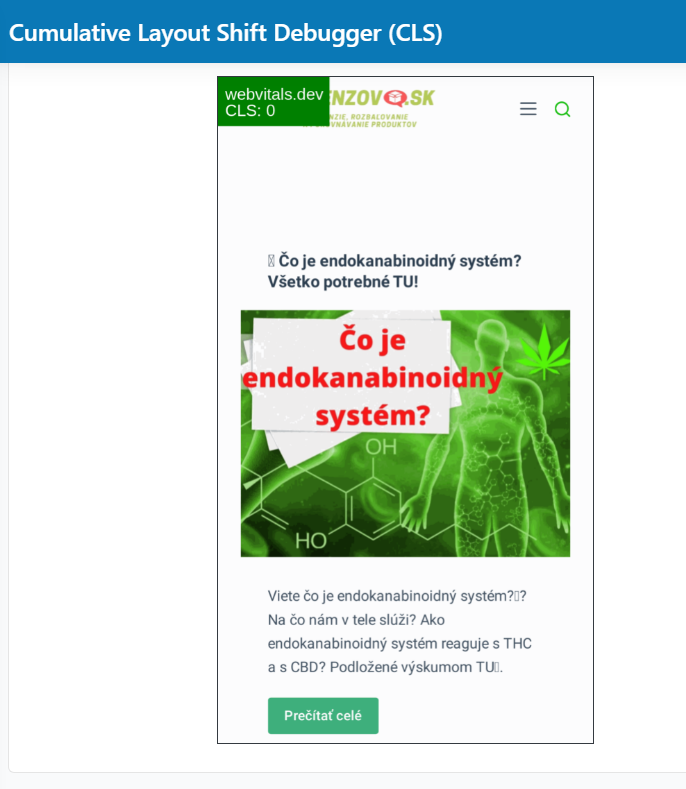
I just ran your site through Google PageSpeed Insights (GPSI) and another tool and it doesn´t appear you have any issues with CLS...
GPSI for Dekstop
GPSI for Mobile
webvitals.dev for Mobile
So, why do you say your CLS is bad?
I feel great today so I took the liberty to evaluate your site´s performance focus online on its mobile version and here´s what I found...
EXTERNAL RESOURCES
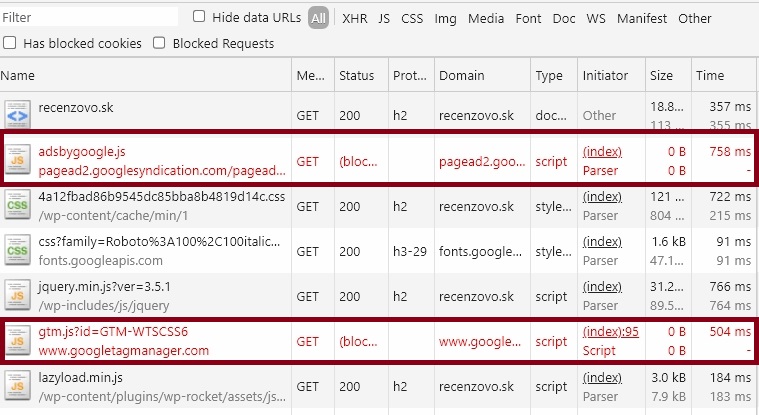
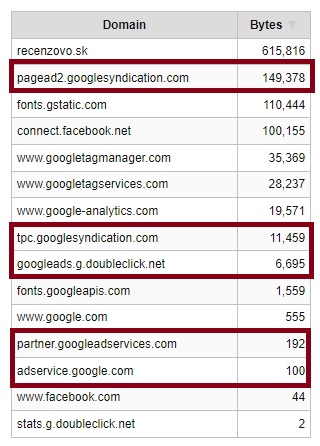
I feel this is the biggest issue affecting your site´s performance. It´s triggering a bunch of issues on GPSI and other performance tools like WebPageTest
Check this out...
Those are all the resources loading on your site from external domains.
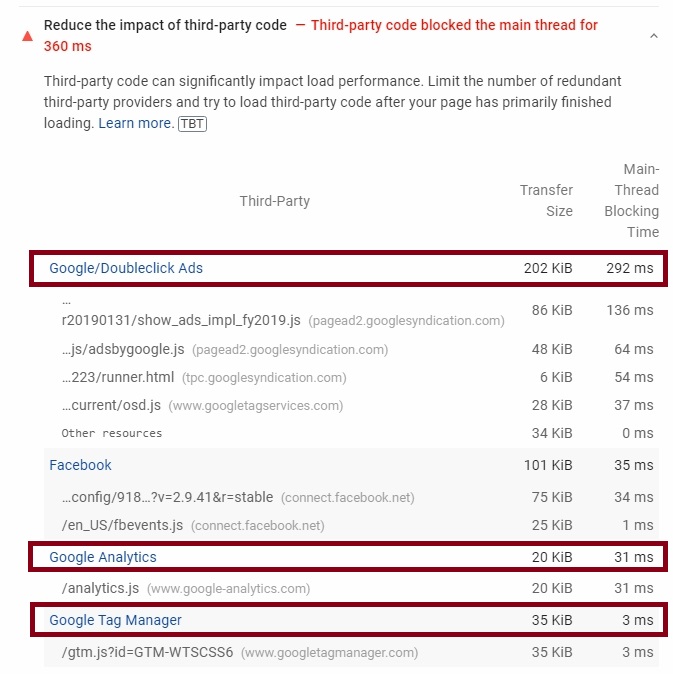
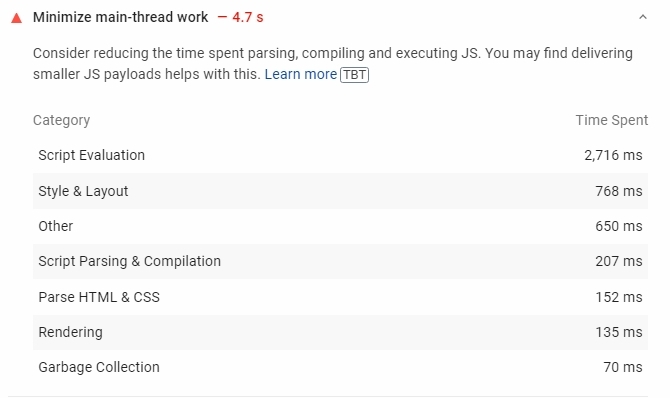
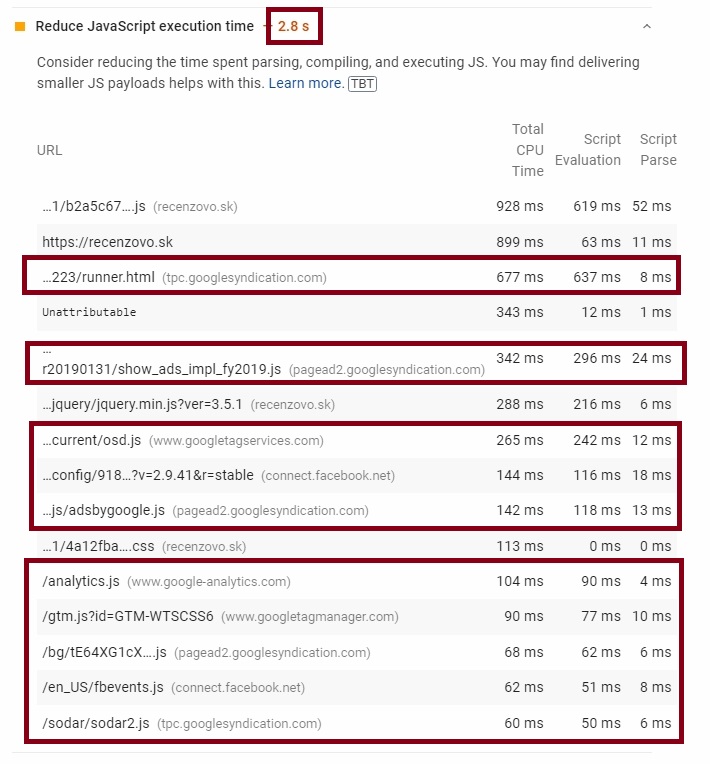
GPSI also triggers a few other issues regarding those resources from Google, not just Google Ads...
MY RECOMMENDATION
Delay the execution of those scripts!!
Those scripts are NOT required for your site to properly render so there´s no need for them to be executed and loaded during that process. Also, all these scripts account for a bit over 1 MB during page load.
This will also apply to any other resource loading on your site being called from an external domain.
There´s a free way and a paid way to do this.
The free way is by using the plugin
Flying Scripts and, the paid alternative is to use WP Rocket.
If you don´t have WP Rocket, don´t have the budget for it, or don´t want to use a nulled version them Flying Scripts should work as well.
Just make sure to add these domains to the plugin...
pagead2.googlesyndication.com
connect.facebook.net
www.googletagmanager.com
www.googletagservices.com
www.google-analytics.com
tpc.googlesyndication.com
googleads.g.doubleclick.net
www.google.com
partner.googleadservices.com
adservice.google.com
www.facebook.com
stats.g.doubleclick.net
FONTS
As you can see from the info above, fonts are ALSO an external resource loading on your site but with the slight difference that fonts are NOT scripts.
Still, there´s something we can do to address this issue.
Why is this an issue?
Whenever someone visits your site, our browsers need to create a connection in order to requests, download, and load those fonts.
This is unnecessary!
Fonts are a static resource (Don´t change over time) and, as such, we don´t need to be making a DNS Lookup every time.
MY RECOMMENDATION
Host fonts locally!
You can do this manually or through a plugin. I recommend using
OMGF | Host Google Fonts Locally.
FONT AWESOME
Font awesome is a domain from where you can get great-looking icons and social media logos. Elementor uses this by default...
Just like fonts, there´s no need to be requesting these static resources from an external domain.
MY RECOMMENDATION
Replace these icons with our own icon set. I personally like to use Fontello for this. They also offer great-looking icons and social media logos you can download for FREE!
IMAGES
I see a few images loading on your site´s mobile version displaying 1200px in width.
This is just too much for any mobile device.
MY RECOMMENDATION
Properly resize these images to better fit the container used by most mobile devices.
Something around 600px to 700px will be more than enough.
Remember, when doing this, you will have to serve the appropriate image given the device your visitors are using.
And that´s pretty much it!
You too!!