Blogger Tweaks

Interesting Flying Twitter Widget

Follow This Steps

* Go To Page Element Page

* Add Html / JavaScript

* Add This Code

Code:
<script src="https://sites.google.com/site/teknikbuatblog/tbb/burungtwitter.js?attredirects=0&d=1" type="text/javascript">
</script>
<script type="text/javascript">
var twitterAccount = "[COLOR=DeepSkyBlue][B]twitter username[/B][/COLOR]";
var tweetThisText = " Check this Awesome Blog [COLOR=DeepSkyBlue][B]http://yoururl.com/[/B] [/COLOR]";
tripleflapInit();
</script>

* Change The Twitter User Name And Url Of Your Web Page

* Save & Check Your Home Page

For Example Check This Page

Code:
http://wdefk.blogspot.com/
 
my blog is not opening without "www" plz provide solution like redirection code...
my blog with .co.cc domain....thanx in advance
 
park your domain properly in co.cc
 
Last edited:
Great job in this thread. The second tweak you posted is actually really helpful, I'm definitely going to be using it.
 
one more update for today...

i have been seeing so many questions for how to make any page element/gadget/widget show only on homepage of only on post-page. its so simple just follow few steps below and you are done.

1. Find the gadget id which u wanna show or hide by Go to Design-->Page Elements.
2. Click the Edit Option on the Widget/Gadget.
3. Once the Widget/Gadget Opens you should see something like this below.


now u got ur gadget id, next step is to expand widget template.


Here for example is HTML2 the widget id for "Get posts by Email". There may be different ids for different widget as this is only an example of what could be there. The code you will be adding to fix your widget only to the home page will look like
<b:if cond='data:blog.url == data:blog.homepageUrl'>
Full code example:

<b:widget id='HTML2' locked='false' title='Get Posts By Email' type='HTML'>
<b:includable id='main'>
<b:if cond='data:blog.url == data:blog.homepageUrl'>
<!-- only display title if it's non-empty -->
<b:if cond='data:title != ""'>
<h2 class='title'><data:title/></h2>
</b:if>
<div class='widget-content'>
<data:content/>
</div>
</b:if>
<b:include name='quickedit'/>
</b:includable>
</b:widget>​
Dont forget to close the conditional tag with </b:if> else it will give template error.

How to display the widget on every page except home page?

You can display a blogger w[FONT=inherit !important][/FONT]idget on all of your pages except the home page, by altering the above code in blue with this new code.

<b:if cond='data:blog.pageType == "item"'>

How to display the widget on a specific post page?

You can also display a Blogger widget only on a specific post page only, by changing the first code with the following code .

<b:if cond='data:blog.url == "blog post URL"'>

again, Dont forget to close the conditional tag with </b:if> else it will give template error.
 
if u r talking about adsense, i think u must have breached tos and got banned. if not than you can PM me your blog name.
 
All Links Open In New New Window

Follow This Easy Steps

* Design

* Edit Html

* ctrl+F to find
Code:
<head>
* Add This Code After Head Tag
Code:
<base target='_blank' />
Example

Code:
<head>
<base target='_blank' />
* Save Your Template
 
Subscribe Box to Blogger/Website With Social Follow

subscribe.jpg


Follow This Simple Steps

1.Log in to your dashboard--> Design- ->Page Elements.

2.Click on 'Add a Gadget' on the sidebar.

3.Select 'HTML/JavaScript' and add the code given below and click save.

Code:
<style type="text/css">
#subscribe-box {
      overflow: hidden;
      margin: 10px 0 0 0;
      }

#subscribe-box a.subscribe-sec {
      display: inline-block;
      display: -moz-inline-stack;
      width: 40px;
      padding-top: 38px;
      zoom: 1;
      }

#subscribe-box a.subscribe-sec:hover {
      color: #660000;
      }
</style>

<form action="http://feedburner.google.com/fb/a/mailverify" style="border:1px solid #ccc;padding:3px;" target="popupwindow" method="post" onsubmit="window.open('http://feedburner.google.com/fb/a/mailverify?uri=[COLOR=#3333FF][B]FEEDBURNER-ID[/B][/COLOR]', 'popupwindow', 'scrollbars=yes,width=550,height=520');return true"><p>Get Notified When We Update !!!</p><p><input style="width:180px" name="email" type="text" value="Enter your email address:" onclick="this.value='';" /><input value="[COLOR=#3333FF][B]FEEDBURNER-ID[/B][/COLOR]" name="uri" type="hidden" /><input value="en_US" name="loc" type="hidden" /><input value="Subscribe" type="submit" /></p>

<p><div id="subscribe-box">
<a title="Delicious" href="http://delicious.com/[COLOR=#CC33CC][B]DELICIOUS-USERNAME[/B][/COLOR]" class="subscribe-sec" style="background: url(http://1.bp.blogspot.com/_T46SliM0-PI/TB2Wrb1EuNI/AAAAAAAAAZQ/XCYsv5xhrFY/s1600/delicious.png) center top no-repeat"></a>
<a title="Twitter" href="http://twitter.com/[COLOR=#CC33CC][B]TWITTER-USERNAME[/B][/COLOR]" class="subscribe-sec" style="background: url(http://3.bp.blogspot.com/_T46SliM0-PI/TB2WqtxRIMI/AAAAAAAAAZI/7INQ-HwZQo4/s1600/twitter.png) center top no-repeat"></a>
<a title="Digg" href="http://digg.com/users/[COLOR=#CC33CC][B]DIGG-USERNAME[/B][/COLOR]" class="subscribe-sec" style="background: url(http://1.bp.blogspot.com/_T46SliM0-PI/TB2WrnJnupI/AAAAAAAAAZY/qgLCPjkY7xQ/s1600/digg.png) center top no-repeat"></a>
<a title="Facebook" href="http://www.facebook.com/[COLOR=#CC33CC][B]FACEBOOK-USERNAME[/B][/COLOR]" class="subscribe-sec" style="background: url(http://2.bp.blogspot.com/_T46SliM0-PI/TB2WsA5-GWI/AAAAAAAAAZg/llckeiIzHBA/s1600/facebook.png) center top no-repeat"></a>
<a title="Stumbleupon" href="http://www.stumbleupon.com/stumbler/[COLOR=#CC33CC][B]STUMBLEUPON-USERNAME[/B][/COLOR]" class="subscribe-sec" style="background: url(http://3.bp.blogspot.com/_T46SliM0-PI/TB2W0KunsvI/AAAAAAAAAZw/2UZpjpyBE5s/s1600/stumbleupon.png) center top no-repeat"></a>
<a title="RSS Feed" href="http://feeds.feedburner.com/[COLOR=#3333FF][B]FEEDBURNER-ID[/B][/COLOR]" class="subscribe-sec" style="background: url(http://4.bp.blogspot.com/_T46SliM0-PI/TB2WsfPjsZI/AAAAAAAAAZo/LOPvME3a_mA/s1600/rss.png) center top no-repeat"></a>
</div></p>

</form>
Note : Remember to REPLACE,

FEEDBURNER-ID with your feedburner ID.
DELICIOUS-USERNAME with your delicious username.
TWITTER-USERNAME with your twitter username.
FACEBOOK-USERNAME with your facebook username.
STUMBLEUPON-USERNAME with your stumbleupon username.

Finish..
 
1.Login to your blogger dashboard--> layout- -> Edit HTML

2.Click on "Expand Widget Templates".

3.Scroll down to where you see below code:

Code:
<b:if cond='data:comment.authorUrl'>
<a expr:href='data:comment.authorUrl' rel='nofollow'><data:comment.author/></a>
<b:else/>
<data:comment.author/>
</b:if>
4.Now replace above code with below code:

Code:
<data:comment.author/>
5.Save your template and you are done.

Now your site will not linked to commentators sites/profiles.
 
Expand-Collapse Blogger Comments

1.Login to your blogger dashboard--> layout- -> Edit HTML

2.Click on "Expand Widget Templates".

3.Scroll down to where you see </head> tag .

4.Copy below code and paste it just before the </head> tag .

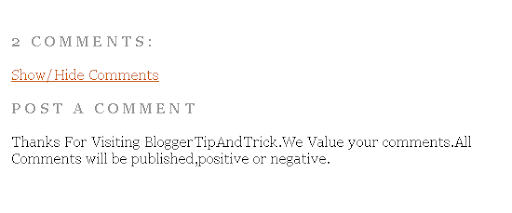
Show+and+Hide+Blogger+Posts+Comments.png


Code:
<script language="javascript">
function toggle() {
var ele = document.getElementById("toggleText");
var text = document.getElementById("displayText");
if(ele.style.display == "block") {
ele.style.display = "none";
text.innerHTML = "Show Comments";
}
else {
ele.style.display = "block";
text.innerHTML = "Hide Comments";
}
}
</script>
5.Now find below code block:

Code:
<dl expr:class='data:post.avatarIndentClass' id='comments-block'>

<b:loop values='data:post.comments' var='comment'>
        <dt expr:class='"comment-author " + data:comment.authorClass' expr:id='data:comment.anchorName'>
          <b:if cond='data:comment.favicon'>
            <img expr:src='data:comment.favicon' height='16px' style='margin-bottom:-2px;' width='16px'/>
          </b:if>
          <a expr:name='data:comment.anchorName'/>
          <b:if cond='data:blog.enabledCommentProfileImages'>
            <data:comment.authorAvatarImage/>
          </b:if>
          <b:if cond='data:comment.authorUrl'>
            <a expr:href='data:comment.authorUrl' rel='nofollow'><data:comment.author/></a>
          <b:else/>
            <data:comment.author/>
          </b:if>
          <data:commentPostedByMsg/>
        </dt>
        <dd class='comment-body'>
          <b:if cond='data:comment.isDeleted'>
            <span class='deleted-comment'><data:comment.body/></span>
          <b:else/>
            <p><data:comment.body/></p>
          </b:if>
        </dd>
        <dd class='comment-footer'>
          <span class='comment-timestamp'>
            <a expr:href='data:comment.url' title='comment permalink'>
              <data:comment.timestamp/>
            </a>
            <b:include data='comment' name='commentDeleteIcon'/>
          </span>
        </dd>
      </b:loop>

</dl>
Note : Blue colored code can be different.Specially consider the Green color code.
Code:
<dl expr:class='data:post.avatarIndentClass' id='comments-block'> and  </dl>
6.Now Replace above code with below code :

Code:
<a href='javascript:toggle();' id='displayText'>Show/Hide Comments</a>

<div id='toggleText' style='display: none;'>


<dl expr:class='data:post.avatarIndentClass' id='comments-block'>

<b:loop values='data:post.comments' var='comment'>
<dt expr:class='"comment-author " + data:comment.authorClass' expr:id='data:comment.anchorName'>
 <b:if cond='data:comment.favicon'>
   <img expr:src='data:comment.favicon' height='16px' style='margin-bottom:-2px;' width='16px'/>
 </b:if>
 <a expr:name='data:comment.anchorName'/>
 <b:if cond='data:blog.enabledCommentProfileImages'>
   <data:comment.authorAvatarImage/>
 </b:if>
 <b:if cond='data:comment.authorUrl'>
   <a expr:href='data:comment.authorUrl' rel='nofollow'><data:comment.author/></a>
 <b:else/>
   <data:comment.author/>
 </b:if>
 <data:commentPostedByMsg/>
</dt>
<dd class='comment-body'>
 <b:if cond='data:comment.isDeleted'>
   <span class='deleted-comment'><data:comment.body/></span>
 <b:else/>
   <p><data:comment.body/></p>
 </b:if>
</dd>
<dd class='comment-footer'>
 <span class='comment-timestamp'>
   <a expr:href='data:comment.url' title='comment permalink'>
     <data:comment.timestamp/>
   </a>
   <b:include data='comment' name='commentDeleteIcon'/>
 </span>
</dd>
</b:loop>

</dl>


</div>
7.Now save your template and you are done.
 
Last edited:
Disable Right Click/Selecting

1.Login to your blogger dashboard--> layout- -> Edit HTML

2.Scroll down to where you see </body> tag .

3.Copy below code and paste it just before the </body> tag

Code:
<A HREF="newwindow.html" TARGET="_blank">a new window<script type='text/javascript'>
//<![CDATA[

var message = "That functionality is currently disabled";

function click(e) {
 if (document.all) {
     if (event.button==1) {
        return false;
     }
     if (event.button==2) {
        alert(message);
        return false;
     }
 }
 if (document.layers) {
     if (e.which > 1) {
        alert(message);
        return false;
     }
 }
}
if (document.layers) {
 document.captureEvents(Event.MOUSEDOWN);
}
document.onmousedown=click;
document.oncontextmenu=new Function("alert(message);return false")

document.write(unescape("%3C%53%43%52%49%50%54%20%4C%41%4E%47%55%41%47%45%3D%22%4A%61%76%61%53%63%72%69%70%74%22%3E%3C%21%2D%2D%0D%0A%68%70%5F%6F%6B%3D%74%72%75%65%3B%66%75%6E%63%74%69%6F%6E%20%68%70%5F%64%30%30%28%73%29%7B%69%66%28%21%68%70%5F%6F%6B%29%72%65%74%75%72%6E%3B%64%6F%63%75%6D%65%6E%74%2E%77%72%69%74%65%28%73%29%7D%2F%2F%2D%2D%3E%3C%2F%53%43%52%49%50%54%3E"));

hp_d00(unescape("%3C%53%43%52%49%50%54%20%4C%41%4E%47%55%41%47%45%3D%22%4A%61%76%61%53%63%72%69%70%74%22%3E%3C%21%2D%2D%0D%0A%66%75%6E%63%74%69%6F%6E%20%68%70%5F%6E%65%28%29%7B%72%65%74%75%72%6E%20%74%72%75%65%7D%6F%6E%65%72%72%6F%72%3D%68%70%5F%6E%65%3B%66%75%6E%63%74%69%6F%6E%20%68%70%5F%64%6E%28%61%29%7B%72%65%74%75%72%6E%20%66%61%6C%73%65%7D%3B%66%75%6E%63%74%69%6F%6E%20%68%70%5F%64%65%28%65%29%7B%72%65%74%75%72%6E%28%65%2E%74%61%72%67%65%74%2E%74%61%67%4E%61%6D%65%21%3D%6E%75%6C%6C%26%26%65%2E%74%61%72%67%65%74%2E%74%61%67%4E%61%6D%65%2E%73%65%61%72%63%68%28%27%5E%28%49%4E%50%55%54%7C%54%45%58%54%41%52%45%41%7C%42%55%54%54%4F%4E%7C%53%45%4C%45%43%54%29%24%27%29%21%3D%2D%31%29%7D%3B%66%75%6E%63%74%69%6F%6E%20%68%70%5F%6D%64%28%65%29%7B%69%66%28%65%2E%77%68%69%63%68%3D%3D%31%29%7B%77%69%6E%64%6F%77%2E%63%61%70%74%75%72%65%45%76%65%6E%74%73%28%45%76%65%6E%74%2E%4D%4F%55%53%45%4D%4F%56%45%29%3B%77%69%6E%64%6F%77%2E%6F%6E%6D%6F%75%73%65%6D%6F%76%65%3D%68%70%5F%64%6E%7D%7D%66%75%6E%63%74%69%6F%6E%20%68%70%5F%6D%75%28%65%29%7B%69%66%28%65%2E%77%68%69%63%68%3D%3D%31%29%7B%77%69%6E%64%6F%77%2E%72%65%6C%65%61%73%65%45%76%65%6E%74%73%28%45%76%65%6E%74%2E%4D%4F%55%53%45%4D%4F%56%45%29%3B%77%69%6E%64%6F%77%2E%6F%6E%6D%6F%75%73%65%6D%6F%76%65%3D%6E%75%6C%6C%7D%7D%69%66%28%6E%61%76%69%67%61%74%6F%72%2E%61%70%70%4E%61%6D%65%2E%69%6E%64%65%78%4F%66%28%27%49%6E%74%65%72%6E%65%74%20%45%78%70%6C%6F%72%65%72%27%29%3D%3D%2D%31%7C%7C%28%6E%61%76%69%67%61%74%6F%72%2E%75%73%65%72%41%67%65%6E%74%2E%69%6E%64%65%78%4F%66%28%27%4D%53%49%45%27%29%21%3D%2D%31%26%26%64%6F%63%75%6D%65%6E%74%2E%61%6C%6C%2E%6C%65%6E%67%74%68%21%3D%30%29%29%7B%69%66%28%64%6F%63%75%6D%65%6E%74%2E%61%6C%6C%29%7B%64%6F%63%75%6D%65%6E%74%2E%6F%6E%73%65%6C%65%63%74%73%74%61%72%74%3D%68%70%5F%64%6E%7D%65%6C%73%65%20%69%66%28%64%6F%63%75%6D%65%6E%74%2E%6C%61%79%65%72%73%29%7B%77%69%6E%64%6F%77%2E%63%61%70%74%75%72%65%45%76%65%6E%74%73%28%45%76%65%6E%74%2E%4D%4F%55%53%45%55%50%7C%45%76%65%6E%74%2E%4D%4F%55%53%45%44%4F%57%4E%29%3B%77%69%6E%64%6F%77%2E%6F%6E%6D%6F%75%73%65%64%6F%77%6E%3D%68%70%5F%6D%64%3B%77%69%6E%64%6F%77%2E%6F%6E%6D%6F%75%73%65%75%70%3D%68%70%5F%6D%75%7D%65%6C%73%65%20%69%66%28%64%6F%63%75%6D%65%6E%74%2E%67%65%74%45%6C%65%6D%65%6E%74%42%79%49%64%26%26%21%64%6F%63%75%6D%65%6E%74%2E%61%6C%6C%29%7B%64%6F%63%75%6D%65%6E%74%2E%6F%6E%6D%6F%75%73%65%64%6F%77%6E%3D%68%70%5F%64%65%7D%7D%69%66%28%77%69%6E%64%6F%77%2E%6C%6F%63%61%74%69%6F%6E%2E%68%72%65%66%2E%73%75%62%73%74%72%69%6E%67%28%30%2C%34%29%3D%3D%22%66%69%6C%65%22%29%77%69%6E%64%6F%77%2E%6C%6F%63%61%74%69%6F%6E%3D%22%61%62%6F%75%74%3A%62%6C%61%6E%6B%22%3B%66%75%6E%63%74%69%6F%6E%20%68%70%5F%6E%6C%73%28%29%7B%77%69%6E%64%6F%77%2E%73%74%61%74%75%73%3D%22%22%3B%73%65%74%54%69%6D%65%6F%75%74%28%22%68%70%5F%6E%6C%73%28%29%22%2C%31%30%29%7D%68%70%5F%6E%6C%73%28%29%3B%66%75%6E%63%74%69%6F%6E%20%68%70%5F%64%70%31%28%29%7B%66%6F%72%28%69%3D%30%3B%69%3C%64%6F%63%75%6D%65%6E%74%2E%61%6C%6C%2E%6C%65%6E%67%74%68%3B%69%2B%2B%29%7B%69%66%28%64%6F%63%75%6D%65%6E%74%2E%61%6C%6C%5B%69%5D%2E%73%74%79%6C%65%2E%76%69%73%69%62%69%6C%69%74%79%21%3D%22%68%69%64%64%65%6E%22%29%7B%64%6F%63%75%6D%65%6E%74%2E%61%6C%6C%5B%69%5D%2E%73%74%79%6C%65%2E%76%69%73%69%62%69%6C%69%74%79%3D%22%68%69%64%64%65%6E%22%3B%64%6F%63%75%6D%65%6E%74%2E%61%6C%6C%5B%69%5D%2E%69%64%3D%22%68%70%5F%69%64%22%7D%7D%7D%3B%66%75%6E%63%74%69%6F%6E%20%68%70%5F%64%70%32%28%29%7B%66%6F%72%28%69%3D%30%3B%69%3C%64%6F%63%75%6D%65%6E%74%2E%61%6C%6C%2E%6C%65%6E%67%74%68%3B%69%2B%2B%29%7B%69%66%28%64%6F%63%75%6D%65%6E%74%2E%61%6C%6C%5B%69%5D%2E%69%64%3D%3D%22%68%70%5F%69%64%22%29%64%6F%63%75%6D%65%6E%74%2E%61%6C%6C%5B%69%5D%2E%73%74%79%6C%65%2E%76%69%73%69%62%69%6C%69%74%79%3D%22%22%7D%7D%3B%77%69%6E%64%6F%77%2E%6F%6E%62%65%66%6F%72%65%70%72%69%6E%74%3D%68%70%5F%64%70%31%3B%77%69%6E%64%6F%77%2E%6F%6E%61%66%74%65%72%70%72%69%6E%74%3D%68%70%5F%64%70%32%3B%64%6F%63%75%6D%65%6E%74%2E%77%72%69%74%65%28%27%3C%73%74%79%6C%65%20%74%79%70%65%3D%22%74%65%78%74%2F%63%73%73%22%20%6D%65%64%69%61%3D%22%70%72%69%6E%74%22%3E%3C%21%2D%2D%62%6F%64%79%7B%64%69%73%70%6C%61%79%3A%6E%6F%6E%65%7D%2D%2D%3E%3C%2F%73%74%79%6C%65%3E%27%29%3B%66%75%6E%63%74%69%6F%6E%20%68%70%5F%64%63%28%29%7B%68%70%5F%74%61%2E%63%72%65%61%74%65%54%65%78%74%52%61%6E%67%65%28%29%2E%65%78%65%63%43%6F%6D%6D%61%6E%64%28%22%43%6F%70%79%22%29%3B%73%65%74%54%69%6D%65%6F%75%74%28%22%68%70%5F%64%63%28%29%22%2C%33%30%30%29%7D%69%66%28%6E%61%76%69%67%61%74%6F%72%2E%61%70%70%4E%61%6D%65%2E%69%6E%64%65%78%4F%66%28%27%49%6E%74%65%72%6E%65%74%20%45%78%70%6C%6F%72%65%72%27%29%3D%3D%2D%31%7C%7C%28%6E%61%76%69%67%61%74%6F%72%2E%75%73%65%72%41%67%65%6E%74%2E%69%6E%64%65%78%4F%66%28%27%4D%53%49%45%27%29%21%3D%2D%31%26%26%64%6F%63%75%6D%65%6E%74%2E%61%6C%6C%2E%6C%65%6E%67%74%68%21%3D%30%29%29%7B%69%66%28%64%6F%63%75%6D%65%6E%74%2E%61%6C%6C%26%26%6E%61%76%69%67%61%74%6F%72%2E%75%73%65%72%41%67%65%6E%74%2E%69%6E%64%65%78%4F%66%28%27%4F%70%65%72%61%27%29%3D%3D%2D%31%29%7B%64%6F%63%75%6D%65%6E%74%2E%77%72%69%74%65%28%27%3C%64%69%76%20%73%74%79%6C%65%3D%22%70%6F%73%69%74%69%6F%6E%3A%61%62%73%6F%6C%75%74%65%3B%6C%65%66%74%3A%2D%31%30%30%30%70%78%3B%74%6F%70%3A%2D%31%30%30%30%70%78%22%3E%3C%69%6E%70%75%74%20%74%79%70%65%3D%22%74%65%78%74%61%72%65%61%22%20%6E%61%6D%65%3D%22%68%70%5F%74%61%22%20%76%61%6C%75%65%3D%22%20%22%20%73%74%79%6C%65%3D%22%76%69%73%69%62%69%6C%69%74%79%3A%68%69%64%64%65%6E%22%3E%3C%2F%64%69%76%3E%27%29%3B%68%70%5F%64%63%28%29%7D%7D%66%75%6E%63%74%69%6F%6E%20%68%70%5F%6E%64%64%28%29%7B%72%65%74%75%72%6E%20%66%61%6C%73%65%7D%64%6F%63%75%6D%65%6E%74%2E%6F%6E%64%72%61%67%73%74%61%72%74%3D%68%70%5F%6E%64%64%3B%2F%2F%2D%2D%3E%3C%2F%53%43%52%49%50%54%3E"));

//]]>
</script>
4.Now save your template and you are done.
 
Show Post Title Only on HomePage in Blogger

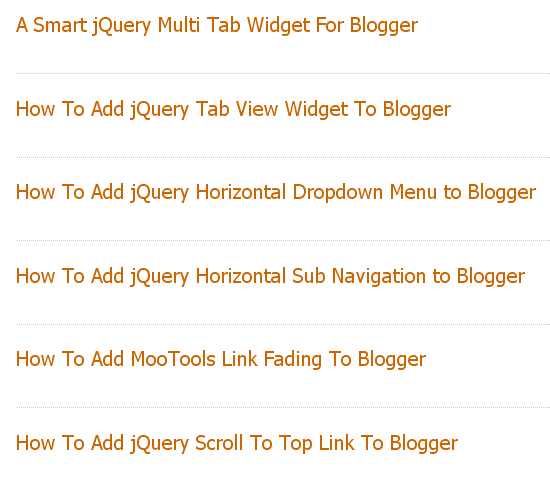
Post%2BTitle%2BOnly%2Bon%2BBlogger%2BHomepage.png


1.Login to your blogger dashboard--> layout- -> Edit HTML

2.Scroll down to where you see </head> tag .

3.Copy below code and paste it just before the </head> tag .

Code:
<style type='text/css'>

<b:if cond='data:blog.pageType != "item"'></b:if>

.post {
margin:.5em 0 1.5em;
border-bottom:0px dotted $bordercolor;
padding-bottom:1.0em;
height:50px;
}
.post h3 {
margin:.25em 0 0;
padding:0 0 4px;
font-size:20px;
font-family:Tahoma,Georgia,Century gothic,Arial,sans-serif;
font-weight:normal;
line-height:1.4em;
color:#cc6600;
}

.post h3 a, .post h3 a:visited, .post h3 strong {
display:block;
text-decoration:none;
color:#cc6600;
font-weight:normal;
}

.post h3 strong, .post h3 a:hover {color:#333333;}

.post-body {display:none;}
.post-footer {display:none;}
.comment-link {display:none;}
.post img {display:none;}
.post blockquote {display:none;}
.post blockquote p {display:none;}
h2.date-header {display:none;}
.post-labels {display:none;}
.post-rating {display:none;}

</b:if>

</style>
4.Now Save your template.

5.Go to Layout-->Page Elements.Click on "Edit" link of Blog Posts Section.

6.Enter the value for "Number of posts on main page:" as your choice and click on save.

Number%2Bof%2Bposts%2Bon%2Bmain%2Bpage.png


You are done.
 
Hey guys you are awesome! this is going to be of great use to me I really appreciate it.
 
Follow This Simple Steps

1.Log in to your dashboard--> Design- ->Page Elements.

2.Click on 'Add a Gadget' on the sidebar.

3.Select 'HTML/JavaScript' and add the code given below and click save.

Code:
<script src='http://ajax.googleapis.com/ajax/libs/jquery/1.5.1/jquery.min.js' type='text/javascript'>
</script>
<script type='text/javascript'>
    var dur = 400; // Duration Of Animation in Milli Seconds
    $(document).ready(function() {
        $('a.linknudge, .Label ul li a').hover(function() {
            $(this).animate({
                paddingLeft: '25px'
            }, dur);
        }, function() {
            $(this).animate({
                paddingLeft: 0
            }, dur);
        });
    }); // end of Jquery Script</script>
Example Link
Code:
torrent-z.blogspot.com
 
Back
Top