

parasite17
Regular Member
- Sep 5, 2016
- 224
- 59
Warning!
There appeared scammers offering paid services for registering accounts with the desired Skype username.
Once developers have abolished username when registering on Skype, many users wondered how to register a new account in the good old days when it was possible to create a beautiful username?! Well, at the time of writing this article there is at least one way to register a new Skype account by specifying your own username.
And so, ladies and gentlemen, in older versions of Skype for Android you can still indicate custom Skype username at registration. The fact is that for old versions a built-in registration form is used.
How to register an account?
1) Remove the latest version of the Skype from your Android device, as in the new versions you can not specify your own username.
2) Download and install an older version (for example, I used Skype 5.1.0.57240).
Link - https://skype.en.uptodown.com/android/download/92731
3) Launch Skype application and press "Create account":

4) Agree with the Terms of Use by tapping "Continue":

5) Think up a unique username and press the "Next":
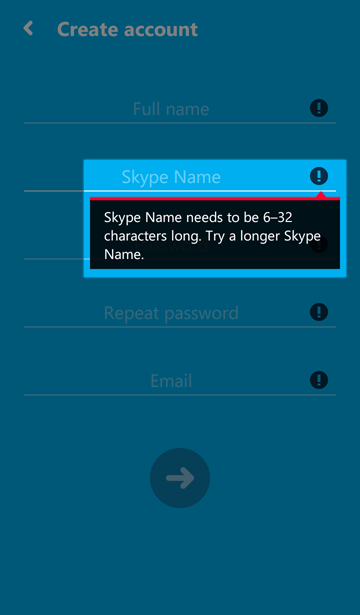
6) If the username is already registered, you'll get the error "The Skype Name you've entered is already taken. Select a suggestion below or go back to enter a new one":

You will be prompted to select one of the available usernames, but better press the "Back" button and come up with a new, more beautiful username:

7) If you find a unused username you will see the message "Checking your account..."

8) At the end the familiar interface will prove that you have successfully registered a new Skype account with the desired username:

Please Don't post Thank you comments just hit the Thanks button at the right hand corner of this post.
 (That's what it is for)
Cheers for success,
Parasite
Last edited:


