Website problems - Anybody knows what could be a problem?

Stiletto

Elite Member
Joined
Nov 5, 2012
Messages
2,282
Reaction score
1,084
Hello BHW,

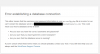
My website worked perfectly until today. Now when I try to access my wp-admin panel I'm getting this message:
wp problems.png
I'm using GoDaddy's hosting - deluxe plan and I don't have any problems with other websites hosted on same hosting.
Also I didn't made database backup and haven't made any changes to website today... This just started to show up without reason...
Any suggestions? Anybody having same problem or know what should I do?

Thanks
 
Database is probably deteleted or that could be just some 'error'.

Wait few minutes and refresh.
 
I have had this issue before, it is not a serious problem. But off the top of my head whilst I have had several beers, I could not tell you what is wrong. Best idea, Google the error message and I am sure you could fix it yourself.

I think I have had this message when my host has been down. And if this message has just come out the blue, without you messing with the site, I would say it is a hosting issue.

If you have a decent host, they will sort information you.
 
maybe you have used wrong password or that you've changed it but you forgot that you already change it???
 
I have had this issue before, it is not a serious problem. But off the top of my head whilst I have had several beers, I could not tell you what is wrong. Best idea, Google the error message and I am sure you could fix it yourself.

I think I have had this message when my host has been down. And if this message has just come out the blue, without you messing with the site, I would say it is a hosting issue.

If you have a decent host, they will sort information you.

It's weird since my GA shows couple of visitors right now and I can't access wp-admin or homepage (Error establishing a database connection)
...
Cleared cache and cookies but still the same... I have no idea what this could be. Probably shitty GoDaddy hosting...
EDIT: I tried to open the site using proxy and it worked, but I can't open it using my IP. WTF??? :D :D :D
 
There is no particular reason for the above error which you have mentioned. There are multiple possible reasons for such kind of error, so inorder to troubleshoot it you need to check multiple things. I suggest you one of the best wp org page, where you can find answer for your question. Please try all the troubleshooting mechanisms mentioned in that page, i hope it will sort out your issue.

In case if you cannot find answer for your error, then the only possible way left is to contact your hosting provider.
 
Sadly. that is a pretty vague error message.

You will need to contact GoDaddy to get more specifics. The bad thing is, it takes them forever to reply to tickets and phone support is a bit sub-par IMO!

I would suggest once you get your site back online, find a new host!!
 
There is no particular reason for the above error which you have mentioned. There are multiple possible reasons for such kind of error, so inorder to troubleshoot it you need to check multiple things. I suggest you one of the best wp org page, where you can find answer for your question. Please try all the troubleshooting mechanisms mentioned in that page, i hope it will sort out your issue.

In case if you cannot find answer for your error, then the only possible way left is to contact your hosting provider.

Well I figured out that I can open my site on my smartphone, tablet and laptop but not on my desktop PC where I do the most of my work...
Any suggestions???
EDIT: All devices are on same wireless connection.
 
Now I can access my WP-dashboard but can't install themes or plugins... I'm getting this message: An unexpected error occurred. Something may be wrong with WordPress.org or this server's configuration.
I could install plugins manually but I want to sort this out. And now it's on all of my sites. Fucking GoDaddy. I'm changing the hosting as soon as possible.
 
Do you gave access to the cpanel?

Check if the mysql database is ok. Sometimes mysql.sock crash and if you don't delete the cache or the temp file the problem would not go away.
 
You should go to phpmyadmin choose your database select all tables and optimize it or repair it.
Then you should look into error_log file and check if there is an error.
 
Back
Top