[HOW TO] Free SSL & WordPress website

Is there a SERP boost if we use SSL?

Tiny boost but you should do it simply because it protects your users better an that's the right thing to do.
 
I noticed a small bump in SERP after adding SSL. I haven't used cloudflare's SSL because namecheap has certificates starting $2 when you register a new domain, which makes things easier for me.
 
What about non-wordpress? Great method anyway thanks for sharing!!
 
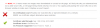
Screenshot_1.png Doesnt work for me, any help guys?
 
Awesome and sweet share OP thanks given! I have used self signed certificates in past but they never worked well.

Word of caution for the non tech users!! Don't do it unless you know how to fix if something goes wrong lol. This can fuck your whole working site up.... Be careful.
 
Hi its probably a dumb question but having your .htaccess as writable, doesn't it make it easier for hackers to take over and alter the file?


Cheers
 
Alter the file? No, read the file? Yes. Only users within that particular operating system can overwrite a file even 0777 is the permission. This can be an issue in shared hosts, but not in a dedicated host atleast.
Hi its probably a dumb question but having your .htaccess as writable, doesn't it make it easier for hackers to take over and alter the file?


Cheers
 
Doh, I wish that I had seen the part about waiting for 24 hours first with 1&1. Oh well, time to write some articles.
 
Does anyone here have an issue with using Copyscape and Plagspotter after using CloudFlare on their site? It seems like I cannot search any of my URLs on these sites if I use CloudFlare's SSL (or maybe it's CloudFlare as a whole?) as it results in "Error: cURL could not retrieve the document, error 35. - please ensure you entered the URL correctly" on Copyscape and "Incorrect URL" on Plagspotter".
 
Does anyone here have an issue with using Copyscape and Plagspotter after using CloudFlare on their site? It seems like I cannot search any of my URLs on these sites if I use CloudFlare's SSL (or maybe it's CloudFlare as a whole?) as it results in "Error: cURL could not retrieve the document, error 35. - please ensure you entered the URL correctly" on Copyscape and "Incorrect URL" on Plagspotter".

Check your security level on CF. It may be blocking what it knows to be a bot and not a browser.
 
Check your security level on CF. It may be blocking what it knows to be a bot and not a browser.
That was my first guess when I noticed the issue yesterday, although my firewall level is "Essentially Off", yet it still doesn't work. All of the ScrapeShield settings are off as well.

Edit: it looks like I'm still able to use Pingdom's Speed Test tool, but Copyscape and similar sites don't work. What an enigma...
 
Last edited:
Any idea how to make a subdomain https using this very own method?

Absolutely no idea. I've been struggling with that for a couple of weeks not and I haven't been able to find a solution.
 
I have installed a separate wordpress in a subdirectory domain.com/blog.
When I try to login to domain.com/blog/wp-admin it doesn't let me get into the dashboard.

I think the problem is that I get the login details for http://domain.com/blog/wp-admin, but it redirects me to https://domain.com/blog/wp-admin so that's why it tells me that I have the wrong login details.

Any idea how to fix this?
 
what's the site_url of your blog? You can forcefully tell your wp blog to take the site url as your choice, by writing the following two lines in your wp-config.php


Code:
define('WP_HOME','http://domain.com/blog');
define('WP_SITEURL','http://domain.com/blog');

If you are migrating to a different domain, open up the sql file and replace all the references to the old url, to the new url..

I have installed a separate wordpress in a subdirectory domain.com/blog.
When I try to login to domain.com/blog/wp-admin it doesn't let me get into the dashboard.

I think the problem is that I get the login details for http://domain.com/blog/wp-admin, but it redirects me to https://domain.com/blog/wp-admin so that's why it tells me that I have the wrong login details.

Any idea how to fix this?
 
I' getting an error when I try to set the page rule in cloudflare.
I type in my URL example.com/* but it gives me an "Invalid URL" message and I cannot setup the rule. Any ideas on this isssue?
 
Sorry about bumping this thread, but there's an issue that I think everyone should know about with the free SSL from Cloudflare. I tested 10 different websites using the free SSL from Cloudflare and a few client-owned websites that were using the paid version, and what I noticed is that I was unable to run these free SSL websites through Copyscape, smallseotools, or any other similar website (this resulted in an "incorrect URL" error), however the paid Cloudflare websites seemed to work with the tools just fine. This issue doesn't seem to affect anything else, although I just thought that everyone should be aware of it if they're facing the same issues.
I' getting an error when I try to set the page rule in cloudflare.
I type in my URL example.com/* but it gives me an "Invalid URL" message and I cannot setup the rule. Any ideas on this isssue?

That happened to me at first when I was trying to set up the Https on my sites. I think the issue resolves itself after a few hours of enabling Https (assuming that what you're doing).
 
Back
Top