⛱GeeLark Summer Sale 2026: Save Up to 35%✨


Summer is here, and so are our biggest savings of the season.

⏰From June 10 to July 9, 2026 (GMT +8),enjoy exclusive discounts on GeeLark subscriptions and get even more value from every purchase.

Choose a longer subscription and unlock bigger savings:

  • 90-day subscription: 15% off
  • 180-day subscription: 25% off
  • 360-day subscription: 35% off
Whether you’re managing multiple accounts, scaling your team, or preparing for long-term growth, now is the perfect time to lock in the best rates.

Need additional usage time? During the Summer Sale, you’ll receive an extra 5% discount on all time add-ons, helping you maximize your workspace while keeping costs down.

Looking for even more value? Every Wednesday during the sale period is Bonus Wednesday.

On Bonus Wednesday, you’ll receive a 5% bonus on every payment, giving you extra credits every time you top up or subscribe.

These Summer Sale offers are available from June 10 through July 9, 2026 (GMT +8) only.

Upgrade your subscription, stock up on time add-ons, and take advantage of Bonus Wednesday rewards before the promotion ends.


Try GeeLark Today!
Summer Sale is Over !But today is Bonus Wednesday. Don't Miss Out!
 

⚡How to Use Proxies with Cloud Phones for Social Media❓

When you manage social media accounts with cloud phones, the device environment is only one part of the setup. The network connection matters too. A proxy affects the public IP address, location, and internet provider that a platform sees.

This post shows you how to import, check, assign, and manage proxies for cloud phones in GeeLark. It then explains the main proxy types, including static IPs, sticky sessions, and rotating proxies, and when to use each one.

↓↓↓Click below to decode the differences between static and rotating proxies to optimize your cloud phone network:

How to Use Proxies with Cloud Phones for Social Media


Try GeeLark Today!

Bonus Wednesday3️⃣:

  • Receive 5% bonus based on your actual payment amount every Wednesday.
  • Bonuses are awarded after payment and can be used toward your next purchase.
 

☁Cloud Phones for TikTok: How They Work + 5 Use Case⚙

Most people don’t need a cloud phone for TikTok. If you manage only one or two accounts, your own phone is usually enough.

Cloud phones become useful when you need to run multiple TikTok accounts, test different content, products, or markets, and avoid buying a separate physical phone for every account.

In this post, you will learn why TikTok workflows still rely heavily on phones, how cloud phones work, and where they fit into five common TikTok use cases.

↓↓↓Click below to decode the five essential TikTok use cases and find the perfect mobile setup for your team:

Cloud Phones for TikTok: How They Work + 5 Use Case


Try GeeLark Now!

⚡Didn't catch the Summer Sale? Here's another chance to save
Use code bhwdiscount for 10% OFF your next purchase!
Spend less time posting, more time growing✔
 

⚙TikTok Views From the Wrong Country? Causes and Fixes⚡

You’re using a US IP address. Your content is in English. You even post during US hours.

But when you open TikTok Analytics, most of your views still come from another country.

This is common because TikTok does not distribute videos based on device location alone. Your account history, content, existing audience, and viewer behavior can all affect where your views come from.

↓↓↓Click below to decode TikTok's location algorithms and fix audience mismatch across your account setup:

TikTok Views From the Wrong Country? Causes and Fixes⚡


Try GeeLark Today!

☄️Missed the Summer Sale? We’ve got you covered❗
Grab 10% OFF your next purchase with code bhwdiscount.

Spend less time posting, more time growing✔
 
hello guys, I have been sending support emails for months, and never got a an answer
The network bridge is simply not working after last update! It is simply not working for a week
 
hello guys, I have been sending support emails for months, and never got a an answer
The network bridge is simply not working after last update! It is simply not working for a week
Hello, you can contact us directly via our Telegram group chat: https://t.me/geelarkchaten for easier communication.
 

⭐Starting a Faceless YouTube Channel? Read This First☝️

Want to get on the YouTube train but can’t fight your camera shyness? A faceless YouTube channel may be exactly what you need.
Whether you get anxious when the camera starts rolling, want to maintain your anonymity, or lack the bandwidth to record traditional YouTube videos, this type of channel is for you. And, with the rise of animation tools and AI-powered scripts and voiceovers, they’re more accessible than ever.

In this post, we take an in-depth look at faceless YouTube channels, exploring what they are, why they’re worth considering, where they fall short, and how to create your own. We also look at some of the most popular faceless channels to help get your creative juices flowing.

↓↓↓Click below to scale your faceless YouTube channels with AI automation:

Starting a Faceless YouTube Channel? Read This First

Try GeeLark Now!

☄️Missed the Summer Sale? We’ve got you covered❗
Grab 10% OFF your next purchase with code bhwdiscount.
Spend less time posting, more time growing✔
 

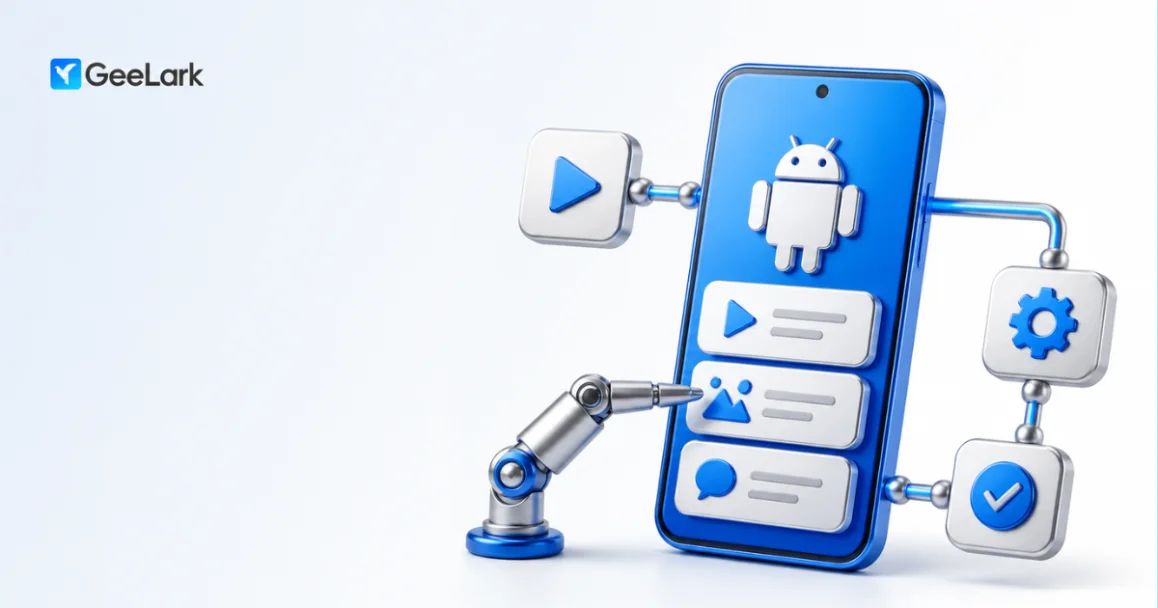
❓How to Automate Android Apps on Cloud Phones: A Complete Guide☁

Automating Android apps on cloud phones does not mean you need to learn how to code first.

Using GeeLark cloud phones as an example, this guide walks through five ways to automate Android apps, from the easiest option to the most technical. You will learn how each method works, what types of tasks it is best for, and when it makes sense to choose a more flexible approach.

↓↓↓Click below to streamline your mobile operations and build zero-code app automations in minutes:

How to Automate Android Apps on Cloud Phones: A Complete Guide


Try GeeLark Today!

⚡Ready to Scale Faster?
Apply code bhwdiscount for 10% OFF and start posting smarter today.
Time waits for no one! Automate once and grow consistently.
 
Impressive presentation and clear information. It's always helpful when a service thread is this organized. Looking forward to seeing more buyer reviews. This looks like a well-maintained service. The thread is detailed, and I'll definitely be keeping an eye on future customer feedback.
Hi there, thank you so much for the kind words and appreciation! I will send you some user cases so you can get a better idea of how it works in action while you keep an eye on the thread. Let me know if you need anything else!
 

☁Cloud Phone vs BlueStacks: Which Is Better for Social Media Management?✨

Have you ever considered using BlueStacks to manage multiple social media accounts? While looking for other options, you may have also come across a cloud phone. But how are the two actually different, and which one is better suited to multi-account social media management?

That is what this article is here to find out.

I put both options through hands-on tests and compared them across key parts of the workflow, including environment creation, network setup, app management, automation, and team collaboration.

By the end, you should have a clear picture of the differences and be able to decide which setup makes more sense for you.

↓↓↓Click below to decode the critical differences between traditional emulators and cloud phones before scaling your network:

Cloud Phone vs BlueStacks: Which Is Better for Social Media Management?


Try GeeLark Today!

⚡
The discount code is here!
Use code bhwdiscount for 10% OFF your next purchase!
Spend less time posting, more time growing!
 

☁Cloud Phone vs MEmu: Which Is Better for Multiple Social Media Accounts?✔

Wondering what it would be like to manage 100 social media accounts with MEmu? Can it handle proxy setup, GPS and time zone matching, app installation, automation, and team collaboration? And how does it compare with a cloud phone?

In this post, I compare MEmu and cloud phones based on hands-on testing. I focus on the parts that matter most for social media operations: the Android environment, network setup, app management, automation, team collaboration, and local resource use.

The difference is not simply that one runs locally and the other runs in the cloud. As the number of accounts grows, the gaps in setup time, repetitive work, maintenance, and team management become much more noticeable.

By the end, you should have a clear idea of where MEmu and cloud phones each work best—and which option better fits your account volume, budget, and workflow.

↓↓↓Click below to overhaul your multi-instance setup and break free from PC hardware bottlenecks to scale effortlessly:

Cloud Phone vs MEmu: Which Is Better for Multiple Social Media Accounts?


Try GeeLark Now!

⚡
The discount code is here!
Use code bhwdiscount for 10% OFF your next purchase!
Spend less time posting, more time growing!
 

⚡️How to Automate Android Apps on Cloud Phones: A Complete Guide⚙

Automating Android apps on cloud phones does not mean you need to learn how to code first.

Using GeeLark cloud phones as an example, this guide walks through five ways to automate Android apps, from the easiest option to the most technical. You will learn how each method works, what types of tasks it is best for, and when it makes sense to choose a more flexible approach.

↓↓↓Click below to deploy GeeLark's visual automation tools and scale your mobile tasks without writing code.

How to Automate Android Apps on Cloud Phones: A Complete Guide


Try GeeLark Today!

⭐️The discount code is here!
Use code bhwdiscount for 10% OFF your next purchase!
Spend less time posting, more time growing!
 

⚡️How to Automate Android Apps on Cloud Phones: A Complete Guide⚙

Automating Android apps on cloud phones does not mean you need to learn how to code first.

Using GeeLark cloud phones as an example, this guide walks through five ways to automate Android apps, from the easiest option to the most technical. You will learn how each method works, what types of tasks it is best for, and when it makes sense to choose a more flexible approach.

↓↓↓Click below to deploy GeeLark's visual automation tools and scale your mobile tasks without writing code.

How to Automate Android Apps on Cloud Phones: A Complete Guide


Try GeeLark Today!

⭐️The discount code is here!
Use code bhwdiscount for 10% OFF your next purchase!
Spend less time posting, more time growing!
BTW, today is Bonus Wednesday!

Get Bonus on Every Payment

  • Receive 5% bonus based on your actual payment amount every Wednesday.
  • Bonuses are awarded after payment and can be used toward your next purchase.
 

☁Automate Android Apps and Browser Tasks with GeeLark RPA⚡

Managing multiple accounts often means doing the same work again and again. You might warm up accounts in mobile apps, publish content, scrape data in a browser, or download reports into spreadsheets. Do all of that manually, and it quickly turns into a time sink.

GeeLark RPA is built for this kind of workflow. It helps you automate repetitive tasks across Android apps and browsers, so you can handle multi-account work more efficiently from one place.

In this post, you’ll learn what GeeLark RPA is, how it works, what kinds of tasks it can automate, and how to get started with templates before exploring the RPA Builder.

↓↓↓Click below to streamline your multi-account operations and automate repetitive mobile-to-browser tasks in minutes:

Automate Android Apps and Browser Tasks with GeeLark RPA


Try GeeLark Now!

⭐The discount code is here!
Use code bhwdiscount for 10% OFF your next purchase!
Spend less time posting, more time growing!
 

Version 4.4.9
⏰ Release Date: August 13

1️⃣Profile Management Improvements


More flexibility when creating and managing profiles.
⚫️Added a Random Location toggle to profile management.
⚫️Added support for bulk updating browser kernels and User Agents.

blank-Cj_-870D.png
2️⃣Browser Performance Monitoring
Added performance monitoring for browser profiles to help you better understand resource usage.
blank-Cj_-870D.png

3️⃣TikTok Analytics Improvements
Analytics Assistant now supports viewing TikTok post performance data.
blank-Cj_-870D.png

4️⃣More Flexible Data Formatting
Added support for custom date and number formats.

5️⃣New Status Page
Added a new Status page for viewing the current status of GeeLark services.

6️⃣Automation Improvements
Automation now supports rerunning completed browser tasks.

⚡As always, this release also includes performance improvements, user experience optimizations, and fixes for known issues to deliver a smoother and more stable experience.

blank-Cj_-870D.png
Release note丨☀
Try GeeLark Now!
 
Back
Top