What is happening ? "X + AdsPower + Proxy-cheap"

mizuki

Registered Member
Joined
Dec 22, 2024
Messages
64
Reaction score
20
hey guys i hope everyone is great
so i bought 5 Static Residential (IPv4) (ISP) - Dedicated From Proxy-cheap
and im using AdsPower for the profiles
and each profiles has one x account
and yesterday i bought accounts and set them up everything was fine
today when i tried to open x i get this thing
how to fix it ???
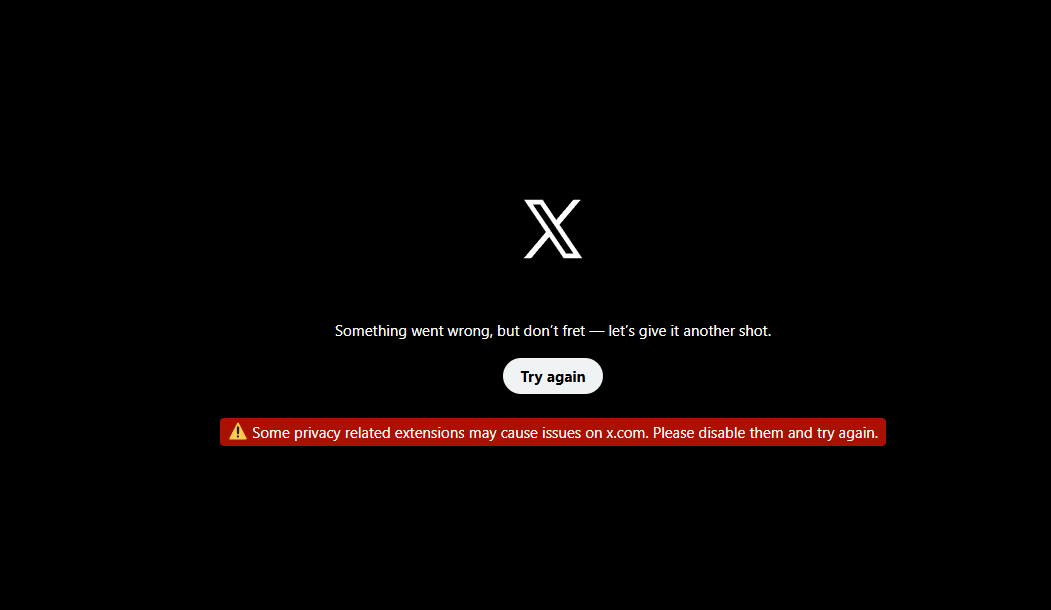
1763655965551.png
 
Don't touch anything for the moment and come back the next day. something that does the trick.

If not use another browser like nst for example and some quality residential proxies (many sellers here on bhw)
 
Don't touch anything for the moment and come back the next day. something that does the trick.

If not use another browser like nst for example and some quality residential proxies (many sellers here on bhw)
thank u but i sloved it it was from the proxies
i turned them off and opened x and it worked fine
so i change my proxies Protocol from HTTP to SOCKS5
and it's working fine for now
 
thank u but i sloved it it was from the proxies
i turned them off and opened x and it worked fine
so i change my proxies Protocol from HTTP to SOCKS5
and it's working fine for now
Always use socks5 in any software. If software doesn’t support socks5 it’s trash.
 
Did you add Cupid extension on this?
Also proxy cheap is wack proxy.
 
Glad SOCKS5 did the trick for you. Just don’t switch protocols or IPs too much, keeping your setup consistent helps prevent future blocks.
 
hey guys i hope everyone is great
so i bought 5 Static Residential (IPv4) (ISP) - Dedicated From Proxy-cheap
and im using AdsPower for the profiles
and each profiles has one x account
and yesterday i bought accounts and set them up everything was fine
today when i tried to open x i get this thing
how to fix it ???

View attachment 488780
Hi, this sometimes happens when Twitter's security kicks in. I've had this happen more than once. It should go away. If not, change your fingerprint and maybe the proxy. It should definitely work.
 
I would try other proxies. Although I use Linken Sphere myself, I don't think the problem is with Adspower. Maybe it's new accounts with no history? Maybe you need to give the account a few days to settle in.
 
I would try other proxies. Although I use Linken Sphere myself, I don't think the problem is with Adspower. Maybe it's new accounts with no history? Maybe you need to give the account a few days to settle in.
Hey scamdog did you read the thread?
 
Even with residential proxies, logging into multiple accounts from similar setups can trigger security checks. The best approach is to use separate browser profiles for each account, avoid logging into all accounts at once and give it some time usually the system relaxes once it recognizes the activity as legitimate.
 
Glad SOCKS5 did the trick for you. Just don’t switch protocols or IPs too much, keeping your setup consistent helps prevent future blocks.
no i won't im using "Static Residential (IPv4) (ISP) - Dedicated" to warm the account on one ip
Hi, this sometimes happens when Twitter's security kicks in. I've had this happen more than once. It should go away. If not, change your fingerprint and maybe the proxy. It should definitely work.
yeah it was from the proxies , thank you
Ive been trying to pay with a vcc, paypal and crypto. All failing. I thought it was the mobile proxy. Keep changing same result. Then I bought a gift cc. That usually work its failed. I tried new adspower profile same result. I tried my own mobile instead of proxy and I tried a chrome browser instead of adspower. And it worked. Adspower is the issue right now, looks like Paypal and all others are detecting them.
idk what are u talking about exactly but thank u anw
Try spacing out logins and using fully separate browser profiles for each account. X often flags multiple accounts logging in from similar setups, and giving it some time usually resolves the temporary block.
yes that's what im doing
 
Logins from multiple accounts on similar setups can trigger temporary blocks. Using separate browser profiles for each account and spacing out logins usually resolves the issue once the system verifies the activity.
 
Estensoin
I used to get this error. Just as X stated, the cause was the extension I was using, which was related to bypassing captcha and Cloudflare. That was the source of the bug.

However, in reality, all I had to do was clear the cookies and log back in, and the problem was solved. I use Webshare proxies.
Logins from multiple accounts on similar setups can trigger temporary blocks. Using separate browser profiles for each account and spacing out logins usually resolves the issue once the system verifies the activity.
I wonder if that is accurate, because I run about 30–40 accounts simultaneously, and this phenomenon rarely happens to me. However, when I use an extension, it does occur occasionally.
 
Estensoin
I used to get this error. Just as X stated, the cause was the extension I was using, which was related to bypassing captcha and Cloudflare. That was the source of the bug.

However, in reality, all I had to do was clear the cookies and log back in, and the problem was solved. I use Webshare proxies.

I wonder if that is accurate, because I run about 30–40 accounts simultaneously, and this phenomenon rarely happens to me. However, when I use an extension, it does occur occasionally.
Extensions can sometimes trigger extra flags because they modify browser behavior, even if the raw logins are fine.
 
Back
Top