• Please take a moment to look over the Suggestions & Feedback rules before making a post: READ RULES HERE

YouTube Embed Showing "Error 153" on Forum Posts

Status
Not open for further replies.

SirTop

Elite Member
Jr. Executive VIP
Jr. VIP
Joined
Aug 23, 2017
Messages
2,473
Reaction score
6,433
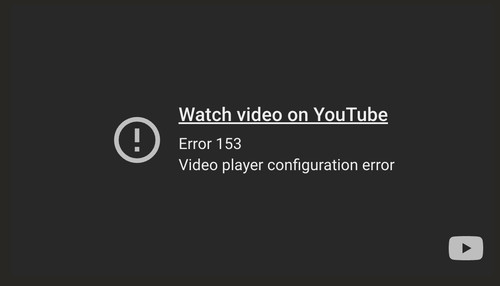
I’ve noticed for a while now that when trying to embed YouTube videos into posts, the player comes out broken with Error 153 message

Here’s an example:
KG3Bp3v.md.jpg


At first, I thought it was just me doing something wrong but I’ve seen the same issue happen to other members even staff members when they post videos.

So I’m wondering:
- Is this a forum-side issue that needs to be fixed?
- Or is there something we as users need to configure on our end?

Cheers! : )
 
I’ve noticed for a while now that when trying to embed YouTube videos into posts, the player comes out broken with Error 153 message

Here’s an example:

KG3Bp3v.md.jpg


At first, I thought it was just me doing something wrong but I’ve seen the same issue happen to other members even staff members when they post videos.

So I’m wondering:
- Is this a forum-side issue that needs to be fixed?
- Or is there something we as users need to configure on our end?

Cheers! : )
I think it is a YT thing, making people go to their site, which we all would do if it were ours, as opposed to an Xenforum one.

Someone who has more knowledge will come along, I am sure, to perhaps point out why or how.
 
I think it is a YT thing, making people go to their site, which we all would do if it were ours, as opposed to an Xenforum one.

Someone who has more knowledge will come along, I am sure, to perhaps point out why or how.
Thanks for the response, BTB... I don’t think this is YT intentionally blocking embeds, since their embed system is still working on other sites.

From what I’ve seen, this looks more like a forum-side issue... maybe with media embed configuration not being updated to match YouTube latest embed code or API changes


Shorts post fine.

It's just full videos from what I can pick up.

I’ve also run into the same issue with Shorts too.

I tried again just now and here’s the result:


So it seems the error isn’t only affecting full length videos but Shorts as well.
 
It all started after the day i played a youtube post video by @TheMarquis for an hour on repeat! lol You can check our profile posts, from a couple of months ago, we had a discussion, about it, if you want to pinpoint the date and use that to investigate?
 
It all started after the day i played a youtube post video by @TheMarquis for an hour on repeat! lol You can check our profile posts, from a couple of months ago, we had a discussion, about it, if you want to pinpoint the date and use that to investigate?
Yeah, yeah...let's blame @TheMarquis... JK =)

I contacted the support few months ago about this error. I still think there is a Xenforo issue, and not Youtube. I found something about a module, but the issue was old, like from 2017 or so.

Anyway, if we cannot get rid of that issue, see the bright part: More suspense for the music gem :D
 
Screenshot 2025-09-30 at 10.10.47.png

Here is a screenshot of what I see with that post. If you are seeing the error then I suggest it is either something in your browser that YT doesn't like, a proxy or vpn use or YT itself.
I have checked this from several machines and devices and different networks and always see the same as in the image.
 
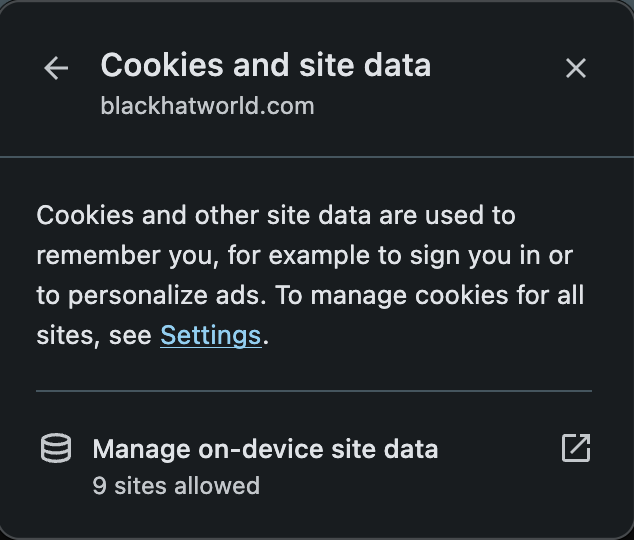
You're right @Jammie Dodger It had something to do with my browser.

After your response I checked with another browser and even tried incognito on the same browser... it worked.
So I figured it had to be my cache/cookies for BHW. It's now working fine.

I guess that might be the fix for anyone having the same issue too, they just need to clear the site cache on their broswer, login again and all that... it should be displaying fine afterwards.

image.png


Thank you everyone... Cheers <3
 
Status
Not open for further replies.
Back
Top