

- Dec 3, 2015
- 5,309
- 6,018
Most people hear "LLM" (Large Language Model) and think it's only for techies. Truth is anyone running a website or online business can start using LLMs today. Here’s a practical guide you can follow step by step.
Step 1: Play With Free LLMs ;
- Sign up for ChatGPT, Perplexity, Claude, or Gemini.
- Try simple prompts like:
“Write a 500-word blog post about [your niche].”; “Summarize the top 5 benefits of my product in bullet points.”
Think of prompts as the new SEO keywords. The better your prompts, the better your outputs.
Step 2: Use LLMs With WordPress ;
You don’t need coding. There are plugins that integrate LLMs directly into WordPress:
- AI Engine (by Jordy Meow)
- GPT AI Power
Example Workflow:
1. Install the plugin.
2. Enter your API key from OpenAI (or any provider).
3. Now, inside WordPress editor, click “Generate AI Content” and let it create blog drafts, ad copy, or product descriptions. I'd ideally suggest improving manually by adding pictures or humanize with any preferred tool. e.g. quillbot.
Step 3: Hosting LLMs.txt
This is where it gets interesting.
Just like we used [robots.txt] for Google, now we use [llms.txt] for AI bots.
Practical Example:
I generated this llms.txt file.
Use URL:
To host your own:
1. Create a text file called llms.txt.
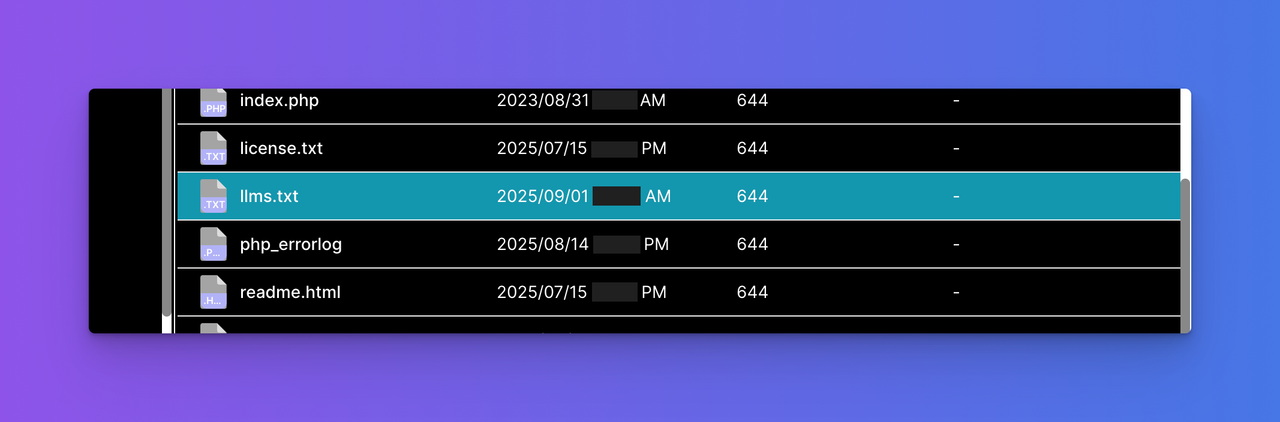
2. Upload it to your site root (via cPanel or FTP). → Example: https://yourdomain.com/llms.txt
3. Verify by opening the URL in your browser.
Optional: submit your file to AI directories like;
Couples days later, do check for crawlability
Use URL :
PS : not the most accurate tool but yes, gets the job done.
PS 2: PR/Press, very important, do a lot of it especially if working with local target. Find ones that support AI chatbot crawlability,
Step 4: Self-Hosting an LLM (Optional)
For advanced users:
- Use Ollama or LM Studio to run models on your computer.
- Or deploy on a VPS with Hugging Face Endpoints.
- Connect to WordPress via a simple custom plugin:
[/CODE]
Step 5: The Opportunity
- LLMs are changing how people discover content.
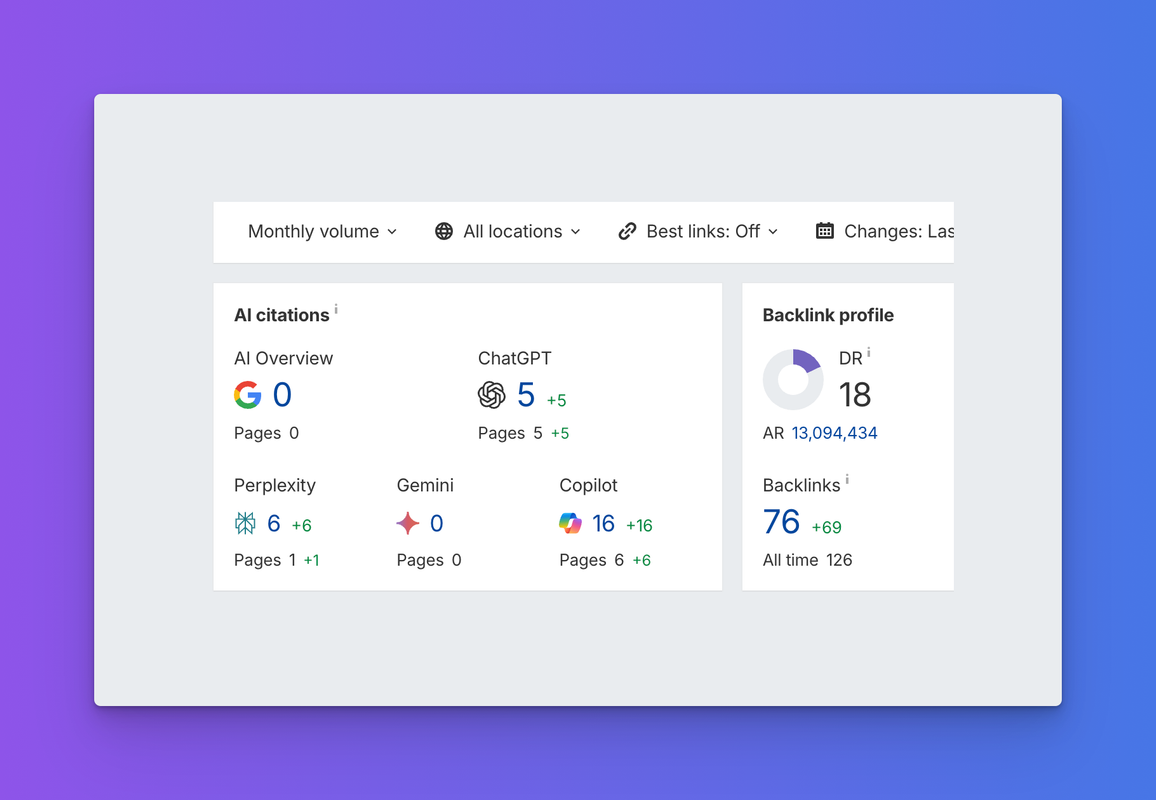
- Having your website ready (with content + llms.txt) means you’re visible to the next generation of AI-driven search.
- Agencies will soon sell “LLM Indexing Services.” You can be early.
Result: Ahrefs
Final Thoughts
LLMs aren’t hype anymore. They’re becoming part of the web’s backbone.
Get your hands dirty now, play, integrate, host your llms.txt and you’ll stay ahead of 95% of site owners.
Step 1: Play With Free LLMs ;
- Sign up for ChatGPT, Perplexity, Claude, or Gemini.
- Try simple prompts like:
“Write a 500-word blog post about [your niche].”; “Summarize the top 5 benefits of my product in bullet points.”
Think of prompts as the new SEO keywords. The better your prompts, the better your outputs.
Step 2: Use LLMs With WordPress ;
You don’t need coding. There are plugins that integrate LLMs directly into WordPress:
- AI Engine (by Jordy Meow)
- GPT AI Power
Example Workflow:
1. Install the plugin.
2. Enter your API key from OpenAI (or any provider).
3. Now, inside WordPress editor, click “Generate AI Content” and let it create blog drafts, ad copy, or product descriptions. I'd ideally suggest improving manually by adding pictures or humanize with any preferred tool. e.g. quillbot.
Step 3: Hosting LLMs.txt
This is where it gets interesting.
Just like we used [robots.txt] for Google, now we use [llms.txt] for AI bots.
Practical Example:
I generated this llms.txt file.
Use URL:
Code:
https://llmrefs.com/llms-txt-generatorTo host your own:
1. Create a text file called llms.txt.
2. Upload it to your site root (via cPanel or FTP). → Example: https://yourdomain.com/llms.txt
3. Verify by opening the URL in your browser.
Optional: submit your file to AI directories like;
Code:
llmstxt.cloud and llmstxt.site or use direct URL : https://tally.so/r/wAydjBCouples days later, do check for crawlability
Use URL :
Code:
https://llmrefs.com/ai-crawl-checkerPS : not the most accurate tool but yes, gets the job done.
PS 2: PR/Press, very important, do a lot of it especially if working with local target. Find ones that support AI chatbot crawlability,
Step 4: Self-Hosting an LLM (Optional)
For advanced users:
- Use Ollama or LM Studio to run models on your computer.
- Or deploy on a VPS with Hugging Face Endpoints.
- Connect to WordPress via a simple custom plugin:
Code:
[code]$response = wp_remote_post($api_url, ['body' => json_encode(['prompt' => $prompt])]);Step 5: The Opportunity
- LLMs are changing how people discover content.
- Having your website ready (with content + llms.txt) means you’re visible to the next generation of AI-driven search.
- Agencies will soon sell “LLM Indexing Services.” You can be early.
Result: Ahrefs
Final Thoughts
LLMs aren’t hype anymore. They’re becoming part of the web’s backbone.
Get your hands dirty now, play, integrate, host your llms.txt and you’ll stay ahead of 95% of site owners.
Last edited:


