

- Nov 29, 2022
- 2,472
- 284
In this article, we'll dive into the Facebook Ad Library and show, using examples, how we search for successful campaigns, the challenges we face along the way, and how to break through landing pages when spying on a GEO that isn’t your own. Without further ado, let’s get started!
How to Spy Without Keywords and Use Search Filters?
Let's start with how to get a broad selection of ads. Insert this long space with a dot "." into the search bar, and you’ll get a list of all ads within the GEO you've set. In the screenshot, we are spying on Brazil—one of our key GEOs.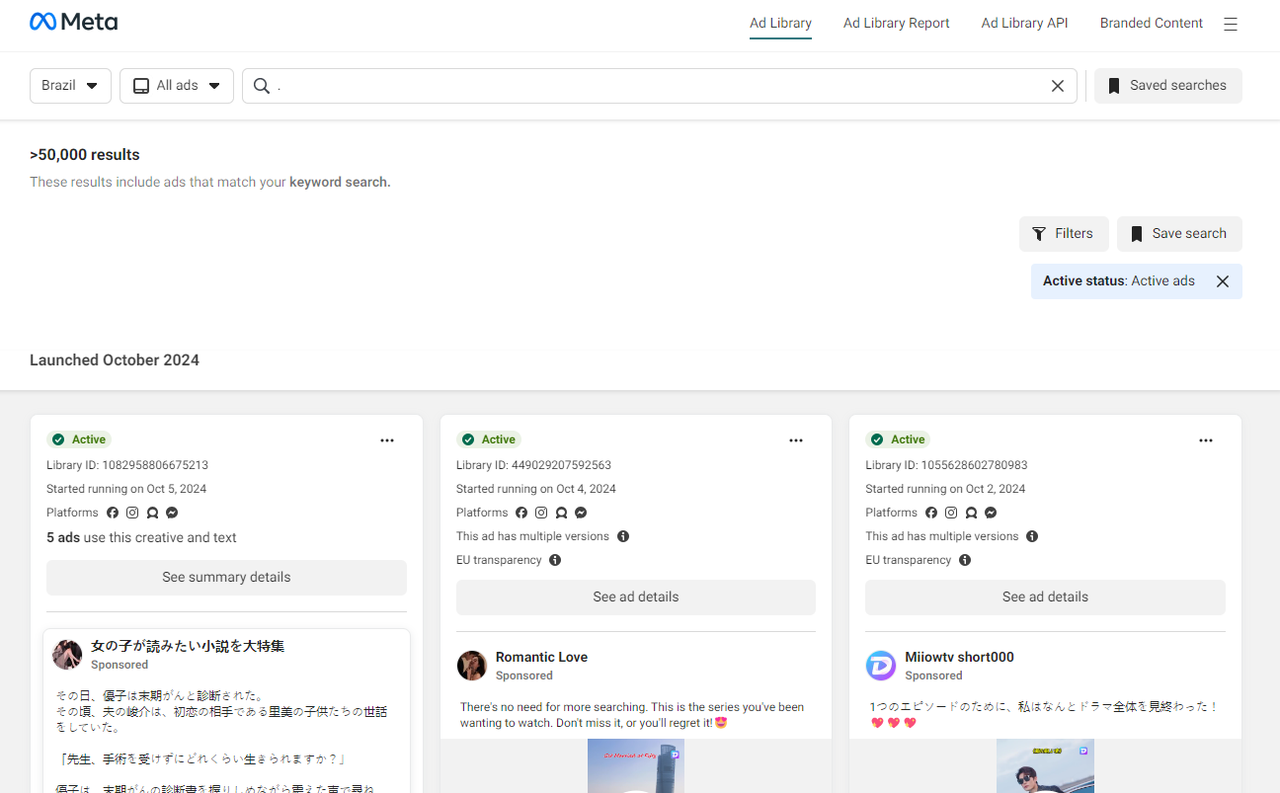
However, since there is a lot of advertising running on Facebook, this method will bring you many irrelevant creatives, often mixed with a few other GEOs. But you can adjust this by using the platform's standard filters.
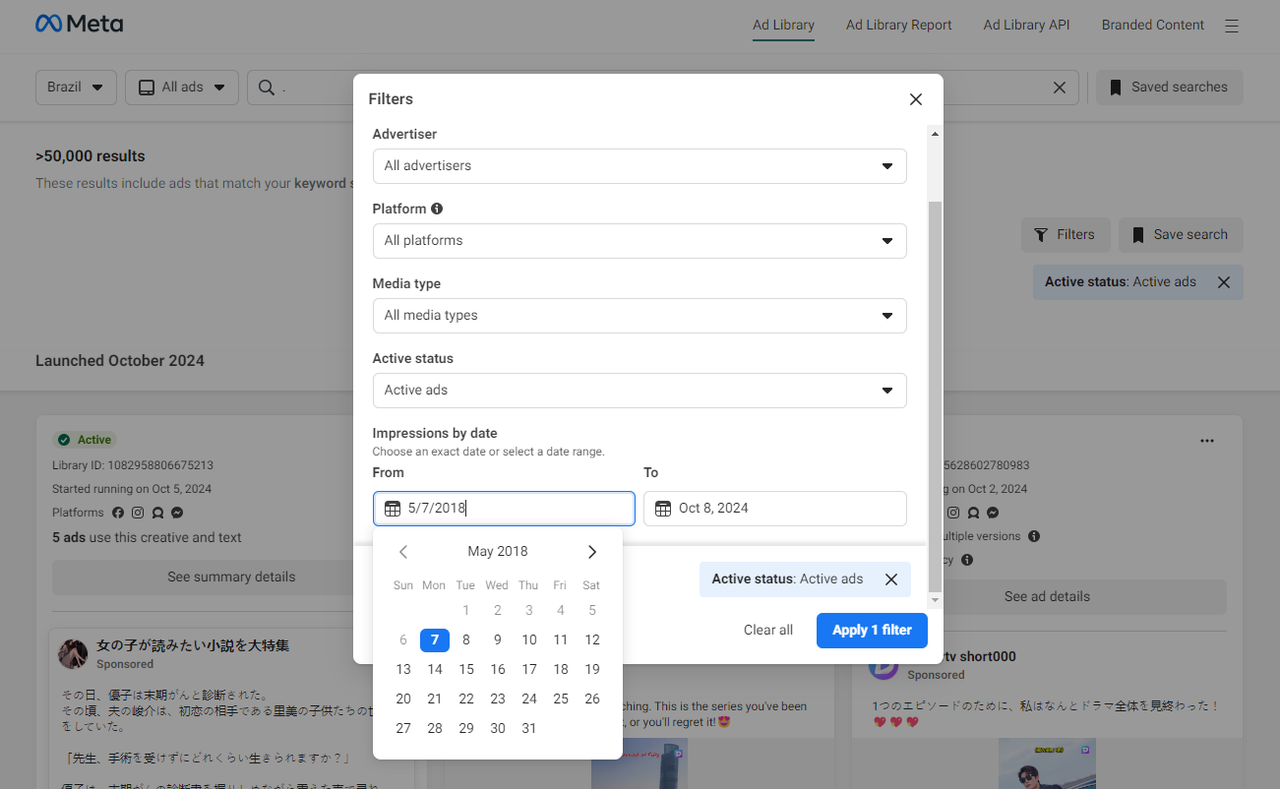
All we need are the language and date filters. Select the last 3-4 weeks to view fresh and relevant ads. At this stage, another problem arises when selecting a language—there’s a limited list of available languages. You can bypass this limitation quite easily—by filtering ads by language in Facebook Ads using characters specific to those languages. Insert them into the search bar to bypass the language selection limit in the interface. We use the symbol "ã."
This way, we only get fresh ads in Portuguese. You can filter many less common languages like:
- ä — German, Swedish, Finnish, Estonian;
- ć — Polish, Serbian, Croatian;
- ă — Romanian;
- è — Italian.
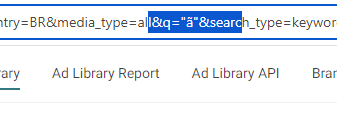
And voilà, you’ll have a full selection of ads with no keyword (or letter) limitations. At the same time, all other filters remain intact.
By changing the URL, you can adjust the spy results in the Facebook Ad Library. Here's how it looks: https://www.facebook.com/ads/library/?active_status=all&ad_type=all&content_languages[0]=pt&content_languages[1]=en&country=BR&media_type=all&q="⠀"&search_type=keyword_exact_phrase
Here’s what’s important:
- content_languages[0]= — the ad language. If you want all languages, you can remove this parameter. To add another language, like Russian, append &content_languages[1]=en;
- country= — the country;
- q= — the keyword. This string of characters %E2%A0%80 represents a space. Keywords are inserted in this format &q=%E2%A0%80health%20&;
- start_date[min]= and start_date[max]= — the range of ad launch dates;
Why Keywords Are Still Necessary
Without keywords, the selection represents thousands of ads, with most being clinics, educational centers, clothing stores, travel agencies, cafes, etc. What we need are affiliate marketing creatives, and the only way to find them is by using keywords.Option #1: Search by Thematic Keywords
In this case, choose the offer's niche and set keywords accordingly. For instance, if we are interested in weight loss, Chat GPT can help us select relevant keywords.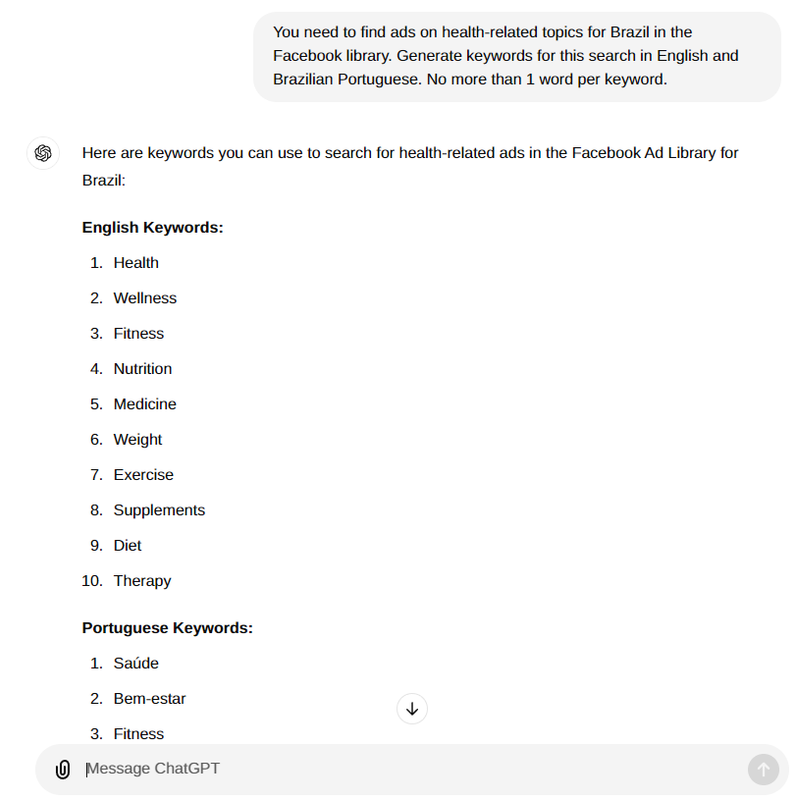
Now, an important point: you must insert each keyword into the link, not the search bar. If you use the search bar, the filter settings will be reset. Let’s try the word "health," and immediately we see fresh affiliate marketing creatives.
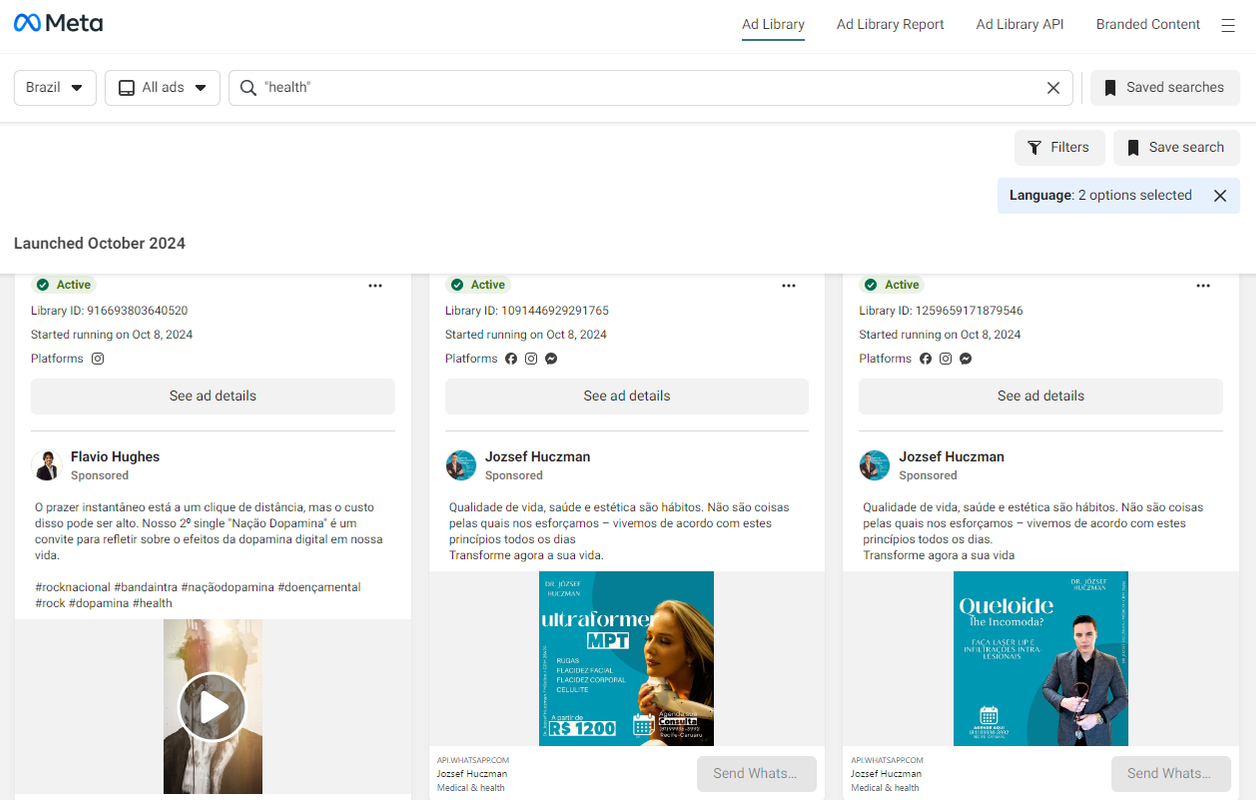
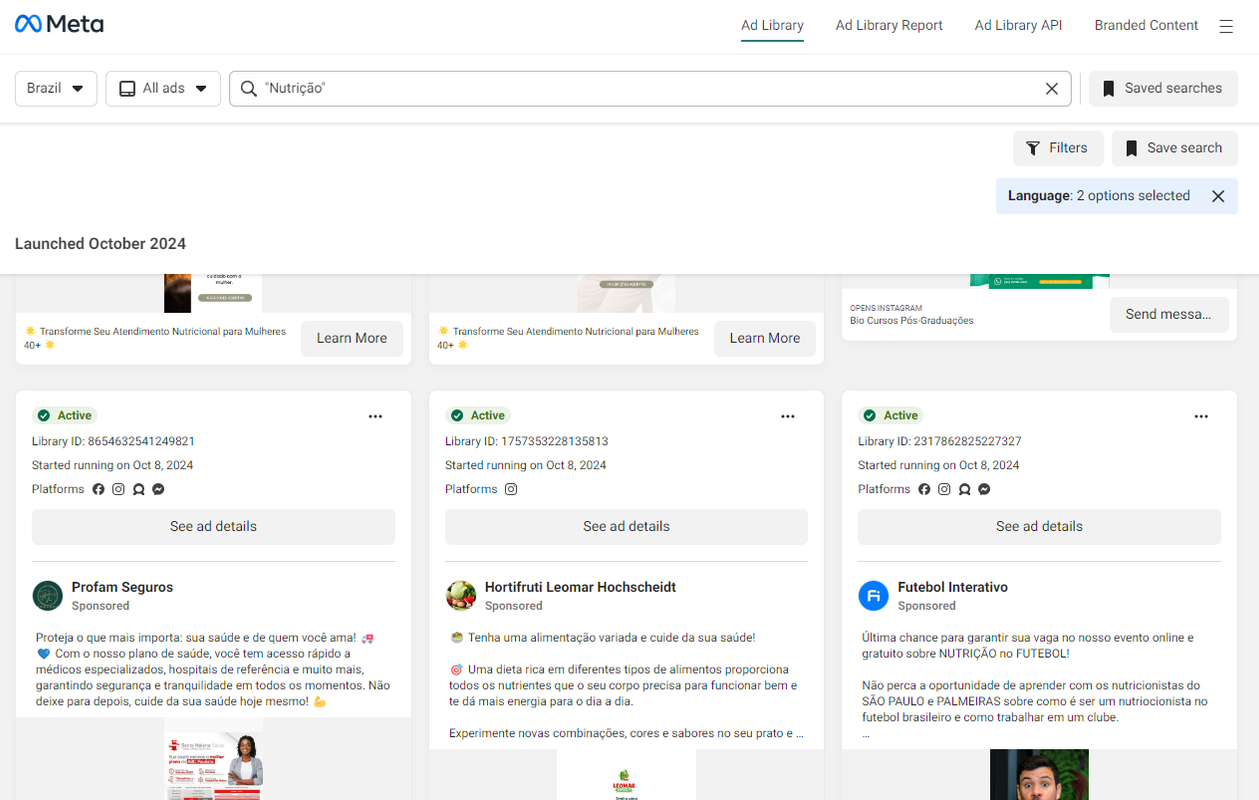
We got results, and half of them are clearly affiliate marketing creatives. For variety, we’ll try the Portuguese word "Nutrição," which means "Nutrition." This word is also inserted into the link, not the search bar.
In the end, we see:
Option #2: Search by Broad Keywords
You can also search using broad keywords. Chat GPT can assist with this too.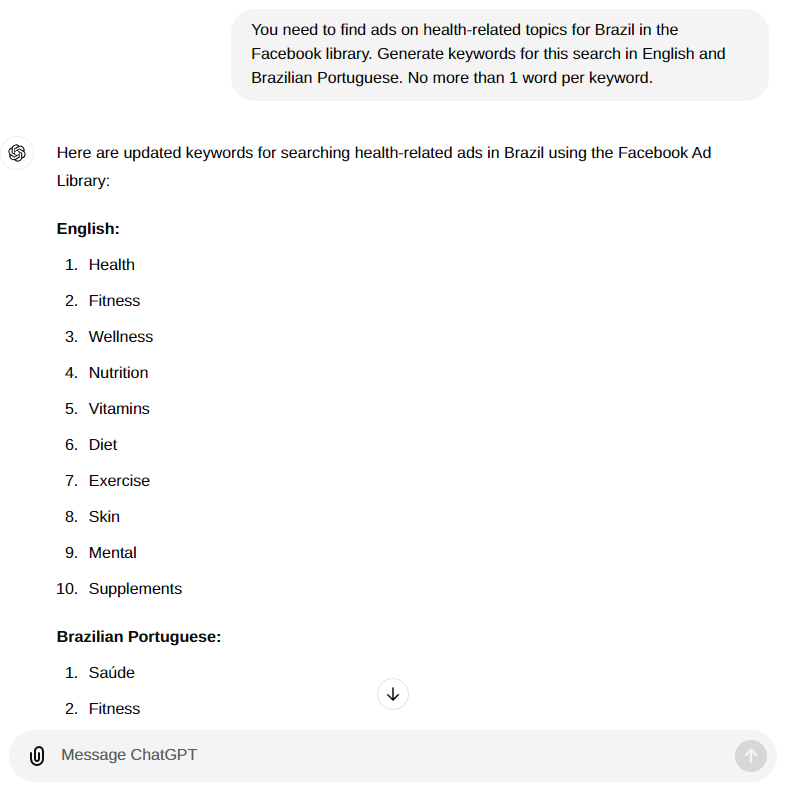
However, unfortunately, not much affiliate advertising appears with these broad keywords. Although the ads themselves can still be useful for creating your own creatives for partner offers.
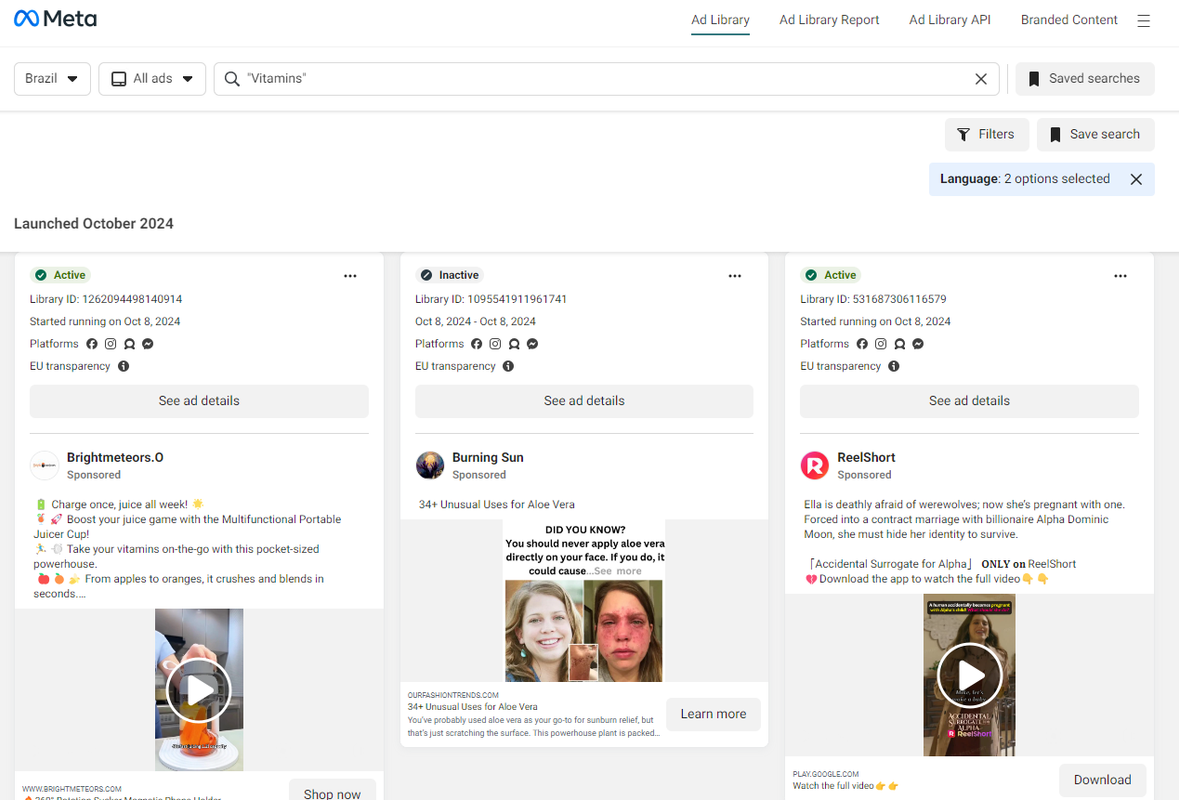
Option #3: View Other Advertiser's Ads
If you hover over the advertiser's name, a window will pop up allowing you to view all ads launched from this FanPage.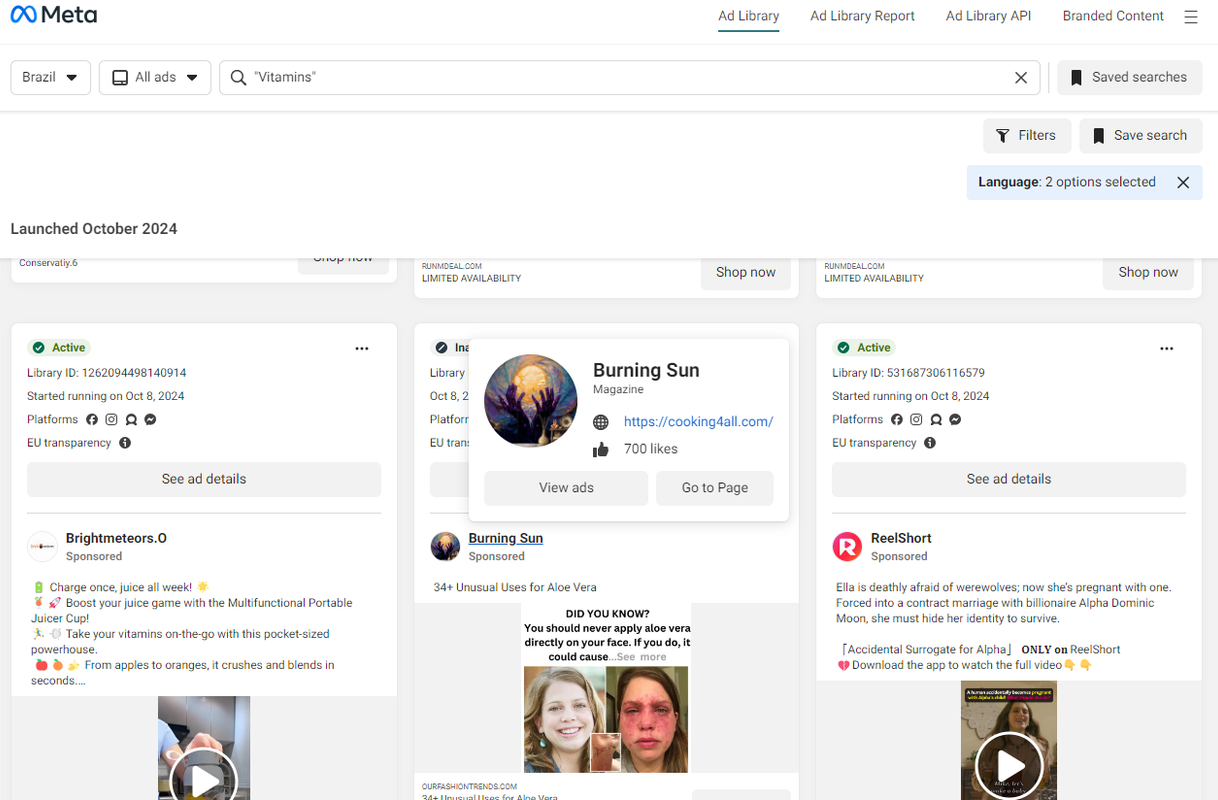
Click on "View ads," and you’ll see other creatives from the same colleague.
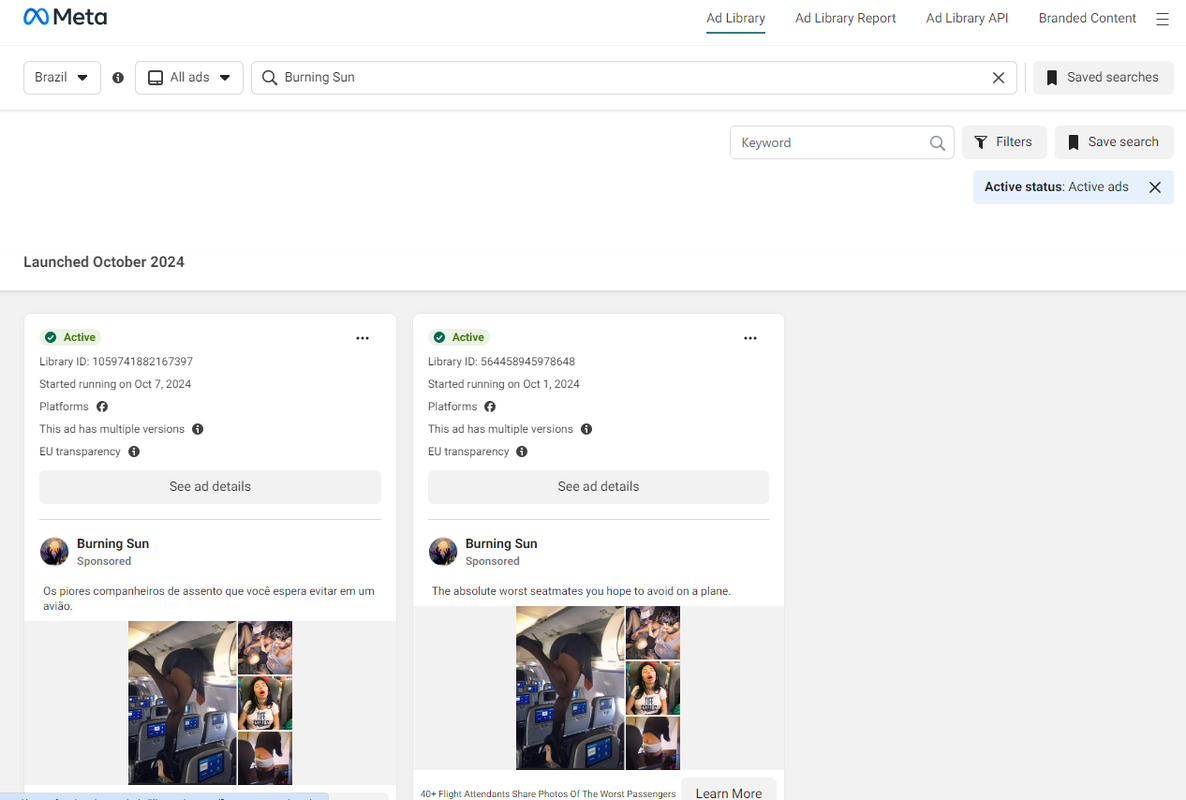
If you're interested in specific offers, you can search for them as well. To do this, remove any GEO, language, and filter restrictions. However, the results may only show a few ads for each offer.


