Help with Facebook account creating ban

Status
Not open for further replies.

fireball75038

Newbie
Joined
Jul 11, 2020
Messages
16
Reaction score
14
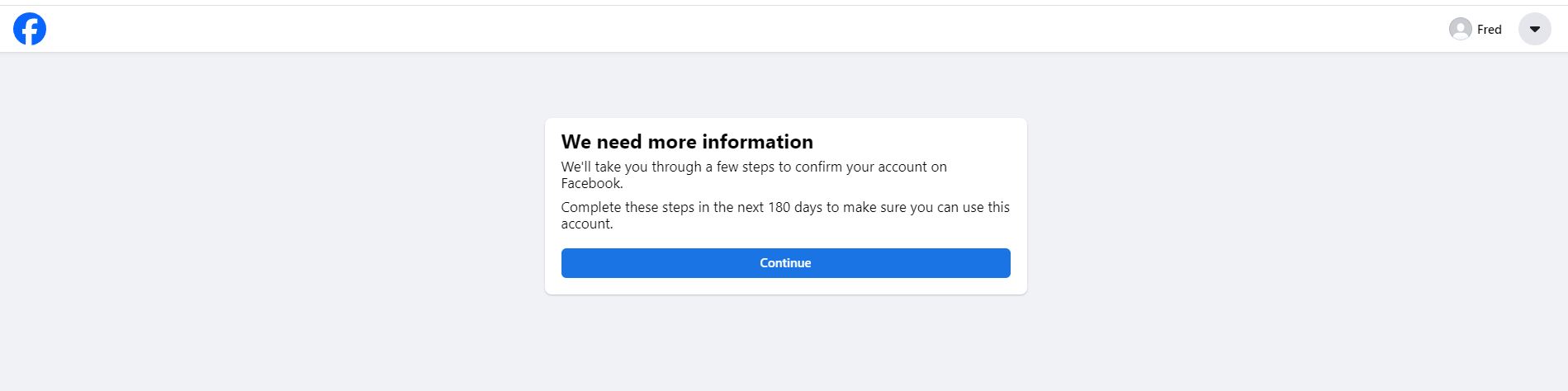
Hey so I've been trying to create new facebook accounts for a while but no matter what I do, I end up with the "We need more information" box and selfie verification right when I create my account (first image).

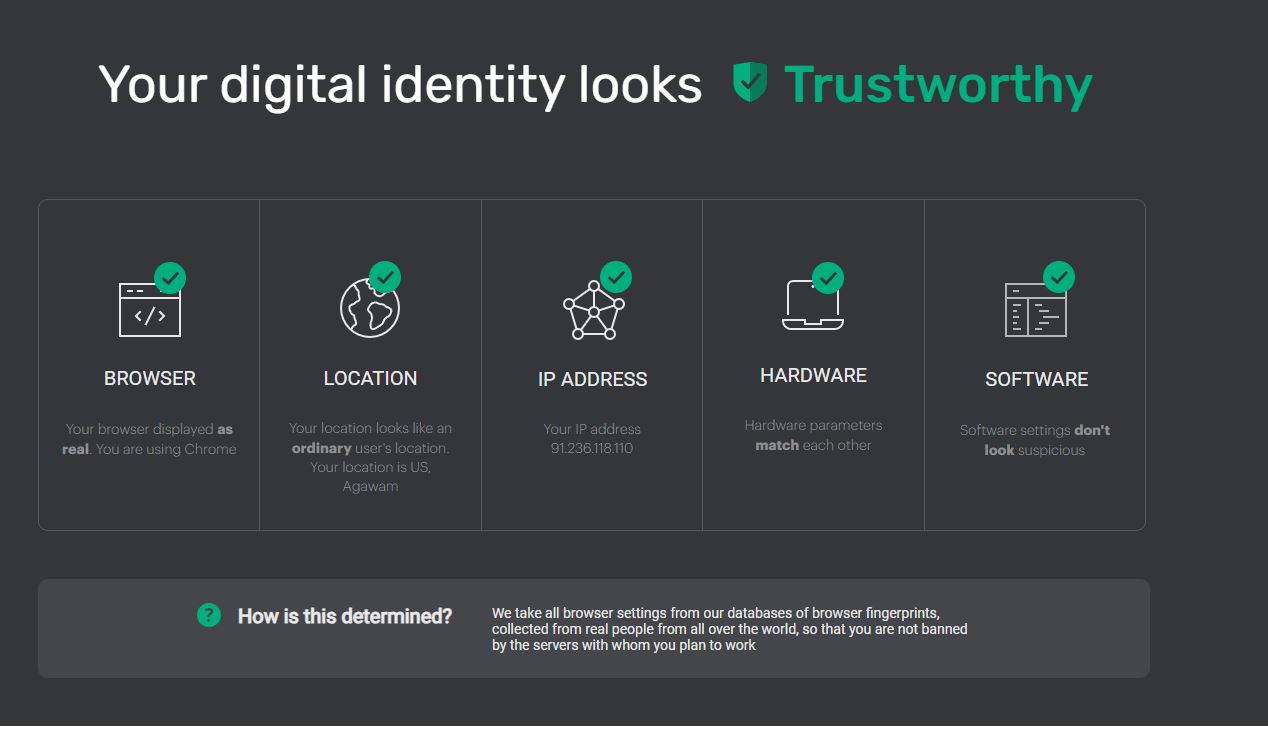
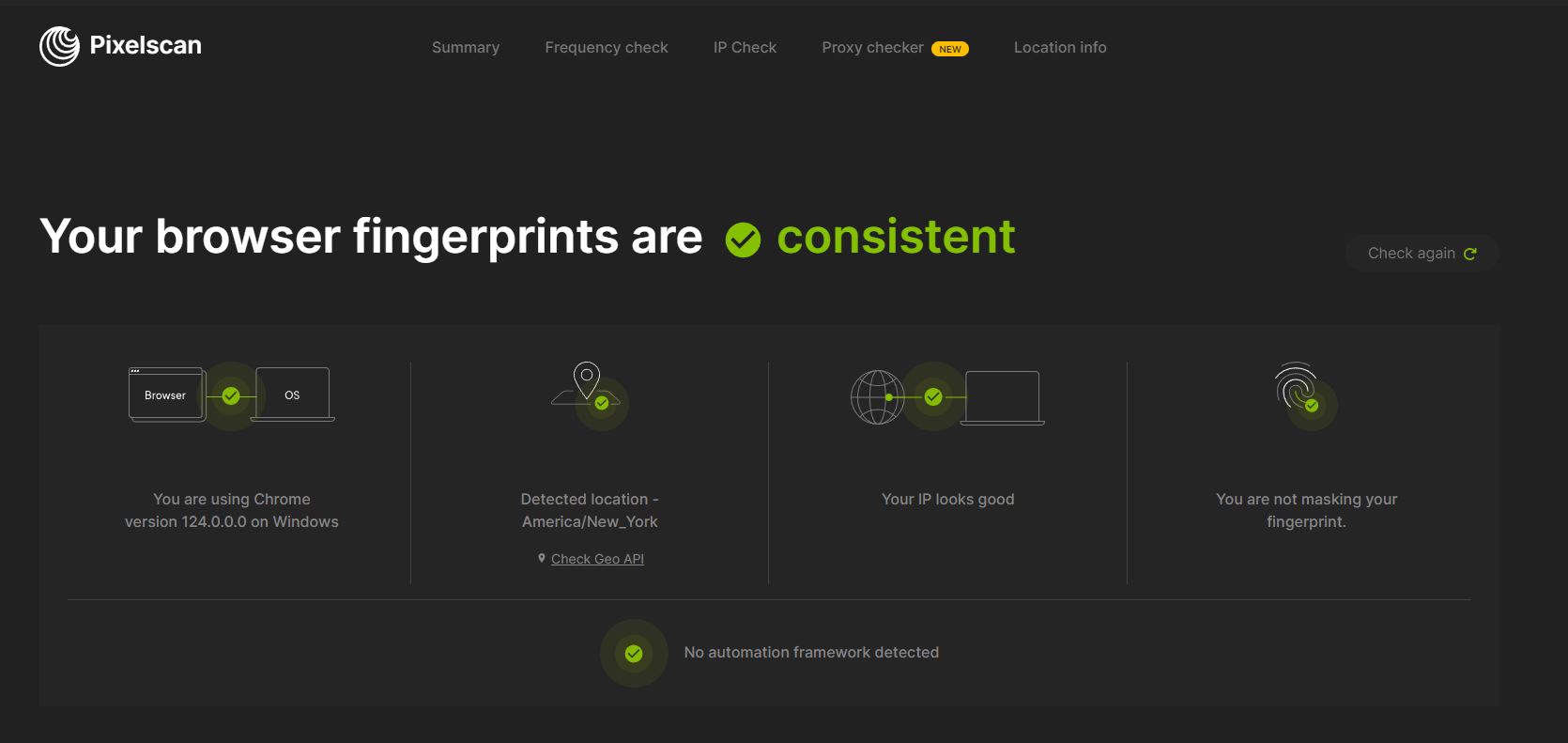
I have used gologin, dolphin anty, sticky resi, isp, and mobile proxies, which I checked on iphey and pixelscan and came clean in the last 2 screenshots.
With different proxy providers as well.
Aged the browser cookies with web searches and going on other sites for a few days.
I also bought an aged account, which was working for about a month before the proxy IP changed, which made me verify with a selfie.
Tried using AI pics and other selfies for verification with them all getting rejected so I'm kinda stuck

Can anyone help with this?


2.JPG
Capture.JPG
1.JPG
 
I think trying to create new FB account now is extreme hassle with very low chance of successs. Your best course of action will be buying old reinstated fb profiles from trusted seller.

As you said it lasted about month before it got checkpoint due to IP change. I think it's pretty good deal even if it lasted only month. I don't think compared to that new profile can even last a week.
 
I think trying to create new FB account now is extreme hassle with very low chance of successs. Your best course of action will be buying old reinstated fb profiles from trusted seller.

As you said it lasted about month before it got checkpoint due to IP change. I think it's pretty good deal even if it lasted only month. I don't think compared to that new profile can even last a week.
Would you still need to be careful with using them like good resi proxy, or is it okay with a low quality proxy as long as you dont spam
 
Buy warmed accounts instead create it by yourself
 
Would you still need to be careful with using them like good resi proxy, or is it okay with a low quality proxy as long as you dont spam
Ideally the seller provides fb profile with IP attached for 1 month access. You can ask them if they can extend the time of IP.

And to answer your question, YES. Good quality residential proxy is very imp to avoid getting checkpoints. Better the proxy lower the chances. (checkpoints depends on other factors as well).
 
I often encounter the same situation as you, but we buy a fb profile from a supplier, they already have selfie photos and passport photos or identification documents of the profile, we just need to download those documents. Up, your account will be back in 48 hours
 
I have a trick to register by email so you can use it right away, but you can only do it by hand, you can't do it in large quantities with a tool
 
Why not share the trick?
It was a search effort, a lot of testing, I just revealed that you should use your phone instead of computer browsers, most of the sellers of newly created Facebook accounts use phones to create them. And if you don't believe me, maybe I'll create one for you right now using only the email I created myself.
 
It was a search effort, a lot of testing, I just revealed that you should use your phone instead of computer browsers, most of the sellers of newly created Facebook accounts use phones to create them. And if you don't believe me, maybe I'll create one for you right now using only the email I created myself.
Would I be able to create multiple accounts on one device? I have a few burner androids
 
I often encounter the same situation as you, but we buy a fb profile from a supplier, they already have selfie photos and passport photos or identification documents of the profile, we just need to download those documents. Up, your account will be back in 48 hours
So, are those what you use for clients in your sales thread?
 
Hey so I've been trying to create new facebook accounts for a while but no matter what I do, I end up with the "We need more information" box and selfie verification right when I create my account (first image).

I have used gologin, dolphin anty, sticky resi, isp, and mobile proxies, which I checked on iphey and pixelscan and came clean in the last 2 screenshots.
With different proxy providers as well.
Aged the browser cookies with web searches and going on other sites for a few days.
I also bought an aged account, which was working for about a month before the proxy IP changed, which made me verify with a selfie.
Tried using AI pics and other selfies for verification with them all getting rejected so I'm kinda stuck

Can anyone help with this?


View attachment 346961View attachment 346962View attachment 346963
Try to use another phone, do not try to change IP or something else bro, pls act like a real user, use a real email that was created a long time ago, has activity,... to create an account.
 
It was a search effort, a lot of testing, I just revealed that you should use your phone instead of computer browsers, most of the sellers of newly created Facebook accounts use phones to create them. And if you don't believe me, maybe I'll create one for you right now using only the email I created myself.
It's possible, but you should root your device, use some software to change device information and network ip, if possible after each successful account creation, restore your phone to default and recreate
 
Hi, you can complain but the rate will be very low, you can use verified account and have long life
 
I'm not sure if this could be the case, but check all of your current proxy provider IPs. if they're US, see whether they're registered under ARIN or RIPE

from what it seems your current IP/Proxy is registered under RIPE which serves more of European/Middle-eastern/Central-asian countries

this is the current IP you're using displayed on iphey the second picture, true it is a US IP but look at the "Source Registry" it says RIPE NCC:
https://browserleaks.com/ip/91.236.118.110

and this is another example, one of the GTT Communications Inc IPs that belongs to the same ASN different subnet but this time registered under ARIN:
https://browserleaks.com/ip/66.80.0.1
 
Status
Not open for further replies.
Back
Top