

hideath
Elite Member
- Jun 16, 2019
- 6,620
- 7,346
So, whenever you're tying to creating multiple accounts in some platform,
You'll need to buy/create a shit ton of emails sometimes,
But you could actually use a single Gmail account for that exact purpose without any need for more
Here's what to do:
Now, in order to use the Gmail IMAP, you'll have to use the following settings:
Generate different Gmail Emails
Now for the catchall to work, there are several variations of your email that you can use and they'll be redirected to your main Gmail account,
The first example would be to add dots between the characters, for example if your Gmail is "[email protected]", you can use "[email protected]", "[email protected]", etc...
For that, you can generate a list of it using the bellow python script,
Make sure to change the Gmail username at the bottom of the script as well as the limit (number) of the emails to be generated. Code:
You can easily generate 10k++ with this method, these will usually be more than enough.
The email will be saved as the username_gmail.txt under the same folder of the script
The other method would be to use '+' by appending a text after your Gmail username,
For example if your gmail is "[email protected]", you can use variations such as "[email protected]", "[email protected]",
You don't really need to generate any list in here, any combination would work
Where to use this?
Now, the rest is depending on where to use this,
Many platforms do already detect these variations and won't accept these emails,
Others would get your accounts banned after a couple of days,
But hey, this can be useful for several cases, make sure to test before going any further,
I'll be creating a new guide for how to set up your catchall email using your own custom domain next,
This won't require you any kind of coding skills, the easy simple way that won't take you more than a couple of minutes
You'll need to buy/create a shit ton of emails sometimes,
But you could actually use a single Gmail account for that exact purpose without any need for more
Here's what to do:
- Create or use a Gmail account with at least 15 chars username,
This can be anything random, it doesn't really matter, take for example "[email protected]",
This one got 21 chars and it's usually more than enough to generate your emails
- Now to use this Gmail, you'll have to enable IMAP or POP, both work good, but i personally prefer IMAP,
For that, first click the setting icon in the top right:

- Next, click on "See all settings"
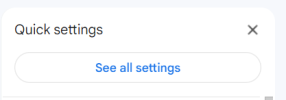
- Go to "Forwarding and POP/IMAP"

- Click on "Enable IMAP"

- Leave the rest of options as they are, then click "Save changes"
- Now, in order for IMAP to work, we need to enable "2fa", that will require you a phone number or simply download backup codes,
Go to https://myaccount.google.com/signinoptions/two-step-verification/enroll-welcome - Click "Get Started"
- There will be only option to use a phone number, but while adding a new one, click on "Use another backup option"

- Make sure to download the codes if you don't have (or added) phone number
- Next confirm with "I have my backup codes" or confirm your phone number
- Now, we need to generate a new App Password, for that go to https://myaccount.google.com/apppasswords
- Name your app with whatever name you see suitable

- Then click on create
- Your App password will show up, make sure to save it somewhere as you won't have access after clicking "Done"
Now, in order to use the Gmail IMAP, you'll have to use the following settings:
- IMAP Host: imap.gmail.com
- IMAP Port: 993
- Encryption: ON (SSL)
- IMAP Username: your Gmail address, in our example it's [email protected]
- IMAP Password: The App Password that you got earlier
Generate different Gmail Emails
Now for the catchall to work, there are several variations of your email that you can use and they'll be redirected to your main Gmail account,
The first example would be to add dots between the characters, for example if your Gmail is "[email protected]", you can use "[email protected]", "[email protected]", etc...
For that, you can generate a list of it using the bellow python script,
Make sure to change the Gmail username at the bottom of the script as well as the limit (number) of the emails to be generated. Code:
Python:
import os

def generate_usernames(username, limit):
    n = len(username)
    count = 0
    for i in range(1 << n-1):
        if count >= limit:
            break
        yield "".join(username[j] + ('.' if (i & (1 << j)) else '') for j in range(n))
        count += 1

def write_to_file(username, usernames):
    filename = f"{username}_gmails.txt"
    if os.path.exists(filename):
        i = 1
        while os.path.exists(f"{username}_gmails_{i}.txt"):
            i += 1
        filename = f"{username}_gmails_{i}.txt"

    with open(filename, 'w') as f:
        for i, username in enumerate(usernames):
            if i != len(usernames) - 1:
                f.write(username + "@gmail.com\n")
            else:
                f.write(username + "@gmail.com") # Avoid newline for last username

username = "thismailforguideinbhw"
limit = 1000 # Set your limit here
usernames = list(set(generate_usernames(username, limit)))
write_to_file(username, usernames)The email will be saved as the username_gmail.txt under the same folder of the script
The other method would be to use '+' by appending a text after your Gmail username,
For example if your gmail is "[email protected]", you can use variations such as "[email protected]", "[email protected]",
You don't really need to generate any list in here, any combination would work
Where to use this?
Now, the rest is depending on where to use this,
Many platforms do already detect these variations and won't accept these emails,
Others would get your accounts banned after a couple of days,
But hey, this can be useful for several cases, make sure to test before going any further,
I'll be creating a new guide for how to set up your catchall email using your own custom domain next,
This won't require you any kind of coding skills, the easy simple way that won't take you more than a couple of minutes


