

Valar Instagramis
Senior Member
- Jan 31, 2010
- 1,020
- 517
Guide: How to make an order
- Before ordering you have to generate scrape settings.
- Provide the same link(username) in the order form as in scrape settings.
- Once scrape settings have been generated you do not have to update it each time.
- Scrape settings can be updated before/during order execution.
- Track order progress/history in the generator just by loading the link.
- Only scraping target followers and recent post likers are available. Hashtags will come soon.
- Only sending DM text is available.
How to generate Scrape Settings
- Go to https://generator.valar-solutions.com
- Enter link to your IG username (or you can enter @username)
- Select filters
- Select how many recent post likers to scrape 0-10
- Paste targets to scrape followers from 1 per line
- Press ‘Save’ a couple times to make sure it goes through

How to order on Valar-smm
- Go to https://valar-smm.com
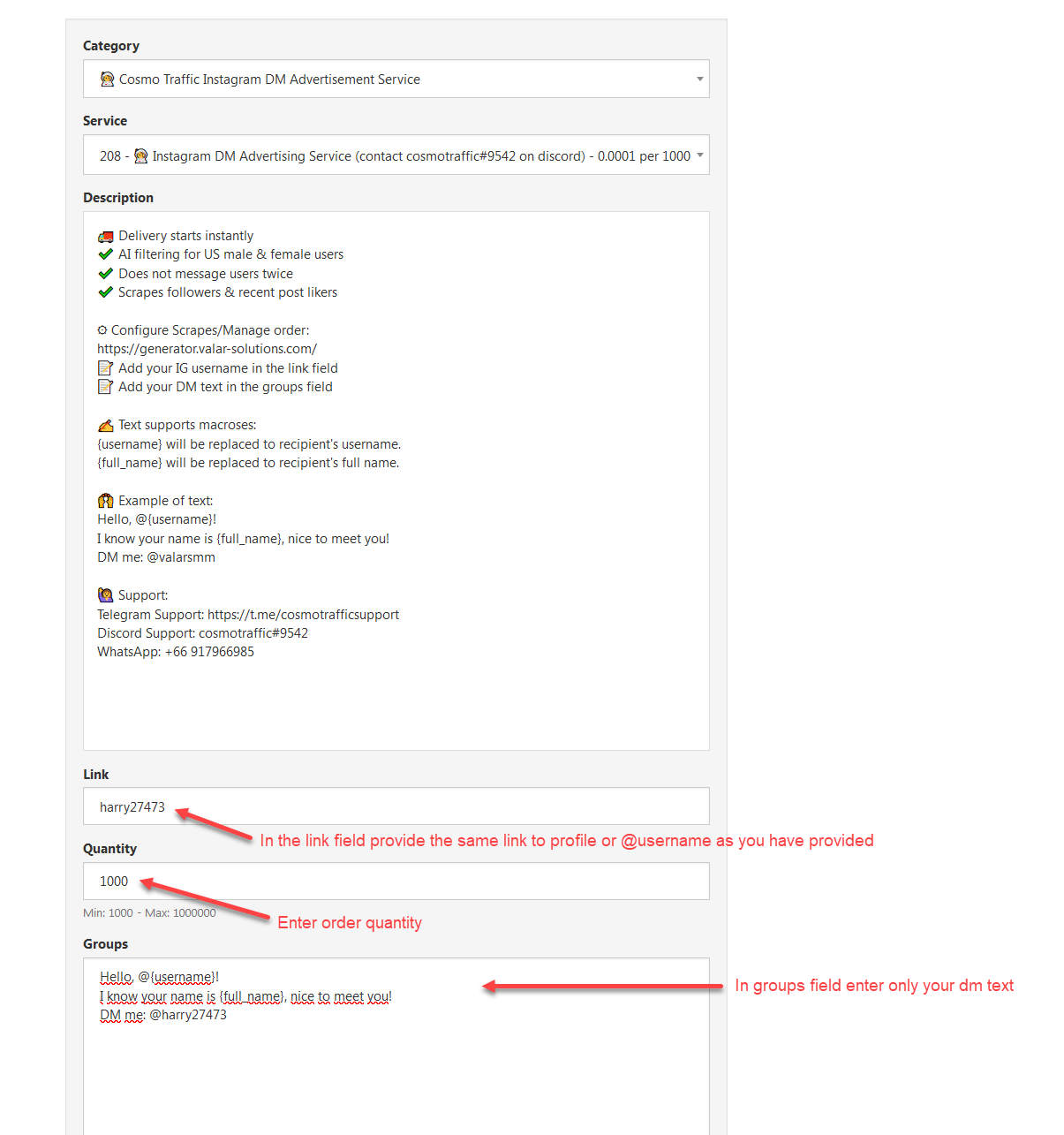
- Select service 208
- In the link field provide the same link to profile or @username as you have provided in scrape settings
- Enter order quantity
- In groups field enter only your dm text
- Submit
 Any BHW member registered 1+ month ago can receive free $1 trial
Any Jr. Vip member can receive free $10 trial
Post in this thread your username at valar-smm.com to receive test balance. Support:
Telegram Support: https://t.me/cosmotrafficsupportDiscord Support: cosmotraffic#9542
WhatsApp Support: +66 917966985


 Cosmo Traffic Instagram DM Advertisement Service
 How it works:
 Estimated Delivery Time: 1-24 Hours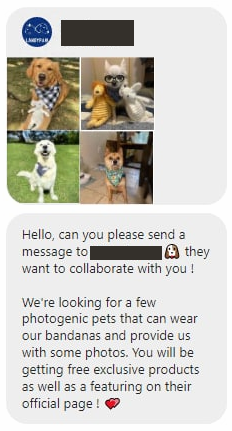


 Text supports macroses:
 For any resellers we can make a whitelabel of the service. Contact support for this.


