

Array Experts
Elite Member
- Sep 26, 2015
- 2,165
- 927
Hello,
I haven't shared here anything worthy from a long time.
I gained huge knowledge & also earned good money from this awesome community it's the time to giveback something worthy.
So straight forward i am in gmb business from a long time & I have done many experiment with maps, today i going to share golden method which i have learned from experiments.
I don't think i need to explain the power of gmb for local business.
Let's Start
What you need to create unclaimed GMB listings
1. Fresh Gmail account which was never used for gmb or gmap.
2. A Good vpn to avoid your IP blacklist
Let's Start
Step 1: Go to https://business.google.com/locations it will ask you to login just login with fresh email
Step 2: Click on Add Business fill the details.

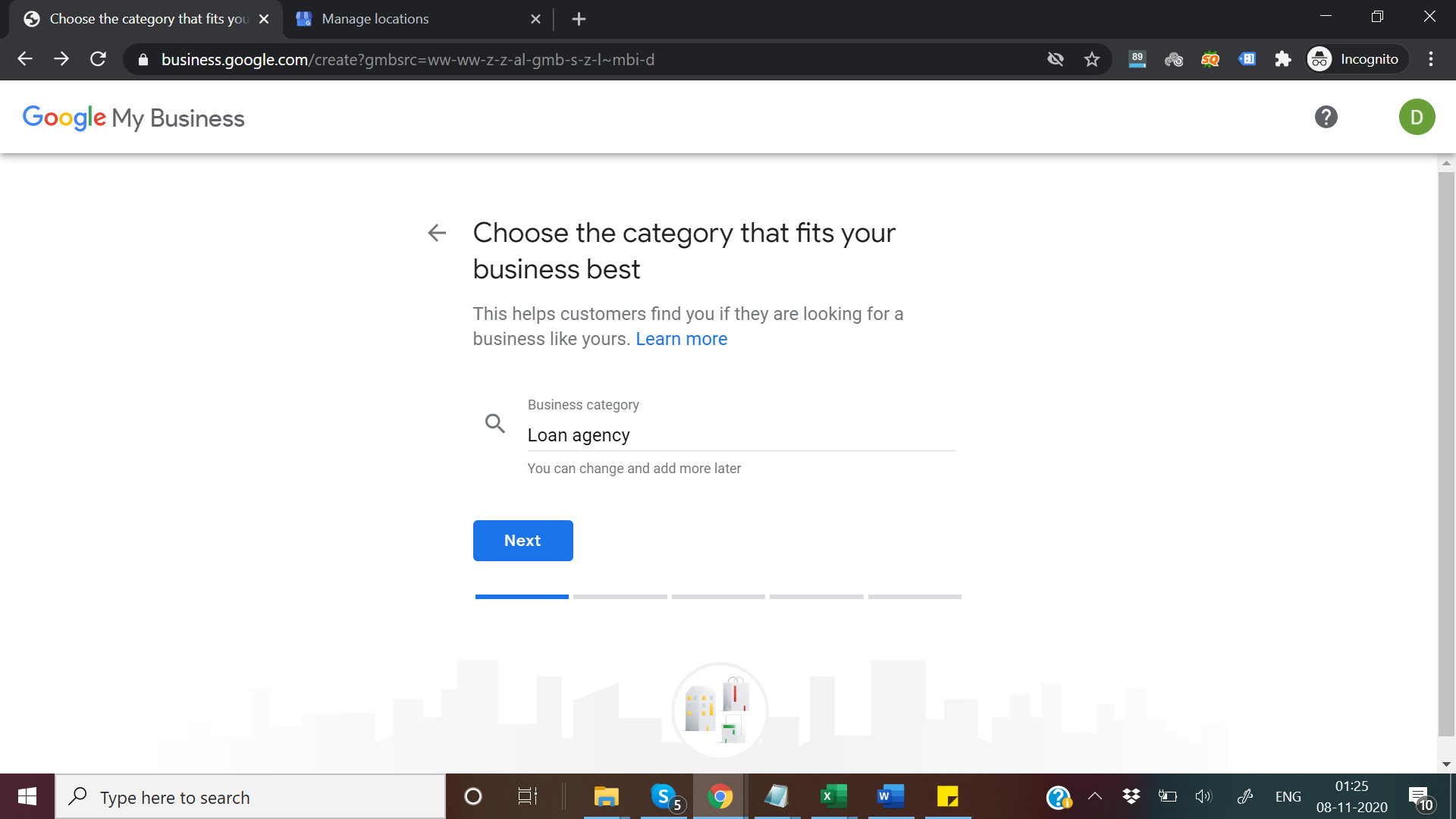
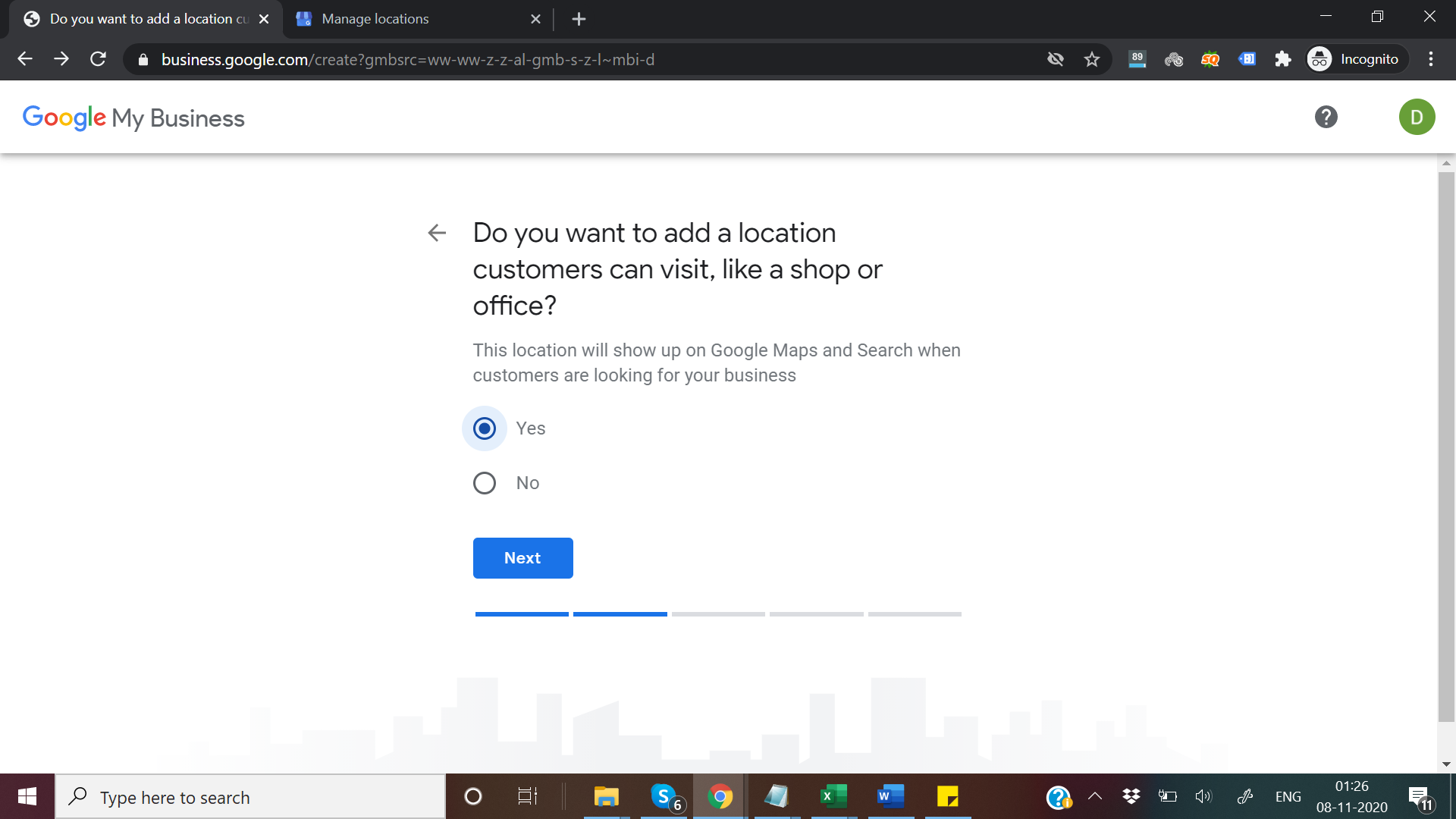
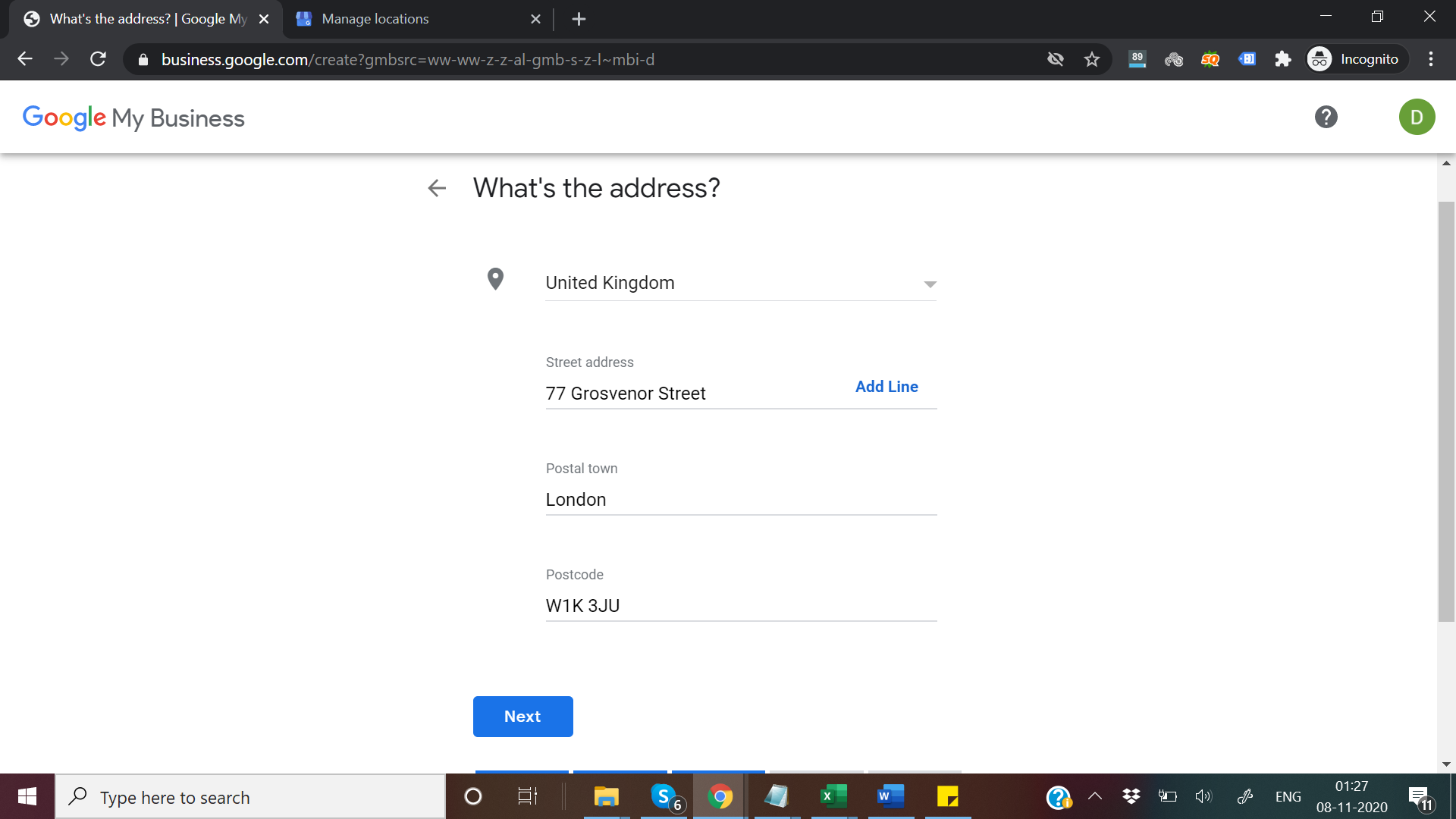
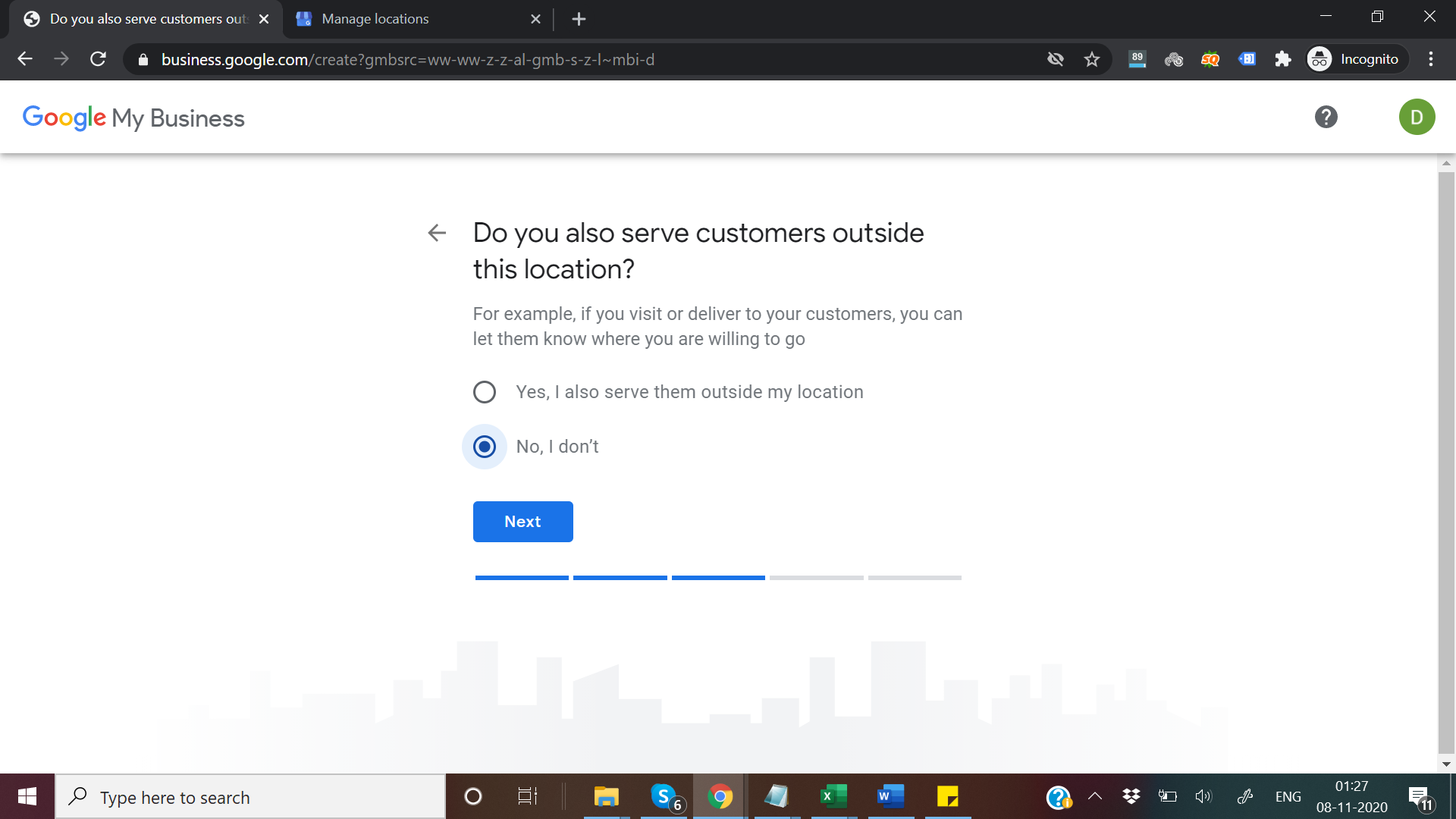
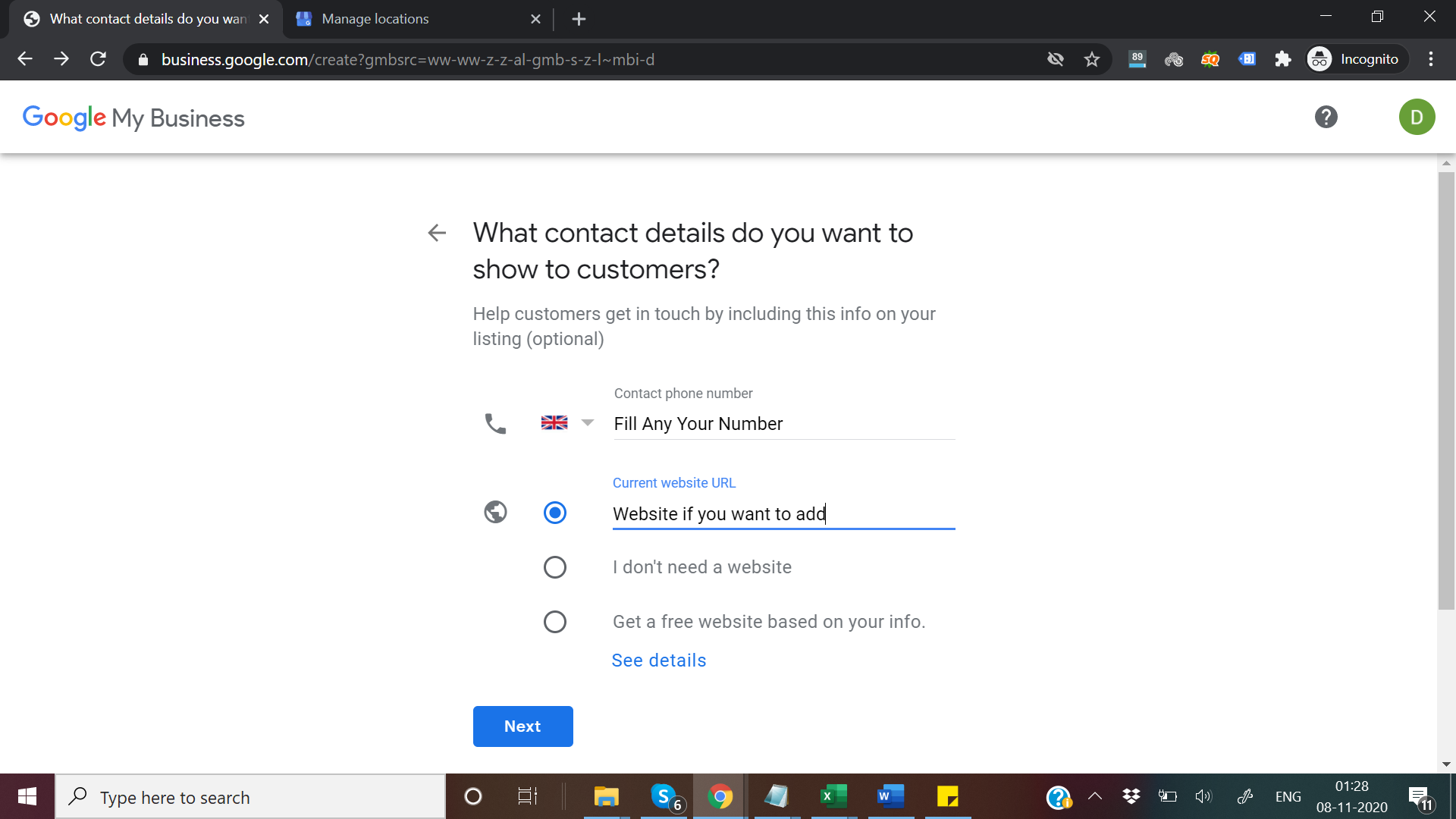
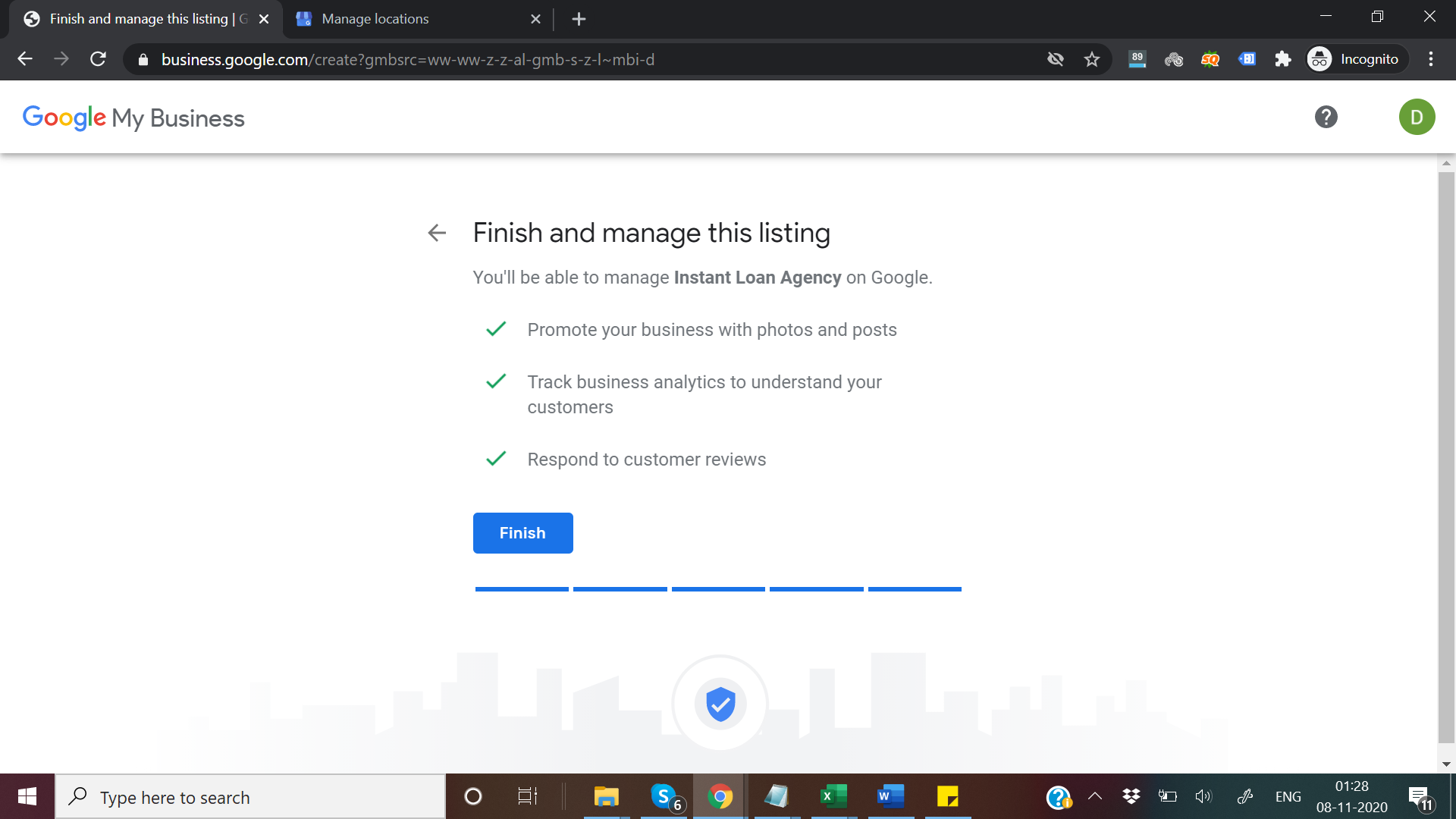
Once you click finish it will ask you choose verification just ignore it
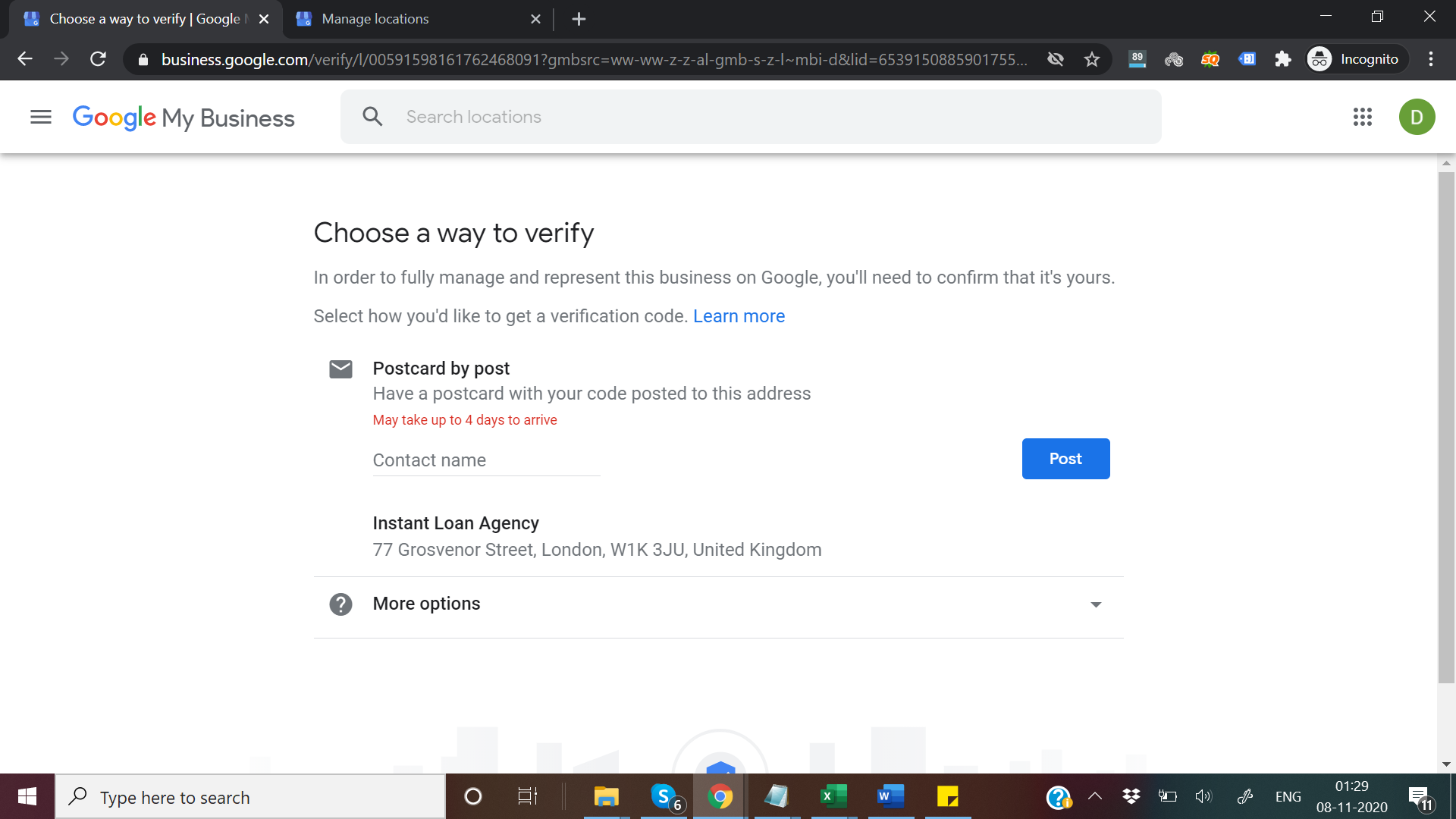
Step 3: Click on manage location
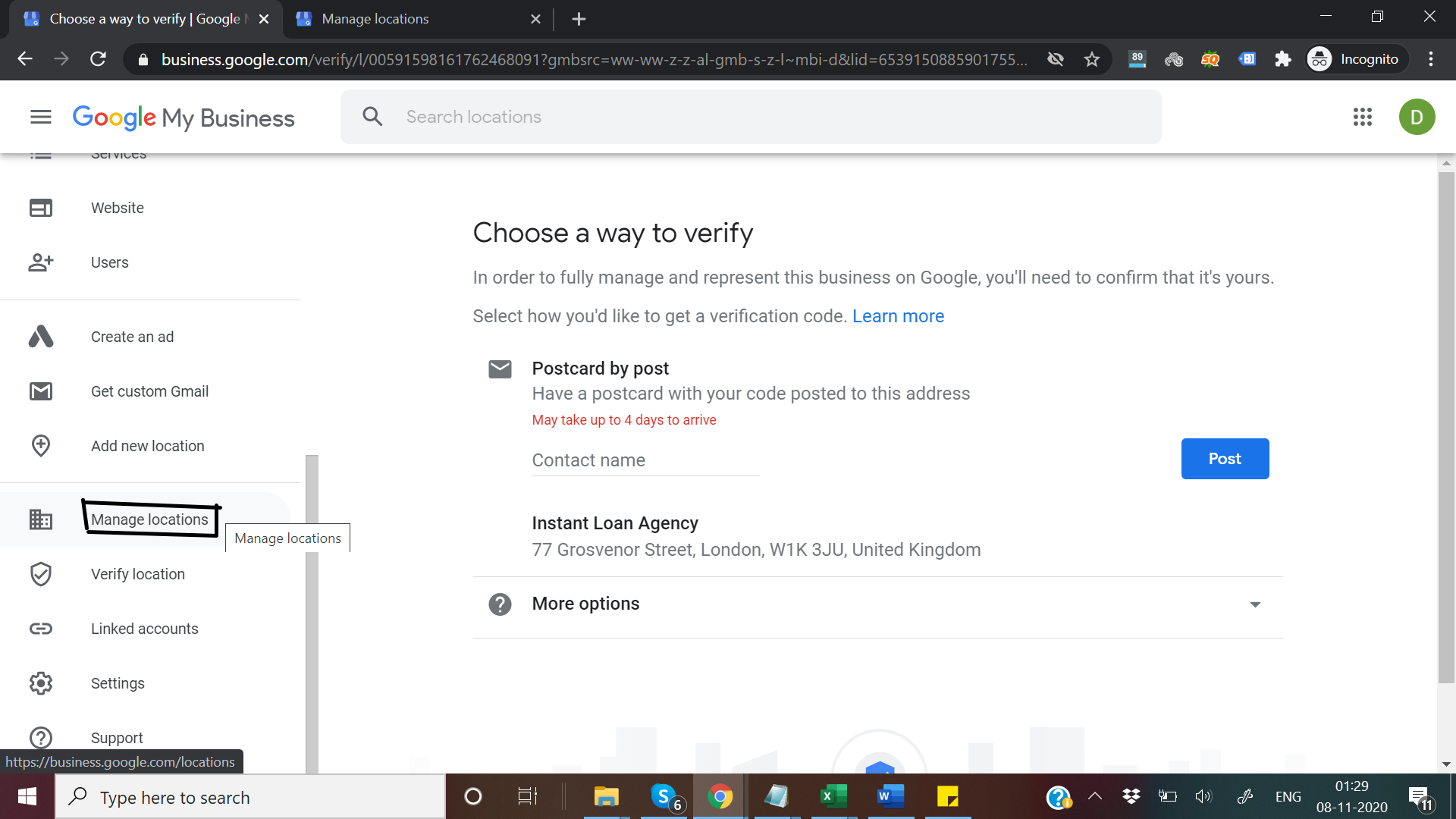
Now to info tab & click on finish button
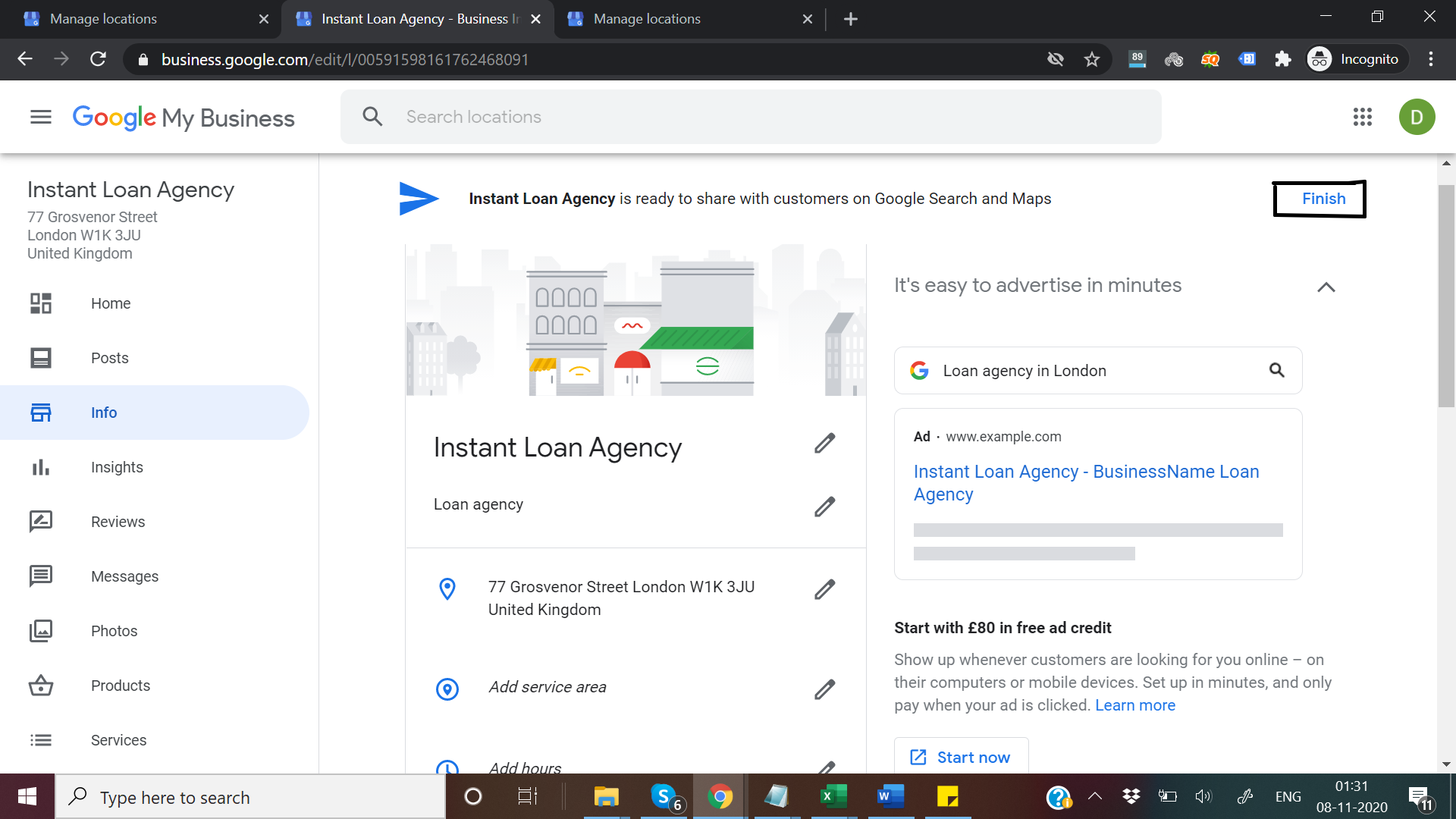
After clicking finish button it will show something like this
https://pasteboard.co/JziXDmJ.png
Just wait few second refresh & see google still verifying your information if you see something like this
https://pasteboard.co/JziYVuJ.png
Boom! Congrats your listing has been approved now the task is how to find listing because before without ownership you can't able to find url from dashboard so now what?
Step 4: Just search for the address on map what you filled in listing.
https://pasteboard.co/Jzj1iD7.png
Nothing found on map?
Nothing to worry whenever we add any new business it's takes time to show in google map & search but still you can find it easily just zoom in map & click near by address point
https://pasteboard.co/Jzj3d2r.png
Wow we found the listing we made
https://pasteboard.co/Jzj3zIt.png
Here listing url we i made https://goo.gl/maps/64tzGSiyERuUFDbMA
Now a days i am not too much active in the forum so may be i will not able to answer your questions
FAQ
Is this method anywhere?
No, As we all know google fighting hard with spam listings so it is currently working fine only in Europe.
Is it working for any category?
Again ans is no only easy non spammy category can get approved by this method.
Now Just your own experiments with gmb i can't cover all the thing. There are a lot of things you do with map you just need to understand how google my business or gmaps work.
- Array Experts
I haven't shared here anything worthy from a long time.
I gained huge knowledge & also earned good money from this awesome community it's the time to giveback something worthy.
So straight forward i am in gmb business from a long time & I have done many experiment with maps, today i going to share golden method which i have learned from experiments.
I don't think i need to explain the power of gmb for local business.
Let's Start
What you need to create unclaimed GMB listings
1. Fresh Gmail account which was never used for gmb or gmap.
2. A Good vpn to avoid your IP blacklist
Let's Start
Step 1: Go to https://business.google.com/locations it will ask you to login just login with fresh email
Step 2: Click on Add Business fill the details.
Once you click finish it will ask you choose verification just ignore it
Step 3: Click on manage location
Now to info tab & click on finish button
After clicking finish button it will show something like this
https://pasteboard.co/JziXDmJ.png
Just wait few second refresh & see google still verifying your information if you see something like this
https://pasteboard.co/JziYVuJ.png
Boom! Congrats your listing has been approved now the task is how to find listing because before without ownership you can't able to find url from dashboard so now what?
Step 4: Just search for the address on map what you filled in listing.
https://pasteboard.co/Jzj1iD7.png
Nothing found on map?
Nothing to worry whenever we add any new business it's takes time to show in google map & search but still you can find it easily just zoom in map & click near by address point
https://pasteboard.co/Jzj3d2r.png
Wow we found the listing we made
https://pasteboard.co/Jzj3zIt.png
Here listing url we i made https://goo.gl/maps/64tzGSiyERuUFDbMA
Now a days i am not too much active in the forum so may be i will not able to answer your questions
FAQ
Is this method anywhere?
No, As we all know google fighting hard with spam listings so it is currently working fine only in Europe.
Is it working for any category?
Again ans is no only easy non spammy category can get approved by this method.
Now Just your own experiments with gmb i can't cover all the thing. There are a lot of things you do with map you just need to understand how google my business or gmaps work.
- Array Experts


