

thegoldeneye
Power Member
- Oct 26, 2015
- 544
- 520
A year ago, I had a client asking me to make a website for her Beauty Center, and she wanted to list all her offers on the website with the price. So she wanted a pricing list. I found this plugin called Stylish Price List, and it looked nice, all I needed at the moment, but the client's budget was limited, so I didn't want to spend an additional $20 to get this plugin.
We need to support developers, and $20 is nothing honestly, but I was in a position where I needed to find this bug and to use it. It was also a challenge for me, so here comes the tutorial where I will show you how to do it.
PREMIUM FEATURES

These are premium features, and with the free (basic) option, you are limited to a few services and categories. I think it's less than 5.
STEP ONE: Download the plugin from wordpress.org
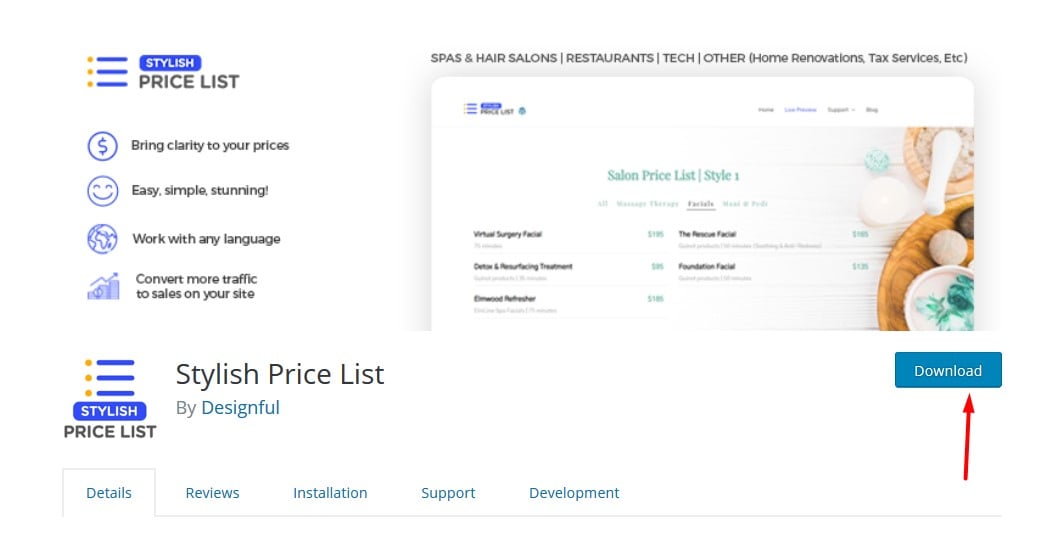
We need to be able to edit files before we upload the plugin on the website and activate it. Go to wordpress.org and download the Stylish Price List.
STEP TWO: Edit JavaScript file
After a while, I figured out that this JavaScript file is limiting us from using premium features.
The file can be found: /assets/js/pricelist-admin.js
What is limiting us here?
We have two things, and those are:
We need to replace that with a number, so I used "9999" because I know I won't use more than that.

So code is:
And that's all.
Let's check if it works:

NOTE: You can update this plugin, but keep in mind that you need to save this file and reupload or to do this again step by step. I recommend you just to save the file and to re-upload it again in the plugin directory.
You can report this as a bug, but... Let's keep this for us. There are many more plugins build this way, and if you know what to look, you will be able to find a hole and use it.3
I hope you will like this tutorial, and also I hope it will be helpful. If you have any questions, feel free.
We need to support developers, and $20 is nothing honestly, but I was in a position where I needed to find this bug and to use it. It was also a challenge for me, so here comes the tutorial where I will show you how to do it.
PREMIUM FEATURES
These are premium features, and with the free (basic) option, you are limited to a few services and categories. I think it's less than 5.
STEP ONE: Download the plugin from wordpress.org
We need to be able to edit files before we upload the plugin on the website and activate it. Go to wordpress.org and download the Stylish Price List.
STEP TWO: Edit JavaScript file
After a while, I figured out that this JavaScript file is limiting us from using premium features.
The file can be found: /assets/js/pricelist-admin.js
What is limiting us here?
We have two things, and those are:
- max_service_count
- max_cat_count
We need to replace that with a number, so I used "9999" because I know I won't use more than that.
So code is:
Code:
(service_rows_count>=9999)

if(cat_count>=9999)
And that's all.
Let's check if it works:
NOTE: You can update this plugin, but keep in mind that you need to save this file and reupload or to do this again step by step. I recommend you just to save the file and to re-upload it again in the plugin directory.
You can report this as a bug, but... Let's keep this for us. There are many more plugins build this way, and if you know what to look, you will be able to find a hole and use it.3
I hope you will like this tutorial, and also I hope it will be helpful. If you have any questions, feel free.
Last edited:


