JimHalpert
Supreme Member
- Jan 16, 2016
- 1,345
- 292
Hey all, I downloaded this mockup to learn more about editing them.
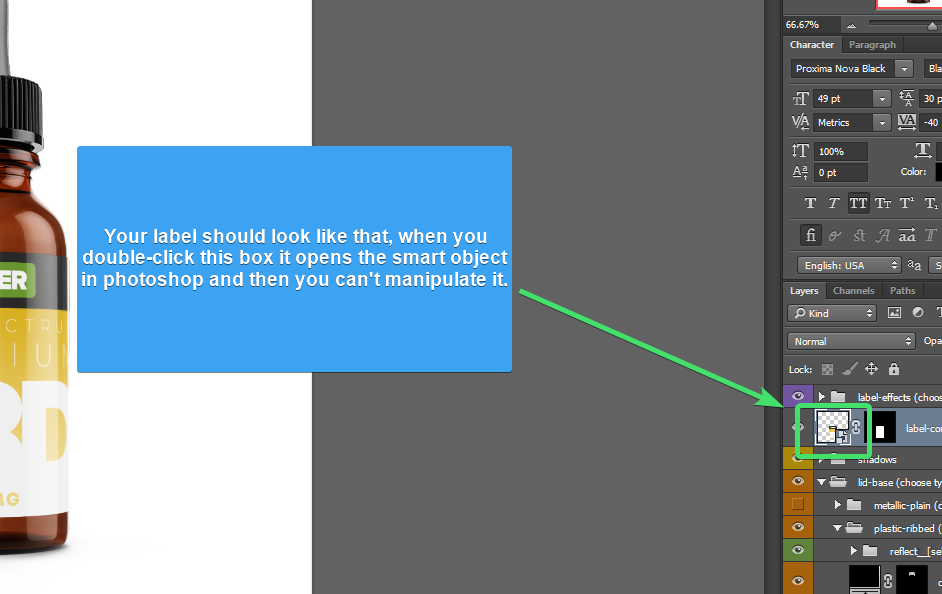
The readme instruction seems to indicate that I should double click on the label and logo: https://i.imgur.com/7KMLgTF.png
However, in my Photoshop CS6, when I try to double click on the label or logo (https://i.imgur.com/ABoiep4.png), all I get is this box that appears (https://i.imgur.com/r56nhQQ.png). I don't see any smart objects.
Can someone help me understand how to use it? Thanks.
Download link: https://www10.zippyshare.com/v/i2SSH2LH/file.html
Virustotal: https://www.virustotal.com/gui/url/...1c2ef7e8dd800349567eeb7b2a671cd6794/detection
The readme instruction seems to indicate that I should double click on the label and logo: https://i.imgur.com/7KMLgTF.png
However, in my Photoshop CS6, when I try to double click on the label or logo (https://i.imgur.com/ABoiep4.png), all I get is this box that appears (https://i.imgur.com/r56nhQQ.png). I don't see any smart objects.
Can someone help me understand how to use it? Thanks.
Download link: https://www10.zippyshare.com/v/i2SSH2LH/file.html
Virustotal: https://www.virustotal.com/gui/url/...1c2ef7e8dd800349567eeb7b2a671cd6794/detection