

RealDaddy
Repeatedly violating rules
- Jun 30, 2018
- 9,011
- 11,300
Hello BHW,
I am back with "How to get backlink from Wikipedia?"
IT'S A NOFOLLOW BACKLINK
Go here - https://www.wikipedia.org
And click "English"

Now click "create account"

Complete all the information required. And verify your email address.
You will see this page:-
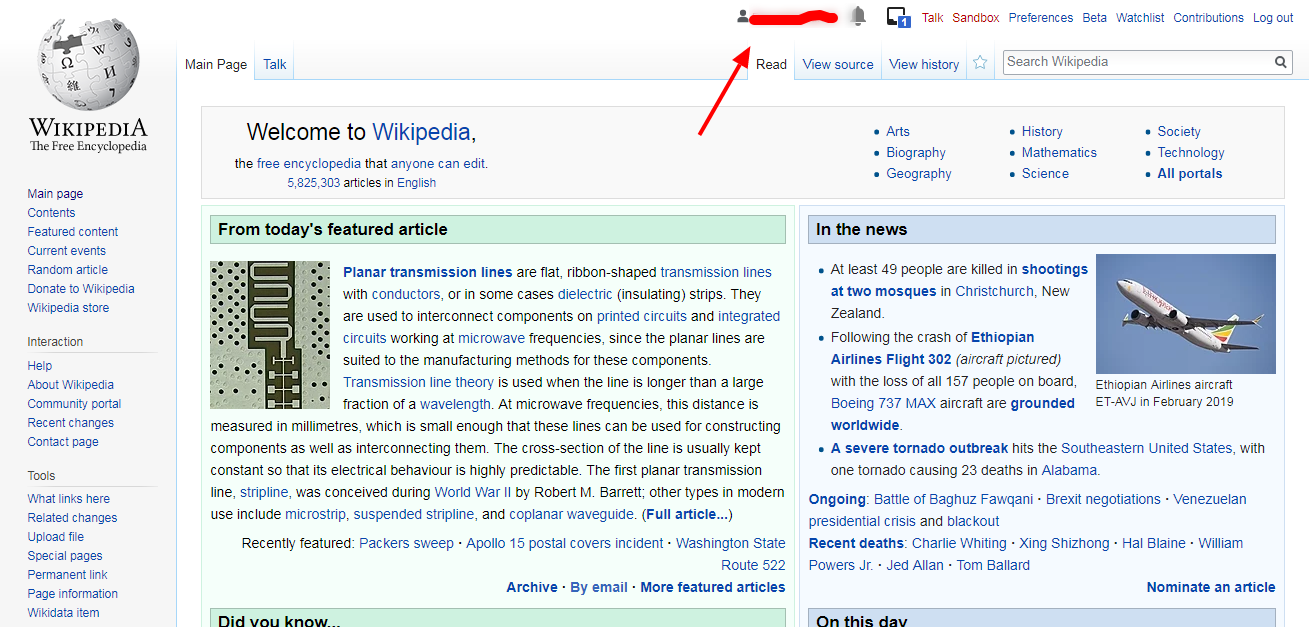
Now open a new tab and use this search stream.
site:wikipedia.org “your keyword” intext:”dead link”
For ex- "tourism" is our keyword.

And we will research "dead link" opportunity with the article marked in the image above.
After the article is opened, press "Ctrl" + "F"
And we found something...............

We found a dead link source.
Click "edit source"
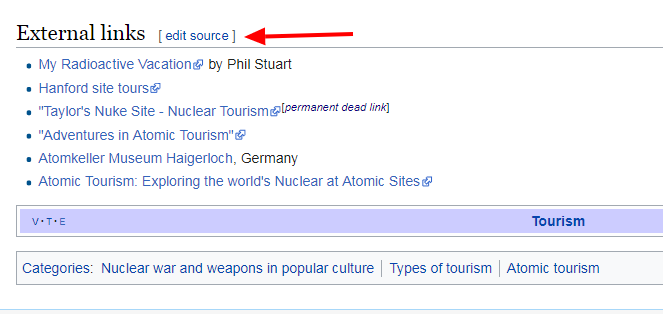
After clicking "edit source" --- you will see a pop-up.
Click "Start editing"
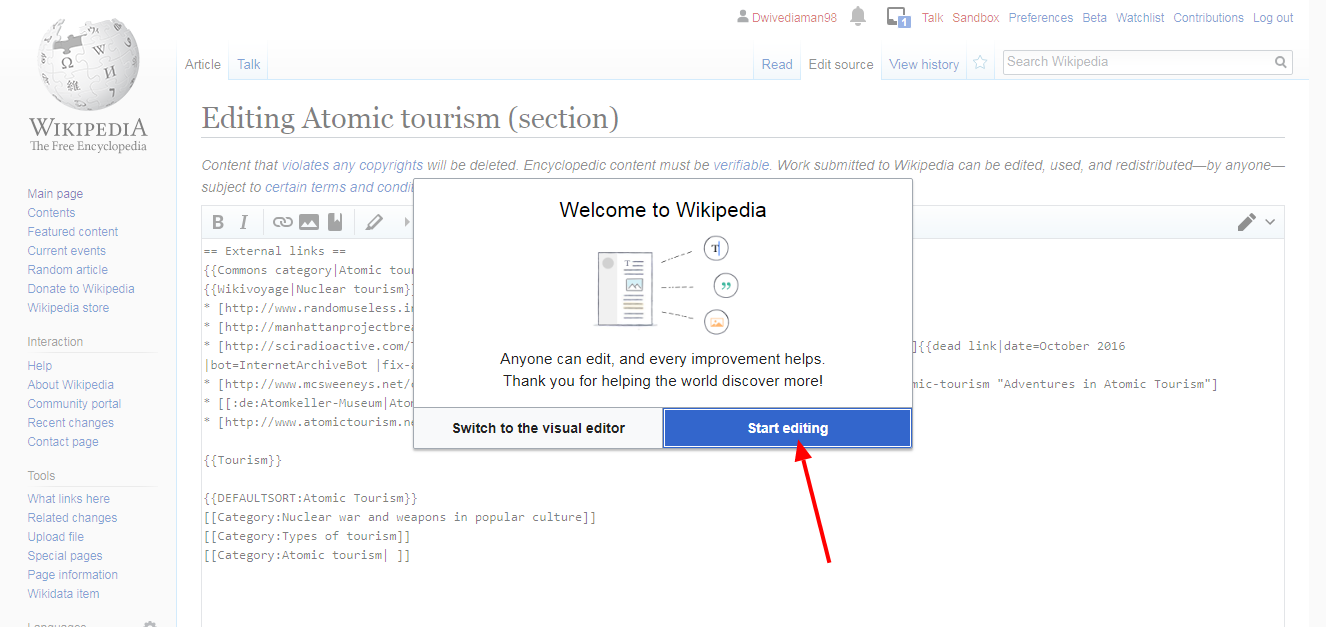
After that, just press "Ctrl" + "F"
and search "dead link"
The term will be highlighted.

Now just replace the dead link with your article URL and change the dead URL title with your title.
and also remove everything after that in that complete code. Below is what I removed --
{{dead link|date=October 2016 |bot=InternetArchiveBot |fix-attempted=yes }}
After that, click "Publish Changes"

You may need to solve a captcha.
End Result:-

NOTE:-
Wikipedia is very strict with promotion and ads.
So please think twice before you try getting a backlink from Wikipedia.
I am back with "How to get backlink from Wikipedia?"
IT'S A NOFOLLOW BACKLINK
Go here - https://www.wikipedia.org
And click "English"
Now click "create account"
Complete all the information required. And verify your email address.
You will see this page:-
Now open a new tab and use this search stream.
site:wikipedia.org “your keyword” intext:”dead link”
For ex- "tourism" is our keyword.
And we will research "dead link" opportunity with the article marked in the image above.
After the article is opened, press "Ctrl" + "F"
And we found something...............
We found a dead link source.
Click "edit source"
After clicking "edit source" --- you will see a pop-up.
Click "Start editing"
After that, just press "Ctrl" + "F"
and search "dead link"
The term will be highlighted.
Now just replace the dead link with your article URL and change the dead URL title with your title.
and also remove everything after that in that complete code. Below is what I removed --
{{dead link|date=October 2016 |bot=InternetArchiveBot |fix-attempted=yes }}
After that, click "Publish Changes"
You may need to solve a captcha.
End Result:-
NOTE:-
Wikipedia is very strict with promotion and ads.
So please think twice before you try getting a backlink from Wikipedia.


