

Christian Lowe
Newbie
- Jul 15, 2017
- 47
- 158
LEVERAGING YOUR FOLLOWERS & INTERACTORS FOR GROWTH
Hopefully you have either gone through my hashtag tutorial or have a basic understanding of how hashtags work and have started to grow your Instagram following and have followers who are interacting with your content. Now let’s do something with those followers and leverage them to grow your account even more!
Why and How Can we Use Our Followers to Grow Our Account?
When you started on your Instagram journey, you decided on a niche that you felt you could grow effectively. By using specific hashtags you are able to target that niche and users are able to find your account posts when using the ‘Explore’ feature on Instagram. Now you know those users are at least interested in your niche as well and may have followers who are interested in the same or similar content.
Before explaining how we can go about this let’s get a few definitions out of the way
Although we want followers, what you really want are followers who interact with your account since we want to eventually monetize it somehow.
Now there are two ways to go about this
Even though I generally prefer the easiest route possible, I prefer the second method here as long as it’s manageable. Although it’s a little more work because we look each account to see if the content is similar, it will provide us a better source if the content the account posts is closely related to our niche.
Using the same gymquote theme from the last post and continuing let’s take a look at what we have so far.

One day growth with 5 new followers. We could be growing a little more by adding more hashtags, but right now I am super targeting the niche, and it’s a brand new account so I’m not really worried about it as this point.
Let’s look at two of the accounts that are following me and whether we would want to add their followers/interactors as sources.
Account 1 –
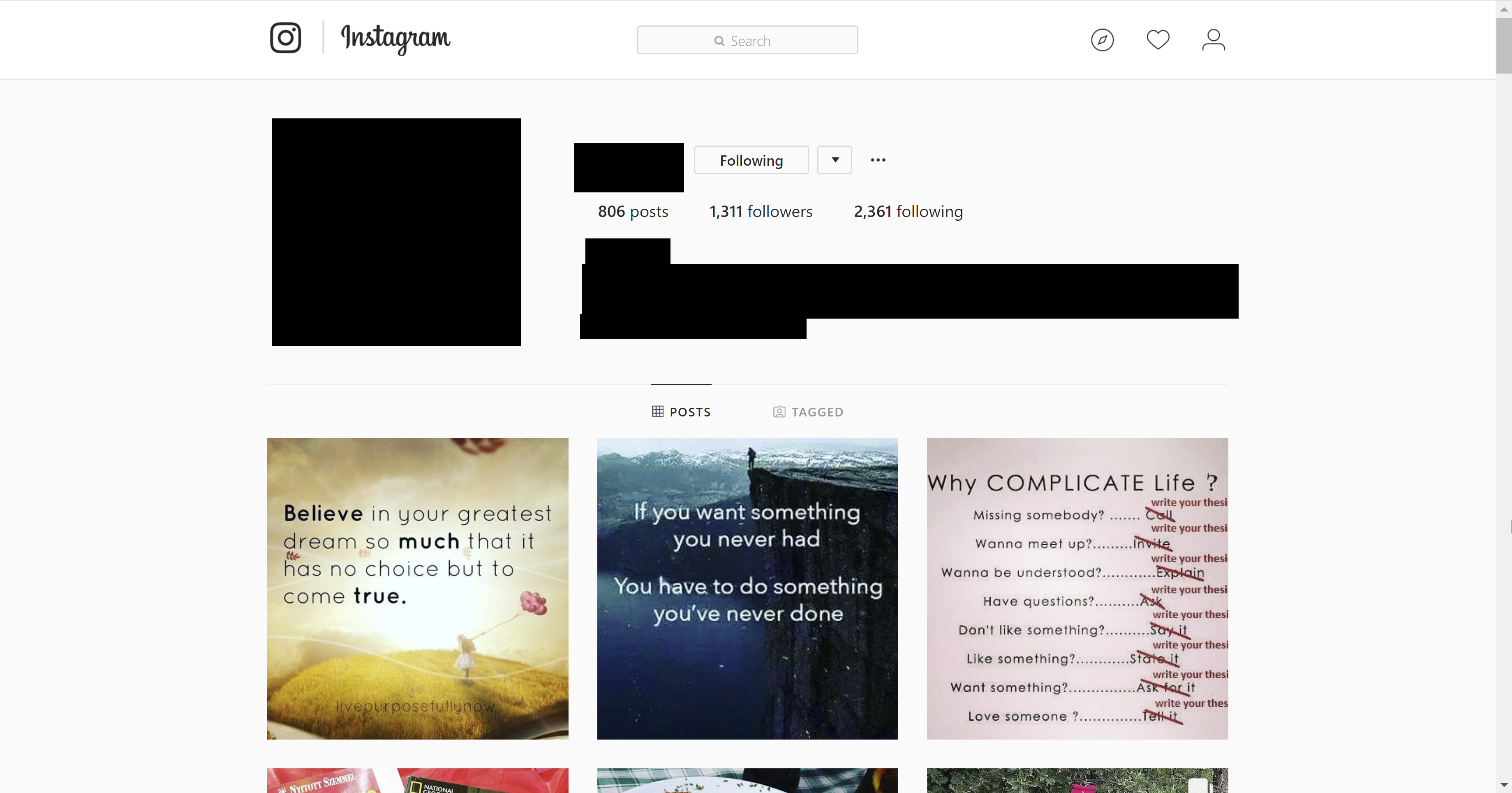
This account looks like it has similar posts to what I am posting so there is a good chance that the followers of this account would like my content too, and there is an even greater chance that the interactors of this account would like my content to.
Conclusion – Add it as a source.
Account 2 –
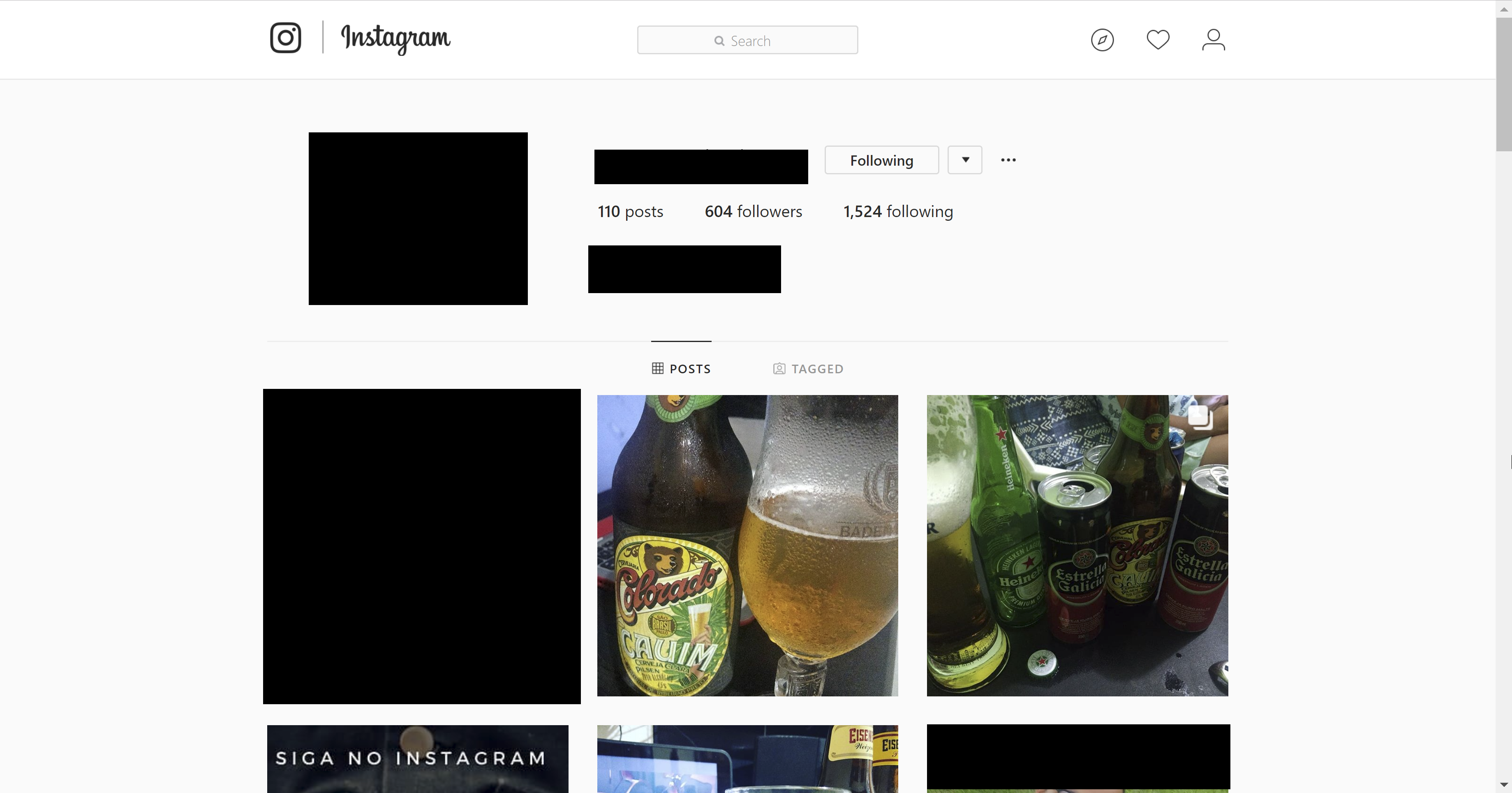
Although this account followed me showing an interest in my content, this account’s posts are mainly about alcohol. While there is a chance that the followers/interactors of this account might like the content I am posting, it’s less likely since it’s a completely difference niche.
Conclusion – Don’t add it as a source.
Account 3 –

Although this account doesn’t look like it will have as many posts like mine (gymquote posts) it does look like it has a related niche – fitness videos, quotes, photos and videos. Just like the first account, there is a good chance the followers of this account will like my content and an even better chance that the interactors of this account will like my content.
Conclusion – Add it as a source
Keep in mind that you don’t have to look at them and separate them like I did. If you want to add any and all followers of your account as a source then go for it. I’m just simply showing you what I believe is the best method to get the greatest return and look the least like spam.
Adding the Account as a Source in Your Tool
I use FollowPlanner. I personally love it. It gives me the data I need, is easy to use and specialized to Instagram. I don’t have any experience with Jarvee or any other tool, but there should be away for you to do something like the following:
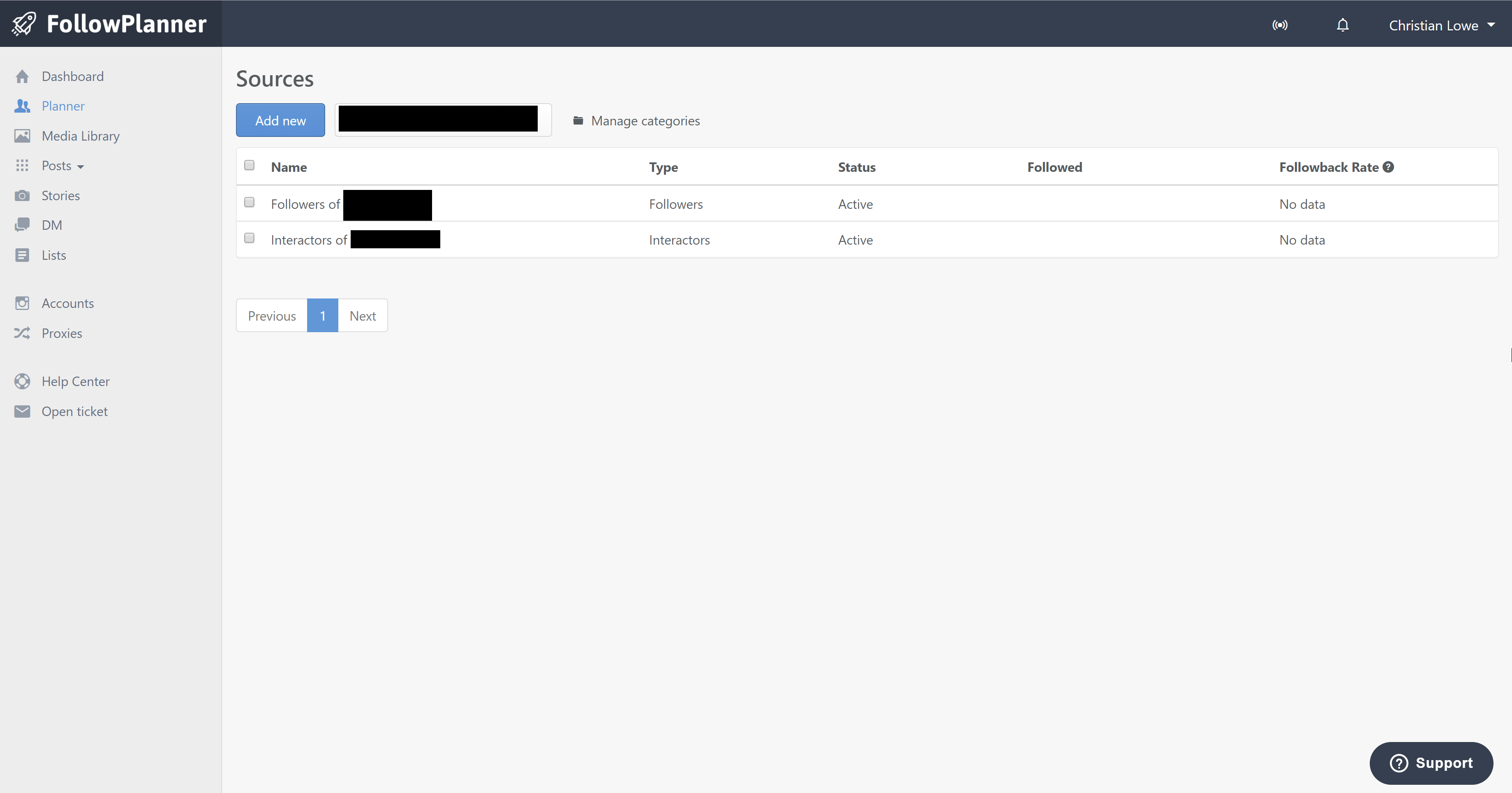
1. Create a Source Folder with the Name ‘NameOfAccount Followers’

2. Click ‘Add new’

3. Search for the user and then add the followers, interactors or both. With the case of FollowPlanner, I would do both and see which one gets you a better follow back ratio.

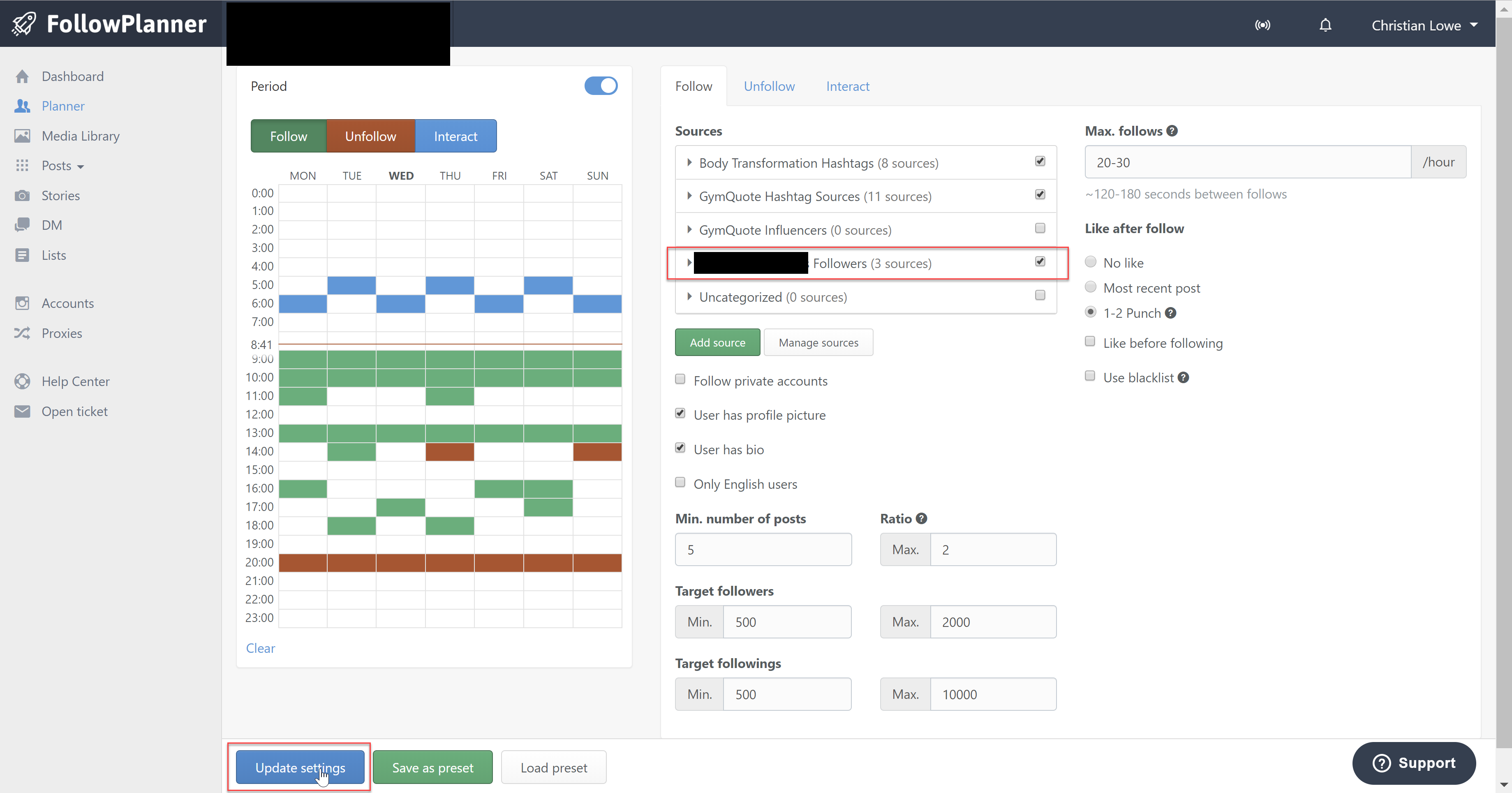
4. Go back to your main planner page and add the folder as a source and click ‘Update Settings’
If you aren’t using an automation tool like FollowPlanner, you could create a spreadsheet and systematically follow/unfollow people from each account though it would be much more work. If you are going to go with this method, then here are the columns I suggest
Once you follow them, give at least three days until you go back and unfollow which is easily done by going to the source account, clicking (or tapping) on their followers and starting with the username in the spreadsheet and ending with the username in the spreadsheet.
Hopefully you have either gone through my hashtag tutorial or have a basic understanding of how hashtags work and have started to grow your Instagram following and have followers who are interacting with your content. Now let’s do something with those followers and leverage them to grow your account even more!
Why and How Can we Use Our Followers to Grow Our Account?
When you started on your Instagram journey, you decided on a niche that you felt you could grow effectively. By using specific hashtags you are able to target that niche and users are able to find your account posts when using the ‘Explore’ feature on Instagram. Now you know those users are at least interested in your niche as well and may have followers who are interested in the same or similar content.
Before explaining how we can go about this let’s get a few definitions out of the way
Followers – People who just follow
Interactors – People who comment/like the posts of accounts but may or may not follow them
Interactors – People who comment/like the posts of accounts but may or may not follow them
Although we want followers, what you really want are followers who interact with your account since we want to eventually monetize it somehow.
Now there are two ways to go about this
1. We can blatantly follow the followers/interactors of every account that followers ours
2. We can look at the account of our followers and see if they have related content and then add their followers/interactors to our source
2. We can look at the account of our followers and see if they have related content and then add their followers/interactors to our source
Even though I generally prefer the easiest route possible, I prefer the second method here as long as it’s manageable. Although it’s a little more work because we look each account to see if the content is similar, it will provide us a better source if the content the account posts is closely related to our niche.
Using the same gymquote theme from the last post and continuing let’s take a look at what we have so far.
One day growth with 5 new followers. We could be growing a little more by adding more hashtags, but right now I am super targeting the niche, and it’s a brand new account so I’m not really worried about it as this point.
Let’s look at two of the accounts that are following me and whether we would want to add their followers/interactors as sources.
Account 1 –
This account looks like it has similar posts to what I am posting so there is a good chance that the followers of this account would like my content too, and there is an even greater chance that the interactors of this account would like my content to.
Conclusion – Add it as a source.
Account 2 –
Although this account followed me showing an interest in my content, this account’s posts are mainly about alcohol. While there is a chance that the followers/interactors of this account might like the content I am posting, it’s less likely since it’s a completely difference niche.
Conclusion – Don’t add it as a source.
Account 3 –
Although this account doesn’t look like it will have as many posts like mine (gymquote posts) it does look like it has a related niche – fitness videos, quotes, photos and videos. Just like the first account, there is a good chance the followers of this account will like my content and an even better chance that the interactors of this account will like my content.
Conclusion – Add it as a source
Keep in mind that you don’t have to look at them and separate them like I did. If you want to add any and all followers of your account as a source then go for it. I’m just simply showing you what I believe is the best method to get the greatest return and look the least like spam.
Adding the Account as a Source in Your Tool
I use FollowPlanner. I personally love it. It gives me the data I need, is easy to use and specialized to Instagram. I don’t have any experience with Jarvee or any other tool, but there should be away for you to do something like the following:
1. Create a Source Folder with the Name ‘NameOfAccount Followers’
2. Click ‘Add new’
3. Search for the user and then add the followers, interactors or both. With the case of FollowPlanner, I would do both and see which one gets you a better follow back ratio.
4. Go back to your main planner page and add the folder as a source and click ‘Update Settings’
If you aren’t using an automation tool like FollowPlanner, you could create a spreadsheet and systematically follow/unfollow people from each account though it would be much more work. If you are going to go with this method, then here are the columns I suggest
· Source Username – the account whose followers you are targeting
· Start Follow Username – where you started in their list of followers
· End Follow Username – where you ended in their list of followers
· Date – the date which you did it
· Start Follow Username – where you started in their list of followers
· End Follow Username – where you ended in their list of followers
· Date – the date which you did it
Once you follow them, give at least three days until you go back and unfollow which is easily done by going to the source account, clicking (or tapping) on their followers and starting with the username in the spreadsheet and ending with the username in the spreadsheet.


