Blackwindow
Regular Member
- Apr 11, 2014
- 228
- 31
How I add Ipv6?


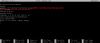
Please check the Pic, everytime Im getting this same problem.after giving command 23, it says not found, while i have entered 3proxy path correctly /etc/3proxy/3proxy.cfg ..
Anyone ??

View attachment 104623
Please check the Pic, everytime Im getting this same problem.
There is some problem with 3proxy.cfg file path. use this path /etc/3proxy/cfg/3proxy.cfg( .pid at two other places) instead of /etc/3proxy/3proxy.cfg(.pid) , in file "nano scripts/rc.d/proxy.sh"Mind sharing how you got past that phase? i'm stuck :/
Also i didn't see the allow option in .cfg
There is some problem with 3proxy.cfg file path. use this path /etc/3proxy/cfg/3proxy.cfg( .pid at two other places) instead of /etc/3proxy/3proxy.cfg(.pid) , in file "nano scripts/rc.d/proxy.sh"
It worked perfectly for me.
Follow this tutorial->( It's not in english but you can understand by visuals)
If you follow the above tutorial, you'll not see anything in cfg file so just copy and paste below code there (use your IP) , Then proceed further
!/usr/local/bin/3proxy
daemon
pidfile /etc/3proxy/3proxy.pid
auth strong
nserver 8.8.8.8
nscache 65536
timeouts 1 5 30 60 180 1800 15 60
users: UsernameHere:CL: asswordHere
allow UsernameHere
proxy -n -a -p8254 -i0.0.0.0 -e0.0.0.0

Checkout these pics..Hey man thanks so much for replying quickly, i did what you told me and replaced the path but now i'm getting this error :
Please take a look and tell me what i'm doing wrong :
Checkout these pics..
Thanks man all done! I think the script is working but when i test the proxy it doesn't work and times out :
Try by not changing this path(see pic), also must run this command after editing 3proxy.cfg -> chmod 0777 3proxy.cfg .
It should work.
 assword i put in new made up ones, should i put the ones that ar on my vps pannel? i'm going crazy
username and password can be anything. and use this site to check proxy > http://www.proxy-checker.org/Still not working, in the username:CL
username and password can be anything. and use this site to check proxy >
I was trying this on amazon aws ubuntu server, and I'm getting the same problem as yours.I checked and it says that my proxy is dead although i can ping my vps ip :/