Hamid Mirza
Newbie
- Sep 2, 2017
- 7
- 0
I have been looking across the web for the last three days for a solution to this. I am estimating I have spent about 13 hours of the last three days trying to figure this out. I give up; I need help.
I have tried no less than 8 different plugins, 3-4 of them have raving reviews that say something like, “Wow, this was so simple even I (a coding-handicap person) could use it.”
Because none of those work, I am thinking there is something in my site origin theme that is causing the problem.
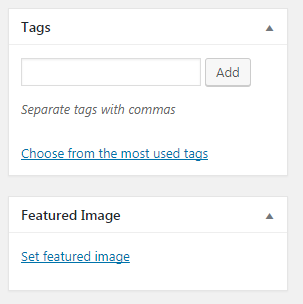
I know how to set a link to a regular image within my post, but the featured image does not set the caption, description, or anything else. The featured image doesn’t even link to the image file on my server.
How do I get that feature image to be “clickable” so someone can click it and go to the photographer’s website.
Thanks for any and all guidance on this issue!
I have tried no less than 8 different plugins, 3-4 of them have raving reviews that say something like, “Wow, this was so simple even I (a coding-handicap person) could use it.”
Because none of those work, I am thinking there is something in my site origin theme that is causing the problem.
I know how to set a link to a regular image within my post, but the featured image does not set the caption, description, or anything else. The featured image doesn’t even link to the image file on my server.
How do I get that feature image to be “clickable” so someone can click it and go to the photographer’s website.
Thanks for any and all guidance on this issue!