Issue posting with Followliker. Help?

AnubisRules

Newbie
Joined
Mar 9, 2016
Messages
40
Reaction score
12
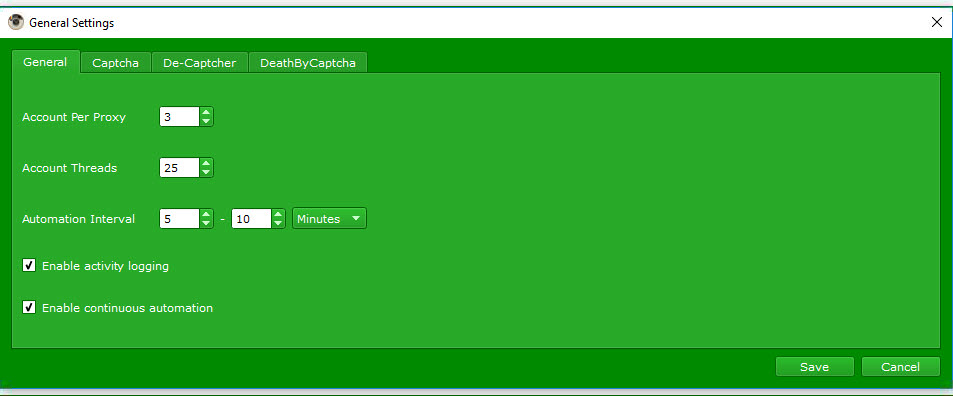
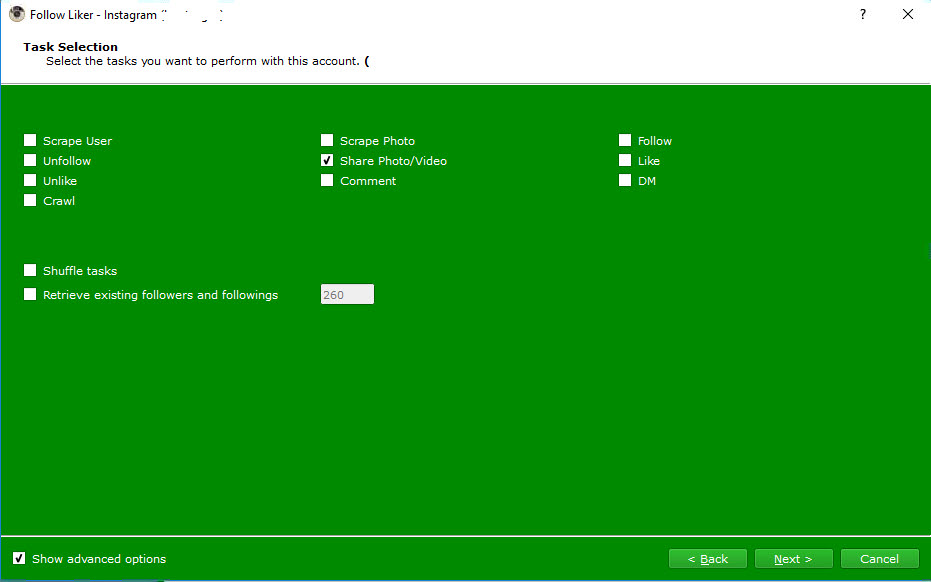
Hi, I've been trying to get followliker to post one image randomly chosen from a folder once a day at a set time. trying to get the settings right seems a bit of a challenge. One time it posts 3 images regardless of daily share limits or it doesn't post at all.

I have the feeling that I'm not seeing the forest for the trees. I could use some help. What am I doing wrong? Below are screenshots of my settings.
nHDBIEe


JGeMW94


JupvRIo


yAhsruT


Any help is sincerely appreciated.

A.
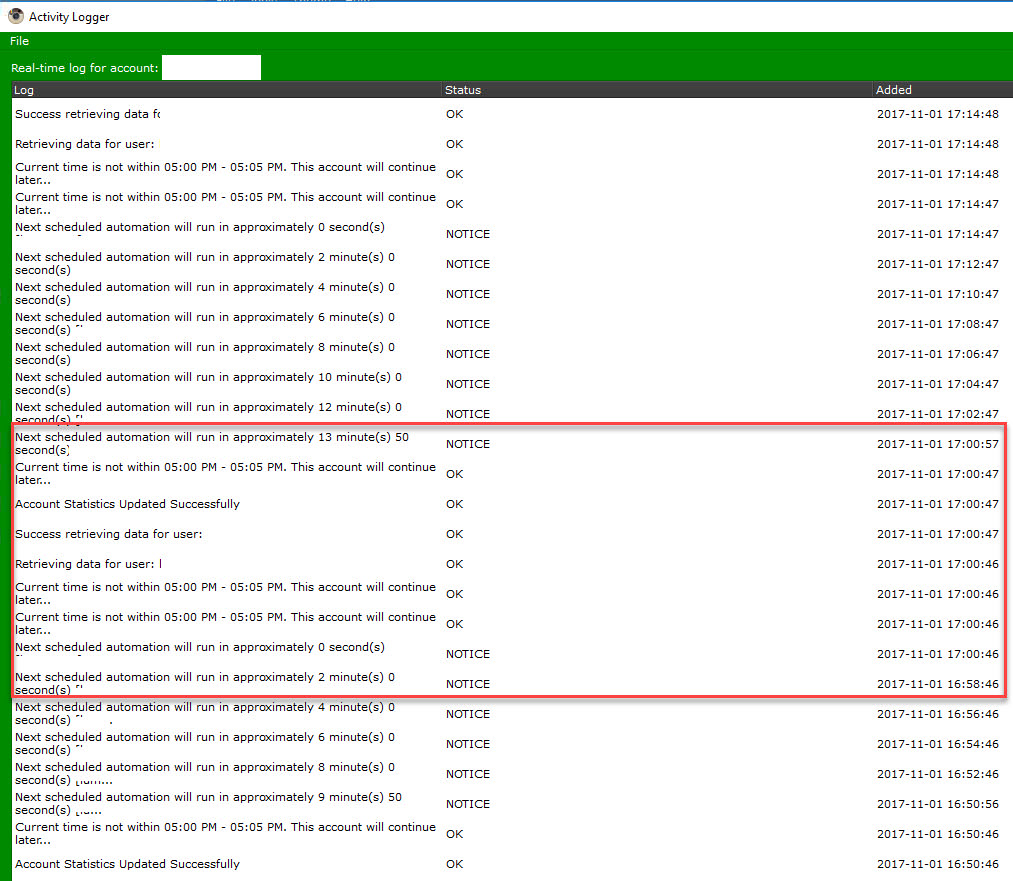
 
I always found that looking at the activity log for FL is a good way to look deeper into the problem, what does your activity log show when you're trying to post?
 
I always found that looking at the activity log for FL is a good way to look deeper into the problem, what does your activity log show when you're trying to post?

Thank you for looking at this. The log is strange.

ScIERH3


as I understand it (please correct me if I am wrong), at 1700 it decided that the time was not between 1700-1705 so it did not post?
 
This appears to be a clock issue.

First thing I would try is to expand your time to maybe an hour or two hour window and see if that fixes your problem.

I would also consider turning down the general automation settings to 1-2 minutes.

I have found the internal clock can be off and not run on the dot. What could be happening is that the internal clock is saying it is going to try in X time, but the clock is off so it doesnt recognize the time as being in the window you want.

I know it is not 100% fix answer for you, and kind of generic, but it atleast gives you a starting point.
 
This appears to be a clock issue.

First thing I would try is to expand your time to maybe an hour or two hour window and see if that fixes your problem.

I would also consider turning down the general automation settings to 1-2 minutes.

I have found the internal clock can be off and not run on the dot. What could be happening is that the internal clock is saying it is going to try in X time, but the clock is off so it doesnt recognize the time as being in the window you want.

I know it is not 100% fix answer for you, and kind of generic, but it atleast gives you a starting point.

This. Basically just narrowing down the list of possible problems.
 
partial success:

I set up a timed post and it didn't process. log showed the same error as previously "time is not within 5:00 etc". I realized my pc's system time was set in 24hrs format for the pc was showing 20:04. I changed the posting time to 9pm and changed the system to 12hrs format. it posted. Great.

so I added another scheduled post for this morning.
It posted the same image 3 times and kept trying to post it over and over.
I'll grab a screenshot of the logs as soon as possible.


zVBjpYh
 
Back
Top