Personally, if I am going to invest in a performance optimization plugin I would go with Flying Press instead of WP Rocket.
I am an active member of many WP page speed and performance optimization groups on Facebook as well on WP Rocket FB group and there are a lot of complaints regarding the effectiveness of WP Rocket.
Especially when it comes to CSS and JS delivery optimization as well as image optimization and, as you can imagine, these components are CRITICAL when it comes to improving a site´s performance or page loading speed.
Now, I took the liberty of checking your site´s Google PageSpeed Insights (GPSI )results and this is what I can see...
THEME
I have never heard of EasyWeb theme and it looks like it´s no longer available on ThemeForest...
https://themeforest.net/item/easyweb-wp-theme-for-hosting-seo-and-webdesign-agencies/14881144?ref=Datasata
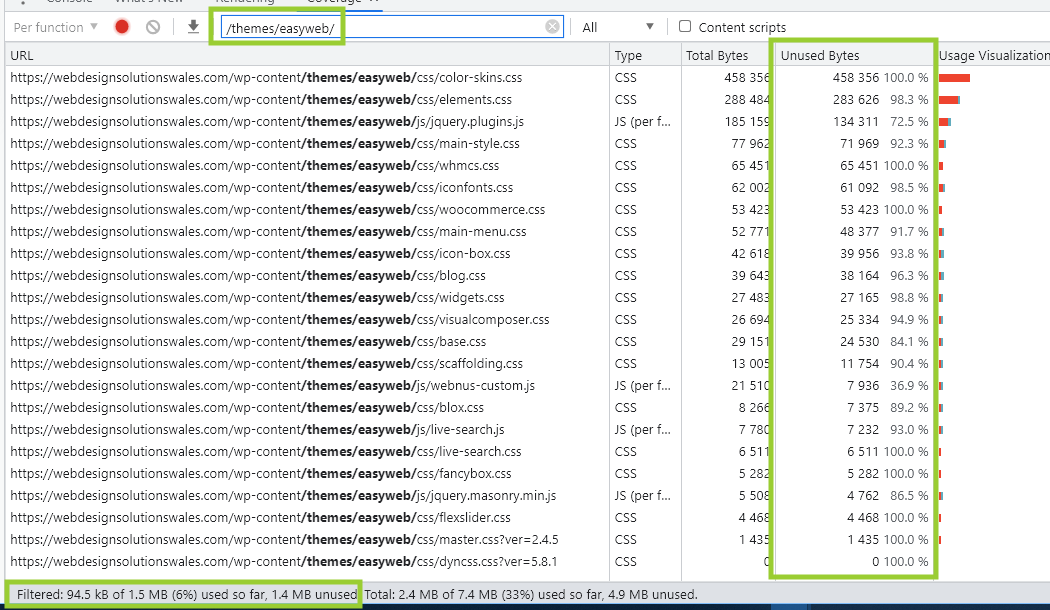
The theme is loading an awfully large number of resources (CSS and JS) that are not even being used...
1.4 MB of unused resources JUST coming from the theme it´s a clear sign (at least to me) this is a poorly coded theme so, I would suggest changing themes to a more light-weight, fast-loading, fully customizable one.
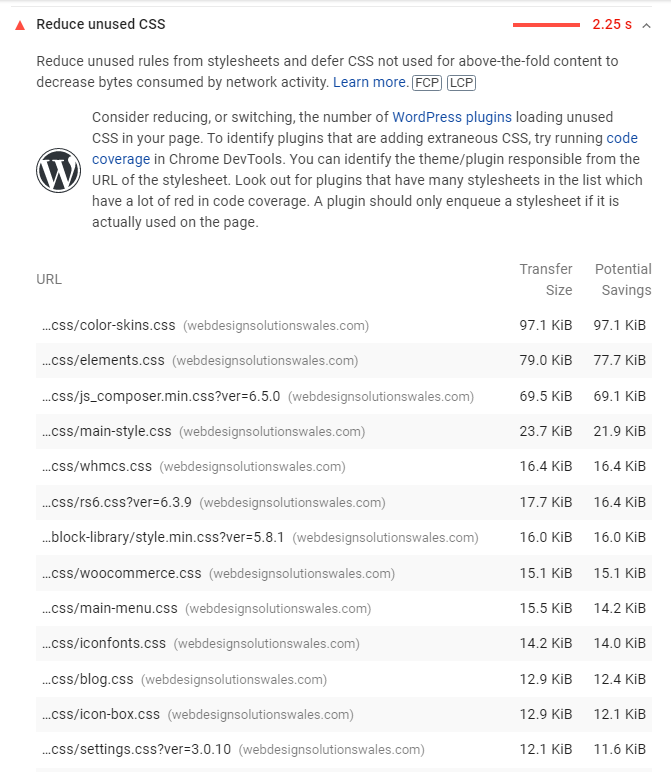
In fact, most of the issues triggered inside GPSI when it comes to Remove Unused CSS are related to the theme...
These are my top choices...
GeneratePress
Astra
Neve
OceanWP
PLUGINS
This wouldn´t be my top choice when it comes to page builders. I prefer Elementor and even Divi before using VC.
According to Chrome DevTools, VC is loading a bit more than 500 KiB of unused resources to the page.
I am often against using sliders anywhere in the above-the-fold content (hero header section) as it creates too much stress especially for mobile devices and, one of the slider plugins that negatively affects performance the most is RevSlider by far.
I know it creates stunning animations that jump in the eye but that often comes with a trade-off and its usual performance.
Personally, I would use them below the fold.
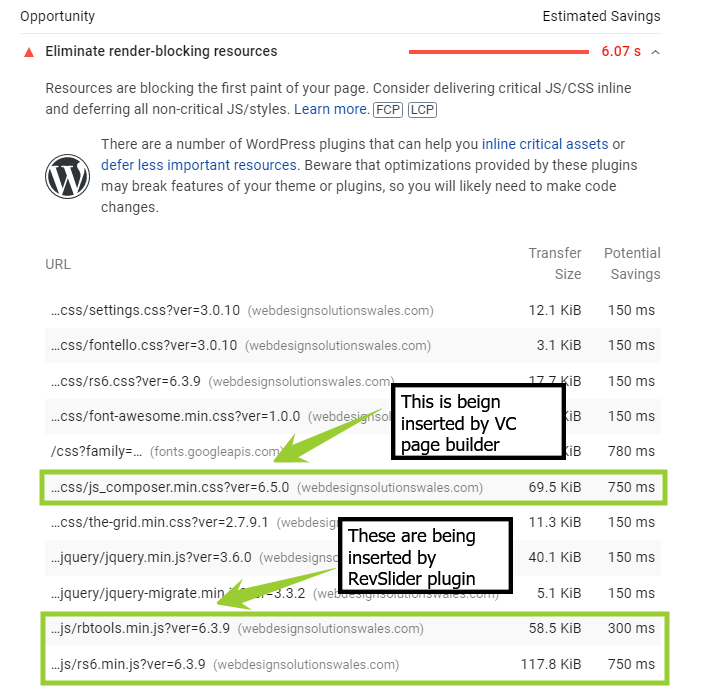
According to GPSI, one of the biggest issues is Render-Blocking Resources and the biggest responsible for this are precisely Visual Composer and RevSlider...
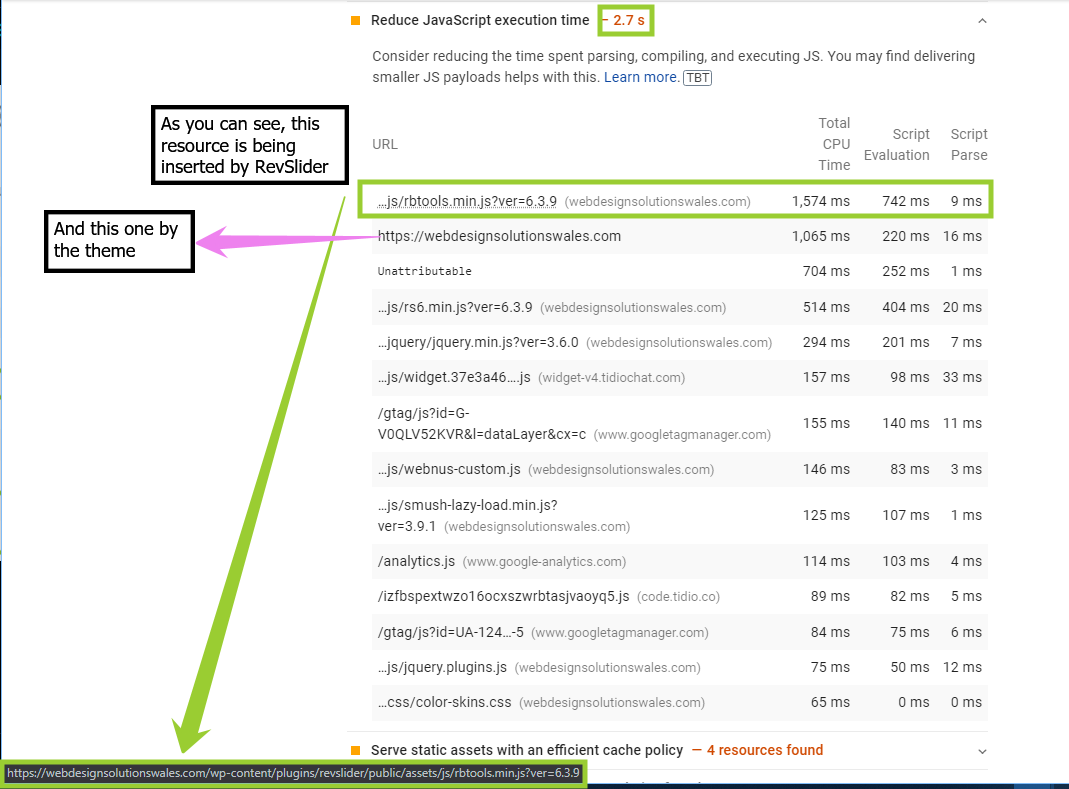
In fact, looking at the Reduce JavaScript execution time tab inside the diagnosis section on GPSI we can see more issues related to how the RevSlider and the theme deliver resources on page load...
EXTERNAL SCRIPTS
Your site is also executing a decent amount of scripts being downloaded from external domains...
The last two are commonly used in most websites but, the first one, it´s not.
My recommendation is to just delay the execution of the Tidio scripts as it's not required for your site´s HTML to render properly.
This is something WP Rocket is also lacking as it´s not delaying the execution of this external script.
I advise you to try https://wordpress.org/plugins/flying-scripts/ which is a free plugin you can download directly from the WP repository and just input tidio and set a delay of 2 or 3 seconds.
As a side note, Flying Script was developed by the same guy of Flying Press (#justsaying)
IMAGES
Some images loading on your homepage are NOT optimized for mobile users. Take a look at this one for example...
https://webdesignsolutionswales.com/wp-content/uploads/2021/08/webdesignsolutionswales-scaled.jpg
That image is 2560 x 1709 pixels and close to 200 KiB...That is just massive for any mobile device on a mobile connection to handle.
And, to make things even worse, that image is being displayed in the above-the-fold portion of the page which obviously triggers some LCP issues.
Another image-related issue is some of them don´t have any dimension specified in the HTML doc and, again, this is something WP Rocket should have handled.
If WP Rocket is not handling this issue, make sure this feature is enabled in the image optimization plugin (Smushit) your site is using and re-test.
FONTS
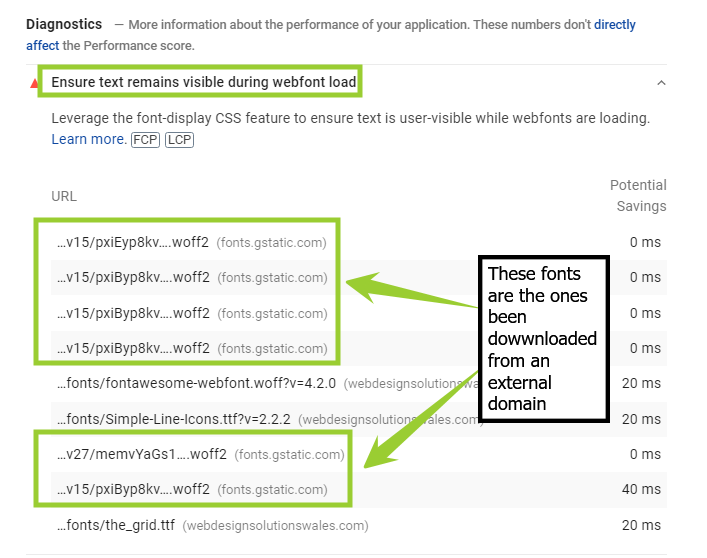
Another common issue with websites is to serve fonts from Google Fonts (external source) which also creates small performance issues as browsers need to make a DNS lookup for these resources.
Fonts are a static resource that rarely changes over time so, the best practice is to just download and host them locally.
Also, make sure to add a "fallback" attribute to fonts to avoid or prevent any FOIT issues as displayed on GPSI...
The easiest way to do it is by using the https://wordpress.org/plugins/swap-google-font-display/ plugin. Also free and developed by Gijo (same guy from Flying Press).
And that´s pretty much it!
I hope this helps and points you in the right direction.
Cheers and stay safe!!