WordPress Speed Optimization

Designerstech

Registered Member
Joined
Nov 17, 2023
Messages
77
Reaction score
41
Hello,
I am building a website for a client and they need to have above 80% for speed optimization since theyre in the google ads grant program. Can anyone please help me or give me tips on how to keep their speed up on the website?
 
if you don't know how, you'd better hire someone as the JS/CSS/Assets optimization could easily break things.

If your site is not JS heavy you could use some plugins like perfmatters and a good cache plugin then you are good to go.
 
I have the prototype in figma now. Ive been working on a dummy site before going live to test things out. I know css coding but not JavaScript. Ive also been having a hard time with the css in wordpress. It doesnt seem to like my code lmfao
 
I can help you to speed up your wordpress website for free. I have experience enough to speed up website performance. You can contact me.
 
I'm using free plugin LiteSpeed Cache with it's aggressive preset and speed seems to be ok.

e86eb44fb9b6f5166a55017f7ae58c66.png

a10e944625667dcb74e749b421a08543.png
 
Feel free to share your site´s URL through DM, otherwise, it's going to be hard for anyone to share any advice/tips that will be practical for YOUR particular situation.

But, in general, when optimizing a site´s page loading speed, you need to be aware of the critical resources needed to paint the above-the-fold section of that page and make sure they load FIRST above everything else.

The rest of the non-critical resources can either be:
  • Removed
  • Lazy loaded
  • Defer
  • Delay
The main priority here is to make sure the above-the-fold section of any page becomes available to the end-user as soon as possible.

Cheers!
 
I'm using free plugin LiteSpeed Cache with it's aggressive preset and speed seems to be ok.

View attachment 322693
View attachment 322694
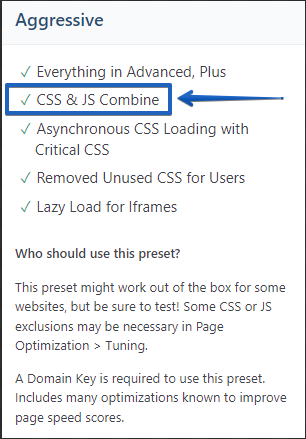
I know it work this time but I would be VERY careful with this feature:

23a76a1c8f0832f4162d2af4c312dc7f.png


Nowadays, it is NOT required since the HTTP/2 protocol rolled out offering multiplexing. Combining CSS and JS files can actually end up with a slower loading page.

Remember, just because a URL scored 100 scores in the Google PageSpeed Insights tool, that does not always mean you will have a fast-loading page.
 
Hello,
I am building a website for a client and they need to have above 80% for speed optimization since theyre in the google ads grant program. Can anyone please help me or give me tips on how to keep their speed up on the website?

Make sure to use Redis caching in combination with LiteSpeed.
Choose a very lightweight SEO plugin like SlimSEO or the SEO Framework.
A lightweight theme is also recommendable, we would recommend to choose a full site editor theme which is compatible with the WP core default block editor.
 
Make sure to use Redis caching in combination with LiteSpeed.
Choose a very lightweight SEO plugin like SlimSEO or the SEO Framework.
A lightweight theme is also recommendable, we would recommend to choose a full site editor theme which is compatible with the WP core default block editor.
Is it free? I saw your post before and was trying to look it up but can't find it in my cpanel
 
You can speed up wordpress with plugins like WP rocket and I suggest you use Elementor for building the website, it's far more easy than custom CSS.
 
I usually plug the site into https://gtmetrix.com/ and run 2 scans to verify the consistency of reporting. Follow the instructions they recommend. Most are very easy to execute.
This fixes most on-page issues. Having these cache plugins recommended by other members are highly suggested.
 
Back
Top