What happened to my site?

rottenwood

Registered Member
Joined
May 8, 2023
Messages
57
Reaction score
41
I found out that my wp-admin is not working this morning shows this error:
1700447614086.png
Then, while I was trying to find the problem, I noticed that all my "site:" links are redirecting to a malicious shopping site.
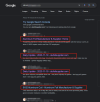
1700447774074.png
This is the page that my site: links are linking to:

1700447952812.png

Can anyone tell me what's going on right now? And how am I supposed to solve the issue?
 
First things to try are, login to your file manager and:
- Take a compressed backup and place it somewhere. You can upload the file to virustotal to see if anything comes up.
- See if your ".htaccess" file to see if there's any code that looks suspicious
- disable all plugins by renaming the "plugins" folder in "wp-content"
- download original wordpress files and overwrite the ones on your server. so if the core files were modified, they will be overwritten.

hopefully this works. if it does, note down the plugins, delete the plugin directory, and install them one by one from the wordpress plugin repository.

However, If the database is infected too, it's more complicated.

Good luck!
 
Also be sure you submit your property to Google Search Console. Your Sitemap should be updated and loaded with Google so the robots that crawl your website can be directed correctly.
 
You exposed your domain in the screenshots, maybe you should remove that and if you cant, then report this post and ask moderators to remove screenshot where your domain is visible.

You want to contact your hosting provider, and ask them to recover your login wp-admin url, they should be able to do that.

You can also ask them to roll back your site to last backup after you check the dates, so you could eventually avoid everything.

If the problem is present form day or two ago, say them to roll back week older backup, and that should wipe out the issue.

Next you have to check your installed plugins and everything that you did in terms of addons on your website.

Make sure your website has latest php version and use google to find common malwares and removal guides.
 
I had similar experiences lately on one of my sites. Please contact with the hosting provider. They will help you to recover from the latest backup.
this is the easiest way to recover, if you are using some good hosting provider.
Remove your domain name screenshots are else it gets harder for you.
 
In addition to the advice given by the posters above, (and after looking at your domain as it's available in the second screenshot) it looks like your Elementor package may have been what the hackers leveraged. Make sure it and any additional packages are up-to-date when you get a clean version restored from your backups.
https://thehackernews.com/2023/04/hackers-exploiting-wordpress-elementor.html
 
Thanks for helping out guys.

Updates for my poor site:

I've found some malicious code in couple of my index.php in different folders, like admin, content.. I deleted the malicious part.

Secondly, I deleted some weird php files named - l0gin.php, wp-the1me.php, wp-scr1pts.php.. in total of 10 files.

Now, I could login to my site but it shows some error message and admin is missing some functionalities, like "add/delete/ addons", "update wordpress", etc.

I also submitted a ticket to the vendor and see if they can roll the server back.
 
1. Make sure no suspicious extensions have been added.
2. Reset your browser or carefully undo any changes viruses may have made.
3. Change all access passwords to the websites (SSH, FTP, WordPress administration, even user passwords if possible…
4. Update WordPress and all plugins to the latest version available.
5. Make sure no new search engine has been added and set as the default.
 
Make sure from now on to use plugins for security and backup your site all time .
 
Make sure from now on to use plugins for security and backup your site all time .
Yes, I immediately did backup all the other newer sites and installed wordfence.. Tough lesson
 
Did you installed a new plugin?

Did you change WP or PHP version?

It sounds like the php pages uses a syntax that is old and no longer supported on the php version you're using
 
I've had success hiring a freelancer to fix malicious wordpress hacks in the past.
 
It looks like your website got hacked. Please scan everything with WordFence and see what files are infected.

Do you have a proper backup to restore?
 
Back
Top