

Albeola
Newbie
- Mar 20, 2025
- 11
- 7
Recently, Facebook has increasingly requested to verify the identity through video selfie, which makes it difficult, leading to the account lock and the card must be re -granted. This slows significant work. But we have an effective method to pass this test step!
The following test will appear:
Confirm your identity by video selfie
To make sure you are real people, we need you to record selfie videos. We will ask you to move your head while spinning to help us capture your face in many different angles.

Tools and methods package
Deep-Live-Cam
This technology allows you to circumvent the requirements of video selphi, providing a convincing, generated video. Let's look at the setting process.
Step -by -step instruction
Video Generation using "Deep-Live-Cam"
Links: GITHUB-Hacksider/Deep-Live-Cam: Real Time Face Swap and One-Click Video Deepfake with Only a Single Image
Use the Deep-Live-Cam tool to create your video. Make sure that the head movements and adequate facial expressions are present in the frame - the technology adjusts emotions to create the impression of naturalness. A record is recommended for about a minute for a more smooth and successful passage of verification.
Video optimization
Make sure that the video has high quality and is devoid of any visual defects. If the result does not satisfy you, it is better to rewrite the video than to rely on an unsuccessful double. Facebook pays special attention to the quality of the video materials provided.
Setting up a virtual camera using OBS Studio
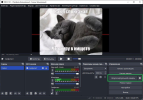
Download and install OBS Studio. Using OBS Studio, configure the virtual camera using a previously generated video and turning on the bouncing option. OBS will act as a "main" camera for your computer.
Connecting via anti-detector browser or remote desktop (Dedic/RDP/HRDP)
When using RDP, copy the video on a remote computer and install OBS Studio there. Install the OBS Studio virtual camera as the main in the settings so that Facebook identifies it as real.
* Deeplivam alternatives
- Instructions on how to use
Link:
* Deepfake source code
Apple introduced Neuman, a neural network that can create Deepfake video in just a few seconds. The program's source code is published on GitHub, allowing users to amend and improve. Neuman has the ability to learn even from short videos, analysis and regeneration not only face characteristics but also a person's common appearance.
After model training, users can make animation for the character created, more different actions and Neuman will create a available Deepfake.
Although free, Neuman requires strong computers and knowledge of programming language to use. Developers recommend carefully studying the detailed instructions available on GitHub before starting working with the neural network.
Face swap
The neural network allows true face swap on many platforms
Faceswap is an application available for Windows, MacOS and Linux that allows you to swap the faces in photos and videos by advanced deep learning methods and neural networks. The neural network creates a convincing facial effect between many different people by training on large data sets. During the transfer process, Faceswap will carefully analyze the structure and characteristics of each face.
Although Faceswap has a more complex and more attractive interface for advanced users, a specialized forum for beginners to provide detailed instructions on how to install neural networks on computers and file files.
*Start the verification process
Activate access to cameras and microphones on Facebook (do not forget to install the virtual OBS camera in the anti -detection browser. Do this in the "Privacy and Security" section), start the verification process and pass verification! Selfie has been completed and you can continue circulating.
Currently, Facebook's identification system has not yet been able to effectively detect such videos, making this method ideal to ignore their requirements for video selfie. Simple and effective!


The following test will appear:
Confirm your identity by video selfie
To make sure you are real people, we need you to record selfie videos. We will ask you to move your head while spinning to help us capture your face in many different angles.
Tools and methods package
Deep-Live-Cam
This technology allows you to circumvent the requirements of video selphi, providing a convincing, generated video. Let's look at the setting process.
Step -by -step instruction
Video Generation using "Deep-Live-Cam"
Links: GITHUB-Hacksider/Deep-Live-Cam: Real Time Face Swap and One-Click Video Deepfake with Only a Single Image
Use the Deep-Live-Cam tool to create your video. Make sure that the head movements and adequate facial expressions are present in the frame - the technology adjusts emotions to create the impression of naturalness. A record is recommended for about a minute for a more smooth and successful passage of verification.
Video optimization
Make sure that the video has high quality and is devoid of any visual defects. If the result does not satisfy you, it is better to rewrite the video than to rely on an unsuccessful double. Facebook pays special attention to the quality of the video materials provided.
Setting up a virtual camera using OBS Studio
Download and install OBS Studio. Using OBS Studio, configure the virtual camera using a previously generated video and turning on the bouncing option. OBS will act as a "main" camera for your computer.
Connecting via anti-detector browser or remote desktop (Dedic/RDP/HRDP)
When using RDP, copy the video on a remote computer and install OBS Studio there. Install the OBS Studio virtual camera as the main in the settings so that Facebook identifies it as real.
* Deeplivam alternatives
- Instructions on how to use
Link:
Apple introduced Neuman, a neural network that can create Deepfake video in just a few seconds. The program's source code is published on GitHub, allowing users to amend and improve. Neuman has the ability to learn even from short videos, analysis and regeneration not only face characteristics but also a person's common appearance.
After model training, users can make animation for the character created, more different actions and Neuman will create a available Deepfake.
Although free, Neuman requires strong computers and knowledge of programming language to use. Developers recommend carefully studying the detailed instructions available on GitHub before starting working with the neural network.
Face swap
The neural network allows true face swap on many platforms
Faceswap is an application available for Windows, MacOS and Linux that allows you to swap the faces in photos and videos by advanced deep learning methods and neural networks. The neural network creates a convincing facial effect between many different people by training on large data sets. During the transfer process, Faceswap will carefully analyze the structure and characteristics of each face.
Although Faceswap has a more complex and more attractive interface for advanced users, a specialized forum for beginners to provide detailed instructions on how to install neural networks on computers and file files.
*Start the verification process
Activate access to cameras and microphones on Facebook (do not forget to install the virtual OBS camera in the anti -detection browser. Do this in the "Privacy and Security" section), start the verification process and pass verification! Selfie has been completed and you can continue circulating.
Currently, Facebook's identification system has not yet been able to effectively detect such videos, making this method ideal to ignore their requirements for video selfie. Simple and effective!