Vps linux question for hosting

gundamwing

Supreme Member
Joined
Sep 18, 2008
Messages
1,294
Reaction score
935
ok guys need your answer
i just rent new vps
and after setup cpanel etc
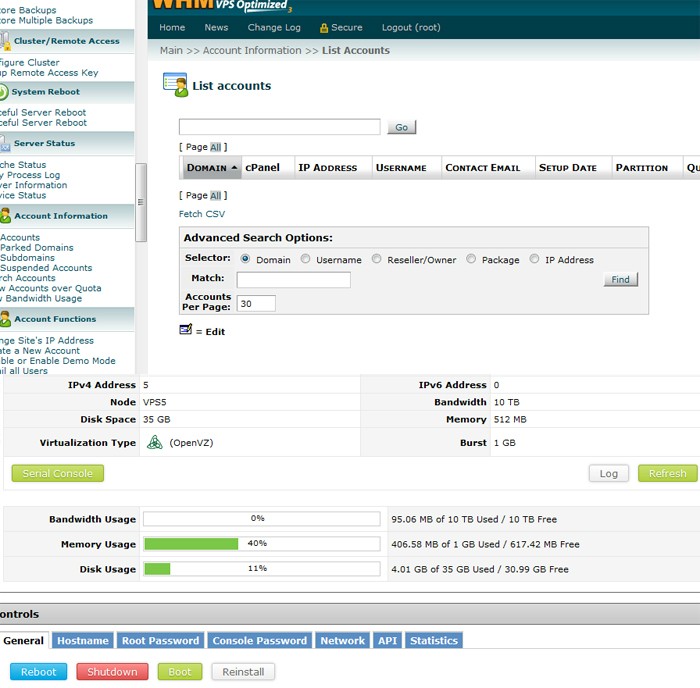
its show 39% memory Usage 394.67 MB of 1 GB Used
its been 2 days 39% memory Usage .


im not added anything or live website


is it normal ?
 
bump, after i reboot memory still showing Memory Usage
36% to high for empty vps
what do you think guys?
 
obviously, you are right, it's way way way too high - you should check with the customer support to get it fixed
 
Do you have mysql running on it? Services like that hold memory in case they need it
 
Do you have mysql running on it? Services like that hold memory in case they need it

is empty vps fresh new
and the funny things support said spamd overload lol...
 
prove
4qHVS


i will make a bad bad review testimonial and all chat log
if they not refund and take this problem easy .
 
You have WHM/CPanel running and hence all services like apache and mysql is running on your VPS.

If you make a bad review about this, people will shit on you, because this is how it is.
 
You have WHM/CPanel running and hence all services like apache and mysql is running on your VPS.

If you make a bad review about this, people will shit on you, because this is how it is.

lol i think you are friend of them :) funny
i have 5 vps and 4 dedicate server
do you want me show all my gear ?
 
I have 3 VPS and even pretty loaded with accounts, none of them run with the memory that high.

If spamd is running that high, it's either because the root domain is getting massive spams or because there's an error in the configuration.

Have you tried restarting spamd or even a graceful reboot?

If the host can't figure out that's a problem, they deserve a bad review...
 
You have WHM/CPanel running and hence all services like apache and mysql is running on your VPS.

If you make a bad review about this, people will shit on you, because this is how it is.

I have to agree. Those interfaces fire up default services and hold memory. What else did you install as 'etc'?

To the point of a simple mail server taking no memory, that would be accurate, but any time you install web interfaces, etc that require resources, you'll see memory held. Try stopping apache, etc and run a top and see what is still using memory. Without seeing WHAT is using that memory, you're shooting in the dark
 
It should be using some but no where near that much.

Spammed server? It's a VPS! Change provider if they are not going to be helpful simple.
 
why don't you use ps or top to find the consumer
Code:
ps aux | sort -n -k5
or
Code:
top
 
Back
Top