VMware what it can actually do for you?

ranavex

Newbie
Joined
Jun 1, 2013
Messages
28
Reaction score
2
When i fly with VMware and it's different OS[os form VMware workstation], different browsers, dose it's left any foot print of my pc? Or VMware work independently as a unique machine wihtout bothering/appearing my pc and it's operation system [am using windows 7 currently].
Virtual Machine has it's on IP so if i Use VPNr other IP hider than can i go for some restricted sites are allwoing only one IP form one pc?
Can anyone trust on VMware that it will served as a unique pc.

Please let me know what you have on it?
Thanks
 
I have two os installed on my vmware. One I use for anonymouse browsing. No Cache, different layers of proxies and all these thingsI use the other for running my internet marketing software. I dont want to worry about viruses, hacking and those stuff.

I also change my mac address and everything seems okay :-)
 
You have a contained environment with a VM, but assuming you only have a local ip then it's still NAT'ing to the same public ip, so it's not a replacement for a proxy or VPN.

of course if you have a block of public ips then yes you could have several independent environments with a few VMs.
 
vmware is good for running shady downloaded cracked programs from blackhat forums that could be full of viruses and shit lol

Other than that, not much uses to it unless you wanna run Mac OSX on a PC or vice versa
 
You have a contained environment with a VM, but assuming you only have a local ip then it's still NAT'ing to the same public ip, so it's not a replacement for a proxy or VPN.

of course if you have a block of public ips then yes you could have several independent environments with a few VMs.

In other words tails doesnt do much if you are using a NAT connection, Correct?
 
In other words tails doesnt do much if you are using a NAT connection, Correct?

Yes. Your VM will have the same IP as the physical machine it is virtualised on. You need an IP subnet from which you can assign a new IP to each VM.
 
Last edited:
Yes. Your VM will have the same IP as the physical machine it is virtualised on. You need an IP subnet from which you can assign a new IP to each VM.

Just to hard to resist.

Have you ever heard of bridged mode? You do not have to use NAT. However, While Bridged mode will assign a unique IP to the VM, the final IP is going to be whatever your ISP assigns.

Next issue, if you are running a VM and using NAT, you are still at risk of contracting a virus through your local machine. If you are operating the VM in bridged mode, then you are a little more secure - but only a little because you have let whatever it is you fear behind your firewall.

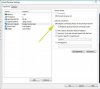
vmsettings.jpg
 
Last edited:
It is simply a virtual machine. If you fire it up on your internet connection of course it will have your connections IP address. That doesn't change - you need a proxy or a VPN for that.
 
Just to hard to resist.

Have you ever heard of bridged mode? You do not have to use NAT. However, While Bridged mode will assign a unique IP to the VM, the final IP is going to be whatever your ISP assigns.

Next issue, if you are running a VM and using NAT, you are still at risk of contracting a virus through your local machine. If you are operating the VM in bridged mode, then you are a little more secure - but only a little because you have let whatever it is you fear behind your firewall.

View attachment 45057


This basically.
 
Thank you all to replay with your such important information's.
 
Back
Top