
Postal Shark
Registered Member
- Mar 19, 2022
- 95
- 87
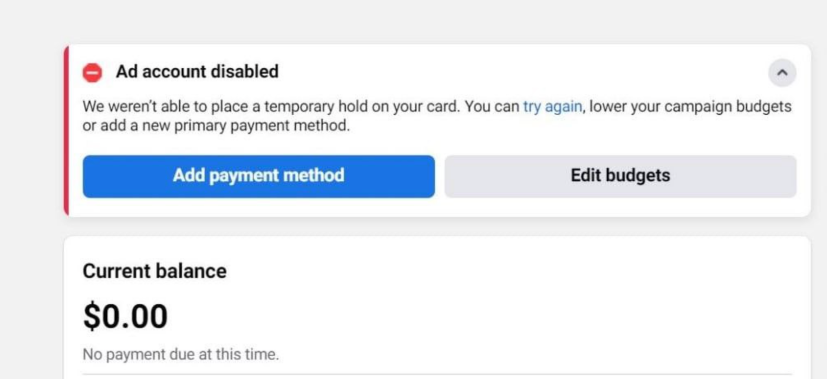
Method №1. Launching ads from prepay accounts
Launches of such accounts in 100% of cases pass without the above error. The only problem is where to find such accounts in normal numbers. There are not so many of them in various bots with trends. I know that you can try to make such accounts yourself – https://www.facebook.com/business/help/311330675698510From our recent experience, the scheme works: The country of the payment card is China + the Yuan currency + the method of depositing Alipay. But with this method, there are restrictions on replenishing accounts. Perhaps this limitation can be circumvented somehow, but we haven't really delved into it.
Method №2. Launching ads from accounts where there has already been a spend
This type of accounts also allows you to start without billing errors. For security, the payment card itself can be linked after the approval of your ad.Method №3. Warm-up and manual payment
First, you launch the involvement of some post on the FP, wait for any minimum spend in the billing, pay for this spend manually and then launch your advertising.Method №4. Repeated moderation
Immediately launch ads for conversions, catch a billing error and reject ads, edit your ads (just put a space in the title / description) and send them for re-moderation. After the ads become active, the error bar will disappear.Method №5. Post boost after billing error
Immediately launch ads for conversions and after a billing error, launch a boost of the fp post, after this launch the error should disappear, but often after that accounts freeze and stand without a spend. Sometimes linking a new payment card helps to unfreeze the account. Or you can make changes to the ads and send them for re-moderation.Method № 6. Pressing the “try again” button again
We press the Repeat button several times and try manual payment. Now this method rarely works, but previously some accounts were held using this method.Conclusion
Since the FB is constantly changing, I cannot guarantee you that these methods will work after some time.Looking for a solution, keep calm and earn money - not easy, but u can!


