

CyberCommander
Power Member
- Dec 30, 2019
- 637
- 735
Hi guys
Today I share with you a small "life hack" how to protect the admin login of your website/plattform with CloudFlare Zero Trust (it's free)
Requirement:
your domain uses the DNS of Cloudflare
Step 1:
Log in to cloudflare
Step 2:
click on Zero Trust

Step 3:
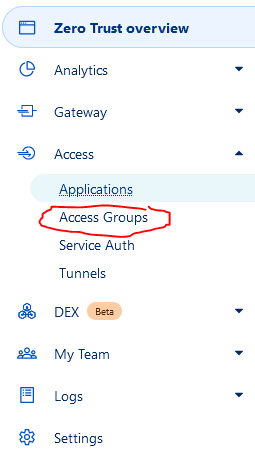
click on Access --> Access Groups
Step 4:
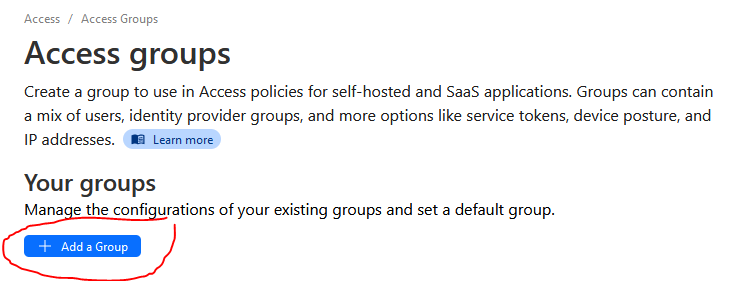
click on add a group
Step 5:
Type a Group Name & Group Configuration --> E-Mail --> Your E-Mail Address --> Save

Step 6:
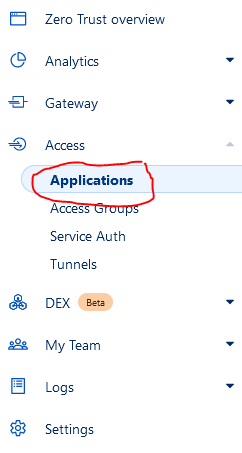
click on Access --> Applications
Step 7:
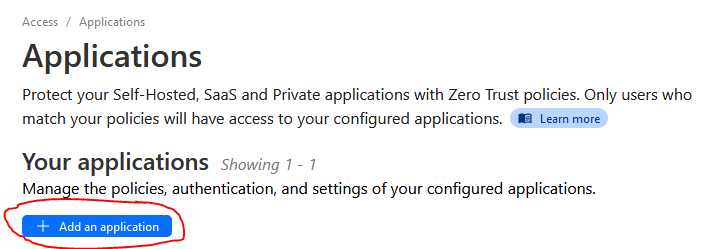
click on Add an application
Step 8:
select self-hosted

Step 9:
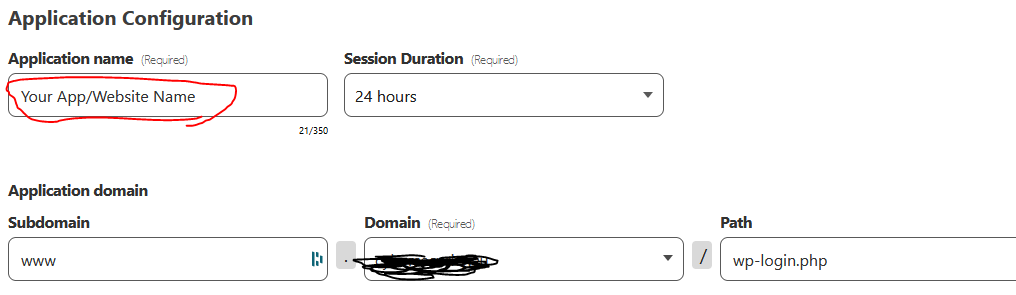
type an app name & give the path to your admin login (my example is wp-login.php for the wordpress admin login)
Step 10:
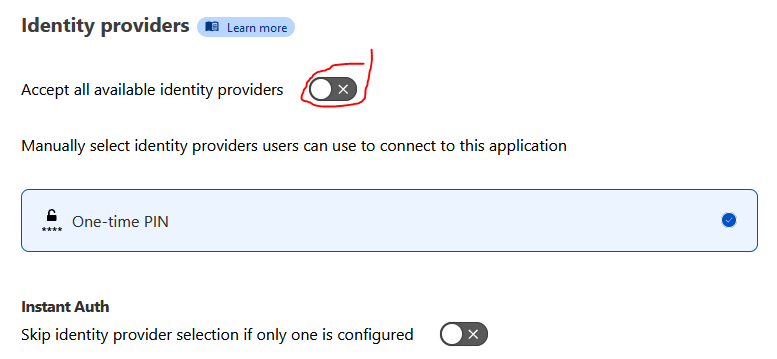
scroll down and disable "Accept all available identity providers" and click next
Today I share with you a small "life hack" how to protect the admin login of your website/plattform with CloudFlare Zero Trust (it's free)
Requirement:
your domain uses the DNS of Cloudflare
Step 1:
Log in to cloudflare
Step 2:
click on Zero Trust
Step 3:
click on Access --> Access Groups
Step 4:
click on add a group
Step 5:
Type a Group Name & Group Configuration --> E-Mail --> Your E-Mail Address --> Save
Step 6:
click on Access --> Applications
Step 7:
click on Add an application
Step 8:
select self-hosted
Step 9:
type an app name & give the path to your admin login (my example is wp-login.php for the wordpress admin login)
Step 10:
scroll down and disable "Accept all available identity providers" and click next
Attachments

Last edited:


