
Hello BHWers,
Long time reader here, and it is time for me to give back to the community! I recently found a tool that I have used to create and host landing pages and it is the easiest to use landing page hosting solution I've ever found. The tool is called LanderBolt. You DO NOT need an external hosting solution for these landing pages. They are hosted by LanderBolt themselves on a CDN which makes the pages load almost instantly no matter where the visitor is.
There are advanced features, as well, like Javascript page scripts that can redirect back-button traffic and more.
When you first log in, you are presented with this screen:
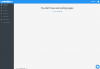
You can then click on "Click Here" to create one, but before you do that, you do need to set up a domain:

Once you add your domain, you will need to change your domain's name servers, like any hosting provider requires.
After you have your domain created, you can then create a landing page. Here's the awesome thing: The tool has a huge library of templates to start from, so even if you know basically NO web design whatsoever, you can still have a killer landing page. Here are the categories of templates they have:
-Sweepstakes
-Branded Apps (Casinos, mostly)
-Adult
-Generic
-Advertorials ("Obama's refinance plan", etc)
-Starter Templates
-Nutra/Diet
-Nutra/Skin
-Nutra/Muscle
-Cryptocurrency
-Lotto
-Webinar

After you've picked a template, you can customize some things about it like name, what niche you are in, if you want to replace all links on the page with a specific link (like an affiliate link), if you want a subfolder on the URL (/page1), etc.

After you've set those settings, you can customize the page with a page editor, which even includes the ability to edit the raw code if you so wish:

Once you are done customizing your landing page, click save (lower left corner!) and you will go back to this page:

To publish the page, all you do is click "Publish" in the lower right corner. You can see here that I've already clicked the button so it says "Unpublish" at the moment.
And that is literally it! You now have a hosted landing page and can send traffic to it. This is by far the easiest and quickest way to get a landing page going and I just barely scratched the surface of what features there are available.
Check it out at www.landerbolt.com (not an affiliate link)
Long time reader here, and it is time for me to give back to the community! I recently found a tool that I have used to create and host landing pages and it is the easiest to use landing page hosting solution I've ever found. The tool is called LanderBolt. You DO NOT need an external hosting solution for these landing pages. They are hosted by LanderBolt themselves on a CDN which makes the pages load almost instantly no matter where the visitor is.
There are advanced features, as well, like Javascript page scripts that can redirect back-button traffic and more.
When you first log in, you are presented with this screen:
You can then click on "Click Here" to create one, but before you do that, you do need to set up a domain:
Once you add your domain, you will need to change your domain's name servers, like any hosting provider requires.
After you have your domain created, you can then create a landing page. Here's the awesome thing: The tool has a huge library of templates to start from, so even if you know basically NO web design whatsoever, you can still have a killer landing page. Here are the categories of templates they have:
-Sweepstakes
-Branded Apps (Casinos, mostly)
-Adult
-Generic
-Advertorials ("Obama's refinance plan", etc)
-Starter Templates
-Nutra/Diet
-Nutra/Skin
-Nutra/Muscle
-Cryptocurrency
-Lotto
-Webinar
After you've picked a template, you can customize some things about it like name, what niche you are in, if you want to replace all links on the page with a specific link (like an affiliate link), if you want a subfolder on the URL (/page1), etc.
After you've set those settings, you can customize the page with a page editor, which even includes the ability to edit the raw code if you so wish:
Once you are done customizing your landing page, click save (lower left corner!) and you will go back to this page:
To publish the page, all you do is click "Publish" in the lower right corner. You can see here that I've already clicked the button so it says "Unpublish" at the moment.
And that is literally it! You now have a hosted landing page and can send traffic to it. This is by far the easiest and quickest way to get a landing page going and I just barely scratched the surface of what features there are available.
Check it out at www.landerbolt.com (not an affiliate link)
Last edited:


 there are other available better options on the market if you ask me.


