That's new...How they do it?

If you tag a page which later changes its name, your post will still show the old name, but the popup will show the new name.

If you take a look at the page in question, it often makes status updates with empty lines and more information in the actual (not fake) See more link. With so many fans used to clicking the See more, I would say that's a clever way to give a start to a new page. However, what's strange is that the fake See More (notice the capital letter - More) is not in Arabic, which would be more logical if that's the case.
 
Last edited:
If you tag a page which later changes its name, your post will still show the old name, but the popup will show the new name.

i thought this but the one posted has 58000 fans and is for a shop thats been established a while...so it can't be that, seeing as you cannot edit a page name past 100 fans...
 
i thought this but the one posted has 58000 fans and is for a shop thats been established a while...so it can't be that, seeing as you cannot edit a page name past 100 fans...

Yeah that's what I thought as well, but I couldn't replicate this with scripting (tag a page and trick Facebook into displaying another name), that's why I thought they changed the name.
 
I don't think they changed the name, the promoted fan page is an old one for a well known shop here

I've tried to tag the page in a post to see how it will come up and it showed their name "rayashop.com"

I've contacted the admin of the page asking for the secret of the trick but I don't think he is going to answer
 
Last edited:
What strange kind of site is called See More? Very strange.
 
I don't think they changed the name, the promoted fan page is an old one for a well known shop here

I've tried to tag the page in a post to see how it will come up and it showed their name "rayashop.com"

I've contacted the admin of the page asking for the secret of the trick but I don't think he is going to answer

My inbox is always open if they get back to you ;)

Will look out for more cases of this.
300
 
Solution !!
 

Attachments

  • bhw.JPG
    bhw.JPG
    24.8 KB · Views: 180
That is really clever. Thanks for sharing martinez.
 
UPDATE:

ok I found out the solution, simply click on my page 'EDIT PAGE' and the numbers after ID=XXXXX are the numbers to use.

Heres Martinez code to copy n paste below.

Code:
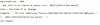
@@[0:[XXXXX:0:Your Anchor Text]]

- where XXXXX is the page id you want to link to, and your anchor text can be anything you like.

Thanks again martinez, rep & thanks given
 
Is this method still works ?? I just tried on my status update as well as on my fan page but it didn't get posted at first place.
 
no its not working anymore :( was a nice feature to tag a fanpage or anything else with a text of your choice instead of the fanpage title..

you should not post such nice tricks in public
 
Back
Top