
You are using an out of date browser. It may not display this or other websites correctly.
You should upgrade or use an alternative browser.
You should upgrade or use an alternative browser.
[Script] Growing your LinkedIn Profile! Easy 500+ Connections
- Thread starter BrazenBull
- Start date


Newbie
- Feb 2, 2013
- 22
- 9
Reworked the script to run after 4 minutes of scrolling.
setInterval(function() { window.scrollTo(0, document.body.scrollHeight); }, 2000);
function addConnection(component){
var btn_type=component.text().trim().split(' ')[0].trim();
if ((btn_type=="Invite" || btn_type=="Invitar")==false) {
component.trigger('click');
}
}
setInterval(function() {
jQuery('.button-secondary-small').each(function(index, value) {
setTimeout(addConnection($(this)), index * 1000);
});
}, 240000);
setInterval(function() { window.scrollTo(0, document.body.scrollHeight); }, 2000);
function addConnection(component){
var btn_type=component.text().trim().split(' ')[0].trim();
if ((btn_type=="Invite" || btn_type=="Invitar")==false) {
component.trigger('click');
}
}
setInterval(function() {
jQuery('.button-secondary-small').each(function(index, value) {
setTimeout(addConnection($(this)), index * 1000);
});
}, 240000);


Bregallo
Registered Member
- Jul 1, 2015
- 88
- 15
@trapdaddy let me know how to get one of those


jaysamuel
BANNED
- Jul 6, 2013
- 190
- 67
A fresh method that shudnt be abused, I think this belongs in the VIP...what say guys?
Agreed
Newbie
- Feb 2, 2013
- 22
- 9
The original script does not work for me but...
I found a new one that does, works almost the same way as the first.
Just drop it into dev tools and run it on the "people you may know" page.
Enjoy!
Code :
var inviter = {} || inviter;
inviter.userList = [];
inviter.className = 'button-secondary-small';
inviter.refresh = function () {
window.scrollTo(0, document.body.scrollHeight);
window.scrollTo(document.body.scrollHeight, 0);
window.scrollTo(0, document.body.scrollHeight);
};
inviter.initiate = function()
{
inviter.refresh();
var connectBtns = document.getElementsByClassName(inviter.className);
if (connectBtns == null) {var connectBtns = inviter.initiate();}
return connectBtns;
};
inviter.invite = function () {
var connectBtns = inviter.initiate();
var buttonLength = connectBtns.length;
for (var i = 0; i < buttonLength; i++) {
if (connectBtns != null && connectBtns != null) {inviter.handleRepeat(connectBtns);}
if (i == buttonLength - 1) {
console.log("done: " + i);
inviter.refresh();
}
}
};
inviter.handleRepeat = function(button)
{
var nameValue = button.children[1].textContent
var name = nameValue.replace(/^\s\s*/, '').replace(/\s\s*$/, '');
if(inviter.arrayContains(name))
{
console.log("cancel");
var cancel = button.parentNode.parentNode.children[0];
cancel.click();
}
else
{
console.log("add");
inviter.userList.push(name);
button.click();
}
};
inviter.arrayContains = function(item)
{
return (inviter.userList.indexOf(item) > -1);
};
inviter.usersJson = {};
inviter.loadResult = function()
{
var retrievedObject = localStorage.getItem('inviterList');
var temp = JSON.stringify(retrievedObject);
inviter.userList = JSON.parse(temp);
};
inviter.saveResult = function()
{
inviter.usersJson = JSON.stringify(inviter.userList);
localStorage.setItem('inviterList', inviter.usersJson);
};
setInterval(function () { inviter.invite(); }, 5000);
I found a new one that does, works almost the same way as the first.
Just drop it into dev tools and run it on the "people you may know" page.
Enjoy!
Code :
var inviter = {} || inviter;
inviter.userList = [];
inviter.className = 'button-secondary-small';
inviter.refresh = function () {
window.scrollTo(0, document.body.scrollHeight);
window.scrollTo(document.body.scrollHeight, 0);
window.scrollTo(0, document.body.scrollHeight);
};
inviter.initiate = function()
{
inviter.refresh();
var connectBtns = document.getElementsByClassName(inviter.className);
if (connectBtns == null) {var connectBtns = inviter.initiate();}
return connectBtns;
};
inviter.invite = function () {
var connectBtns = inviter.initiate();
var buttonLength = connectBtns.length;
for (var i = 0; i < buttonLength; i++) {
if (connectBtns != null && connectBtns != null) {inviter.handleRepeat(connectBtns);}
if (i == buttonLength - 1) {
console.log("done: " + i);
inviter.refresh();
}
}
};
inviter.handleRepeat = function(button)
{
var nameValue = button.children[1].textContent
var name = nameValue.replace(/^\s\s*/, '').replace(/\s\s*$/, '');
if(inviter.arrayContains(name))
{
console.log("cancel");
var cancel = button.parentNode.parentNode.children[0];
cancel.click();
}
else
{
console.log("add");
inviter.userList.push(name);
button.click();
}
};
inviter.arrayContains = function(item)
{
return (inviter.userList.indexOf(item) > -1);
};
inviter.usersJson = {};
inviter.loadResult = function()
{
var retrievedObject = localStorage.getItem('inviterList');
var temp = JSON.stringify(retrievedObject);
inviter.userList = JSON.parse(temp);
};
inviter.saveResult = function()
{
inviter.usersJson = JSON.stringify(inviter.userList);
localStorage.setItem('inviterList', inviter.usersJson);
};
setInterval(function () { inviter.invite(); }, 5000);
Celestine Goldner
Newbie
- Jun 28, 2018
- 6
- 0
Wow! This is great! Thank you for sharing this.

fairytail0000
Regular Member
- Oct 4, 2014
- 267
- 45
This is Amazing. Thank You for sharing .

SoufianeBT
BANNED
- Jul 6, 2019
- 18
- 1
Hi u script is complicated to understand it , use this script is optimised:The original script does not work for me but...
I found a new one that does, works almost the same way as the first.
Just drop it into dev tools and run it on the "people you may know" page.
Enjoy!
Code :
var inviter = {} || inviter;
inviter.userList = [];
inviter.className = 'button-secondary-small';
inviter.refresh = function () {
window.scrollTo(0, document.body.scrollHeight);
window.scrollTo(document.body.scrollHeight, 0);
window.scrollTo(0, document.body.scrollHeight);
};
inviter.initiate = function()
{
inviter.refresh();
var connectBtns = document.getElementsByClassName(inviter.className);
if (connectBtns == null) {var connectBtns = inviter.initiate();}
return connectBtns;
};
inviter.invite = function () {
var connectBtns = inviter.initiate();
var buttonLength = connectBtns.length;
for (var i = 0; i < buttonLength; i++) {
if (connectBtns != null && connectBtns != null) {inviter.handleRepeat(connectBtns);}
if (i == buttonLength - 1) {
console.log("done: " + i);
inviter.refresh();
}
}
};
inviter.handleRepeat = function(button)
{
var nameValue = button.children[1].textContent
var name = nameValue.replace(/^\s\s*/, '').replace(/\s\s*$/, '');
if(inviter.arrayContains(name))
{
console.log("cancel");
var cancel = button.parentNode.parentNode.children[0];
cancel.click();
}
else
{
console.log("add");
inviter.userList.push(name);
button.click();
}
};
inviter.arrayContains = function(item)
{
return (inviter.userList.indexOf(item) > -1);
};
inviter.usersJson = {};
inviter.loadResult = function()
{
var retrievedObject = localStorage.getItem('inviterList');
var temp = JSON.stringify(retrievedObject);
inviter.userList = JSON.parse(temp);
};
inviter.saveResult = function()
{
inviter.usersJson = JSON.stringify(inviter.userList);
localStorage.setItem('inviterList', inviter.usersJson);
};
setInterval(function () { inviter.invite(); }, 5000);
setInterval(function() { window.scrollTo(0, document.body.scrollHeight); }, 2000);
jQuery('.js-discover-person-card__action-btn').each(function(index, value) {
setTimeout(function() {
jQuery(value).trigger('click');
}, index * 1000);
});
Incrementum
Newbie
- Jul 9, 2019
- 1
- 0
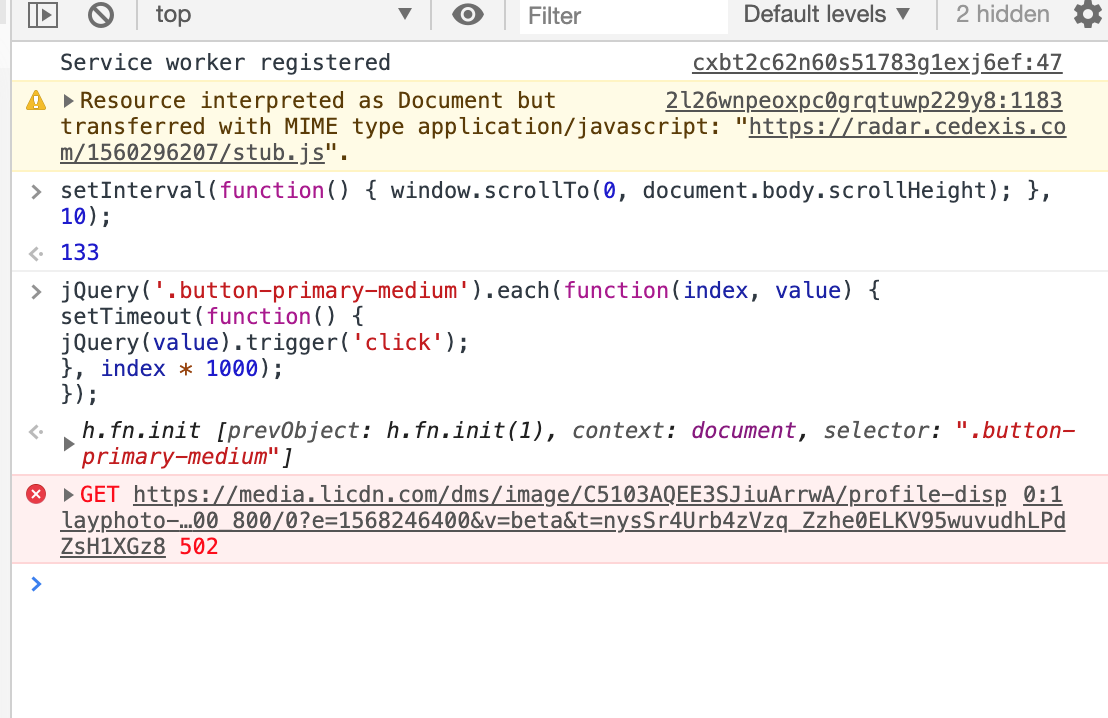
It's not working for me. Getting this error.

lykathe
Regular Member
- Oct 23, 2009
- 470
- 123
linkedin changes their css frequently, and doesnt have jquery on pages anymore so everything has to be native JS.
i've been writing scripts like this for years, like I said when they change their code this becomes obsolete as the selectors are then wrong. PM me if you want my script.
i've been writing scripts like this for years, like I said when they change their code this becomes obsolete as the selectors are then wrong. PM me if you want my script.
AncientElevator9
Newbie
- Jun 19, 2020
- 4
- 8
also, when you visit their profiles, do people actually request to connect with you? I know this used to work on linkedin a few years back, but do people still see that you visited their profile and then ask for a connectiON?
Yes, but not a whole lot. I ran a script to auto view profiles - Of the profiles I viewed, (30M) about 1% of them viewed me back (300K) and about 2% (6k) of those people sent me a connection request over the next month... so like 0.0002. It's really not quicker than inviting others to connect ...and the auto viewing caused me to get a temporary restriction... so use at your own risk.